Marketing, IT, and Finance — Finally on the Same Page
Marketing buys the tools, IT supports them, finance pays for them — but nobody shares the same view. Give every department a shared architecture with structured proposals, approvals, and the audit trail that makes cross-functional decisions stick.
Sound familiar?
Cross-functional teams face unique challenges when managing a shared Martech stack.
Siloed decision-making
The problem
Marketing buys a new tool. IT doesn't know. Data team discovers it months later when integration breaks.
The solution
Team workspaces give everyone visibility. Department ownership shows who's responsible for what. No more surprises.
No change management process
The problem
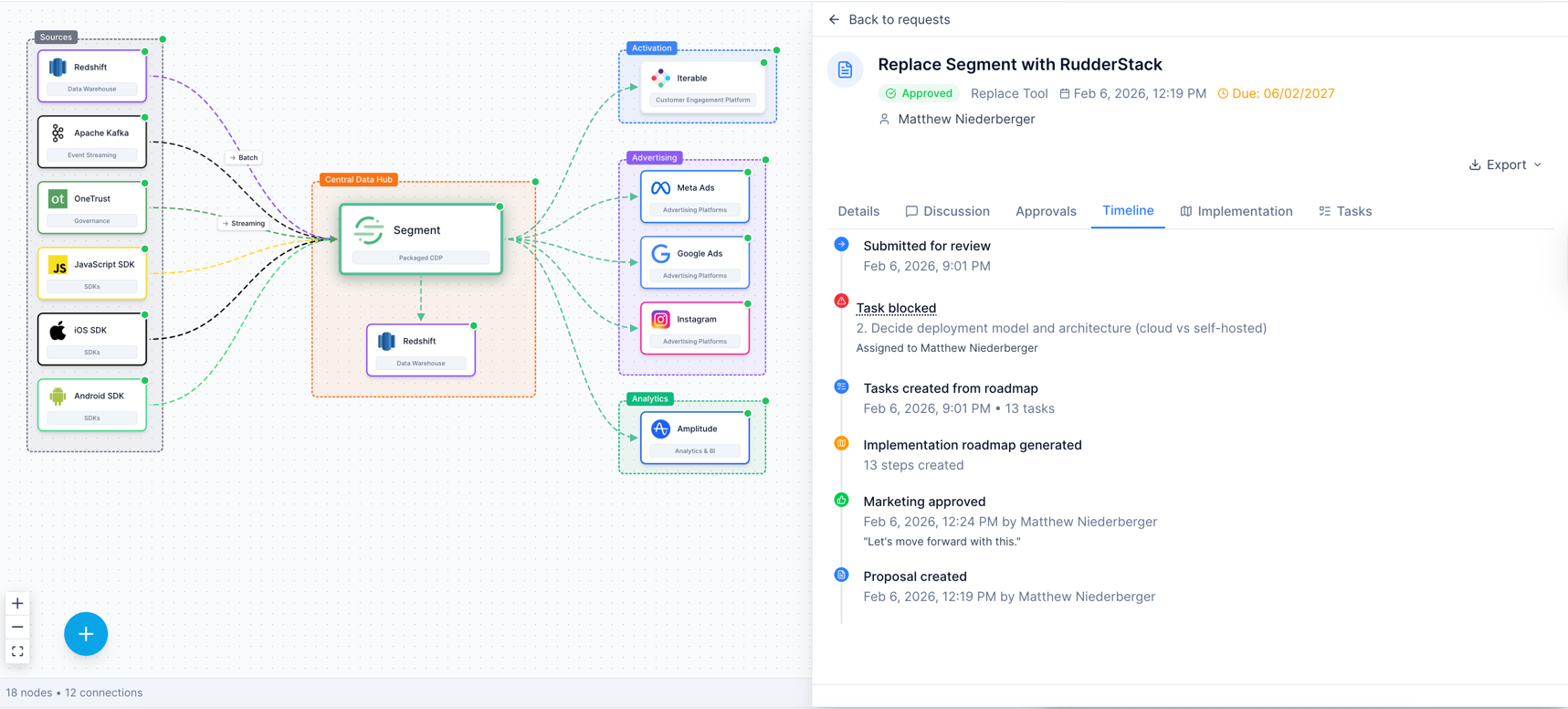
Someone swaps a vendor and things break downstream. There's no review, no approval, no record of why the change was made.
The solution
Proposals and approval workflows let team members suggest changes, discuss impact, and get sign-off before anything changes. Full audit trail included.
No shared source of truth
The problem
The architect has one version in Lucidchart, the budget owner has another in a spreadsheet, and the exec has an outdated PowerPoint.
The solution
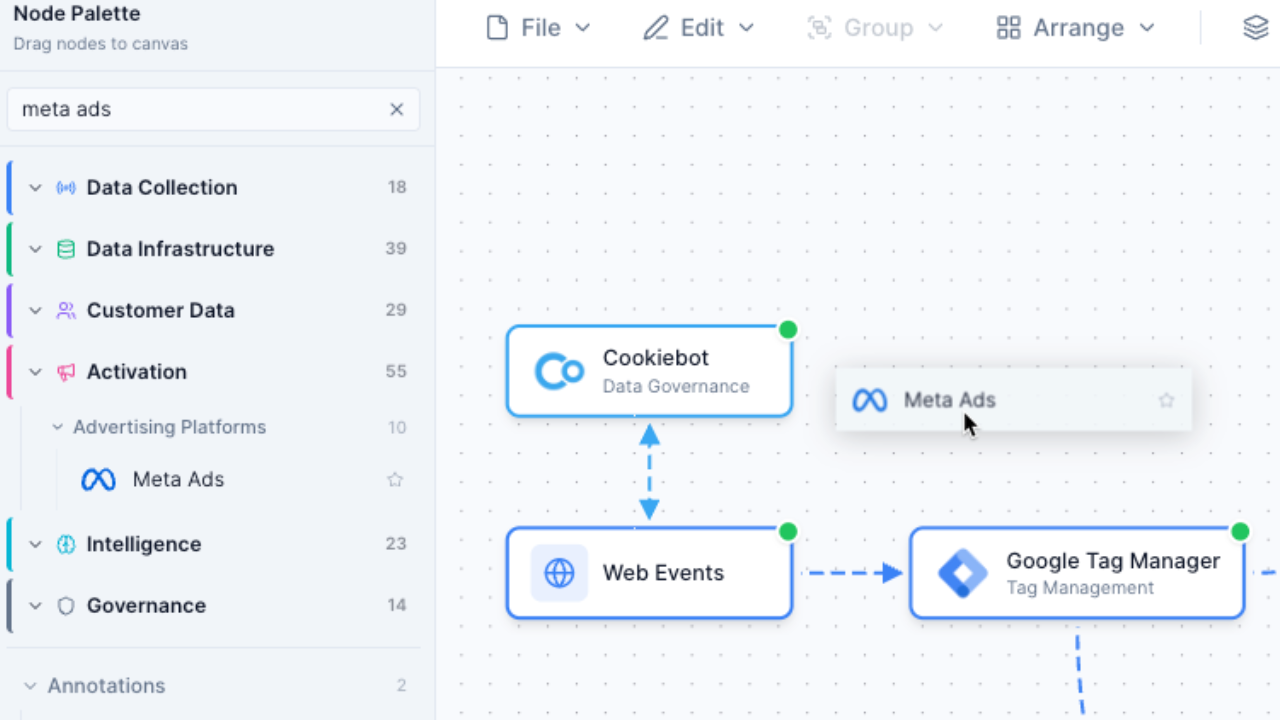
One interactive diagram that everyone references. Real-time cloud sync means the team always sees the current state of the stack.
Cross-team coordination is painful
The problem
Getting marketing, IT, data, and finance aligned on stack changes requires endless meetings and email chains.
The solution
Comments, @mentions, and task management within proposals. Structured async collaboration that replaces meetings with documented decisions.
Built for team collaboration
Every feature is designed to help cross-functional teams govern their stack together.
Team Workspaces
Shared space for your team's stack diagrams with role-based access control.
Proposals & Approvals
Structured change requests with review workflows and approval gates.
Comments & @Mentions
Discuss changes in context with threaded conversations.
Department Ownership
Assign tools to departments and track accountability.
Shared Library
Team templates and shared diagrams accessible to all members.
Role-Based Access
Admin, Editor, and Viewer roles to control who can change what.
How teams use Stack Builder
From mapping to governance in four steps.
Map your current stack
Build a shared visual representation of your entire Martech architecture.
Assign ownership
Tag each tool with the responsible department and owner.
Propose changes
Team members submit proposals to add, remove, or replace tools.
Review and approve
Stakeholders review proposals, discuss impact, and approve or request changes.
Frequently Asked Questions
How many team members can I add?
What roles are available?
Can different departments see different diagrams?
How do proposals work?
Is there an audit trail?
Can we try it with a small team first?
Build your stack together
Give your team a shared source of truth with proposals, approvals, and governance workflows built in.
No credit card required. Free plan available.