Finally, Everyone Sees the Same Stack
Your stack architecture lives in one person's head. When they're in a meeting, on holiday, or leave the company — that knowledge goes with them. Put it on a canvas that the whole organization can see, question, and improve.
Why visualize your Martech stack?
Average number of Martech tools in an enterprise stack (Gartner)
Only a third of Martech tools are fully utilized (Gartner)
Most teams have no visual map of their complete architecture
A Martech stack visualization isn't just a pretty picture. It's the foundation for every strategic decision — consolidation, vendor evaluation, compliance audits, and budget optimization. Without a clear visual map, you're making decisions in the dark.
Three steps to a complete stack diagram
From blank canvas to presentation-ready architecture in minutes.
Build
Drag vendors from our 100+ library onto an infinite canvas. Search by name or category. Connect tools to show data flows, API integrations, and system dependencies.
Evaluate
Run AI evaluation to get letter grades (A-F) across Integration Health, Data Governance, Cost Efficiency, Scalability, and Security. See exactly where your stack is strong and where it needs work.
Share
Export presentation-ready PNG or PDF for stakeholders. Use multi-lens views to show different perspectives — cost distribution, data flows, team ownership — from the same diagram.
Purpose-built for Martech architecture
Not a generic diagramming tool. Every feature is designed for marketing technology teams.
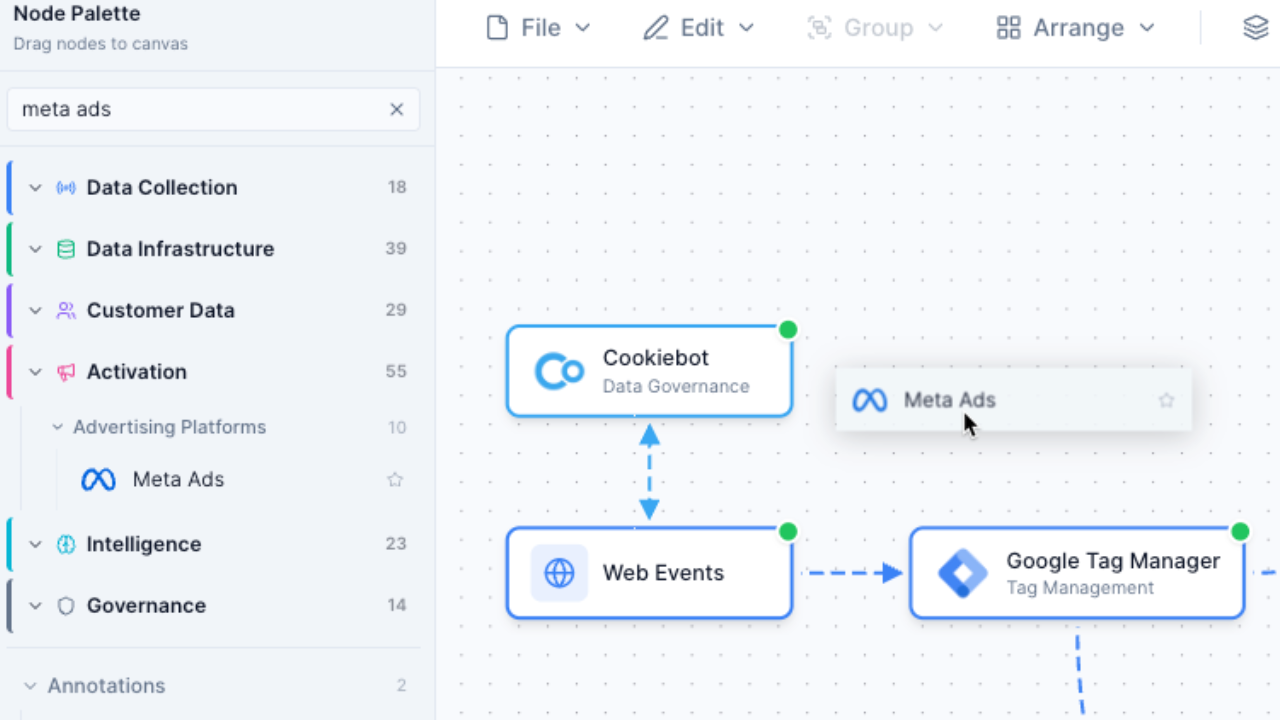
100+ Pre-Built Vendor Nodes
Every major Martech vendor with logos, categories, and metadata. Segment, HubSpot, Salesforce, Google Analytics, and 100+ more. No manual logo hunting or shape drawing.
- Pre-built nodes with official logos
- Organized by category (CDP, CRM, Analytics, etc.)
- Search by name or category
- Metadata includes pricing and capabilities
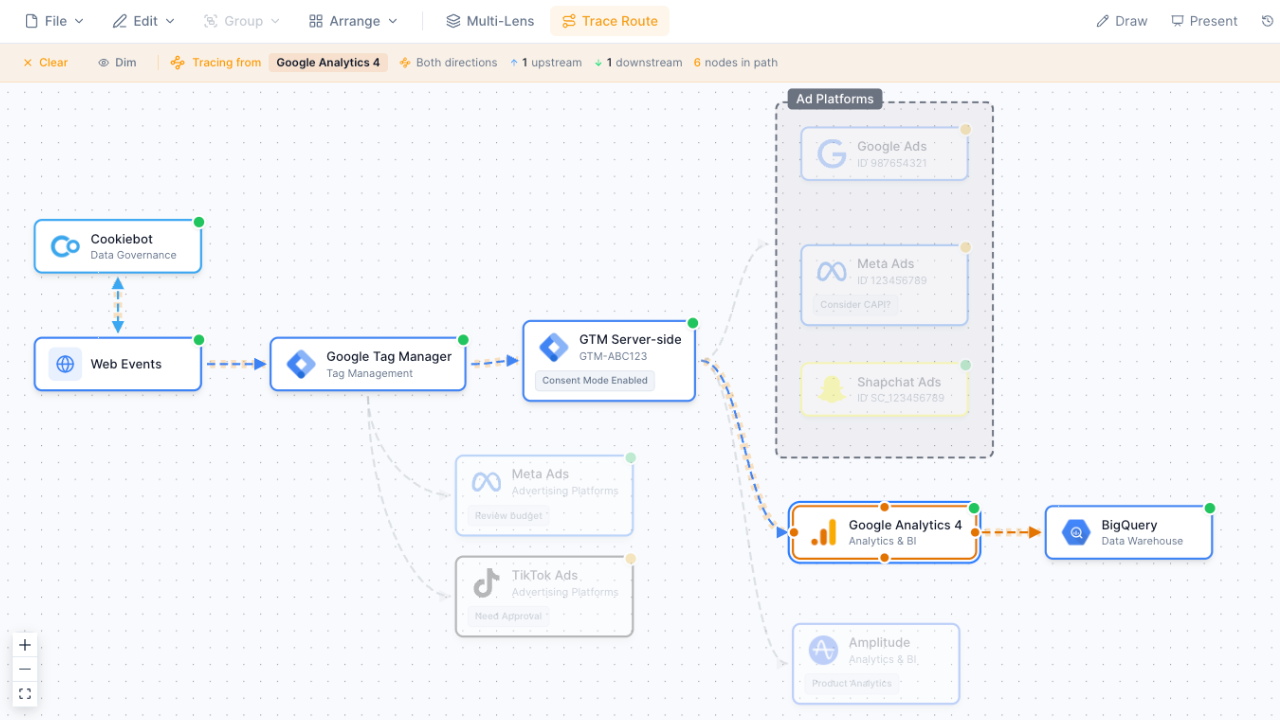
Data Flow Connections
Draw connections between tools to show how data moves through your stack. Label edges with data types, protocols, and integration methods. Click any node to trace the full data path.
- Drag to connect any two nodes
- Label connections with data types
- Trace upstream and downstream flows
- Visualize API, webhook, and batch integrations
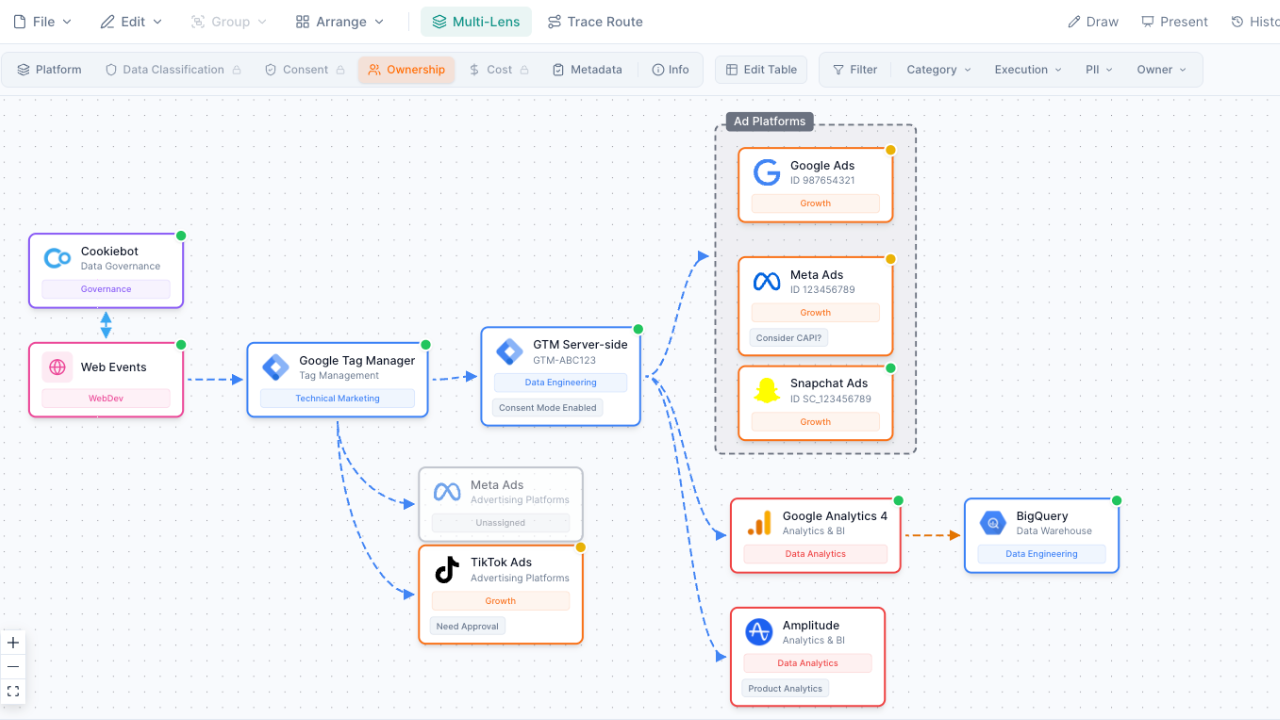
Multi-Lens Views
View your stack through 5 analytical lenses: Platform Architecture, Team Ownership, Data Classification, Consent Governance, and Cost Analysis. Each reveals different insights without creating separate diagrams.
- Platform Architecture for system overview
- Team Ownership for accountability mapping
- Data Classification for PII visibility
- Consent Governance for compliance auditing
- Cost Analysis for spend breakdown
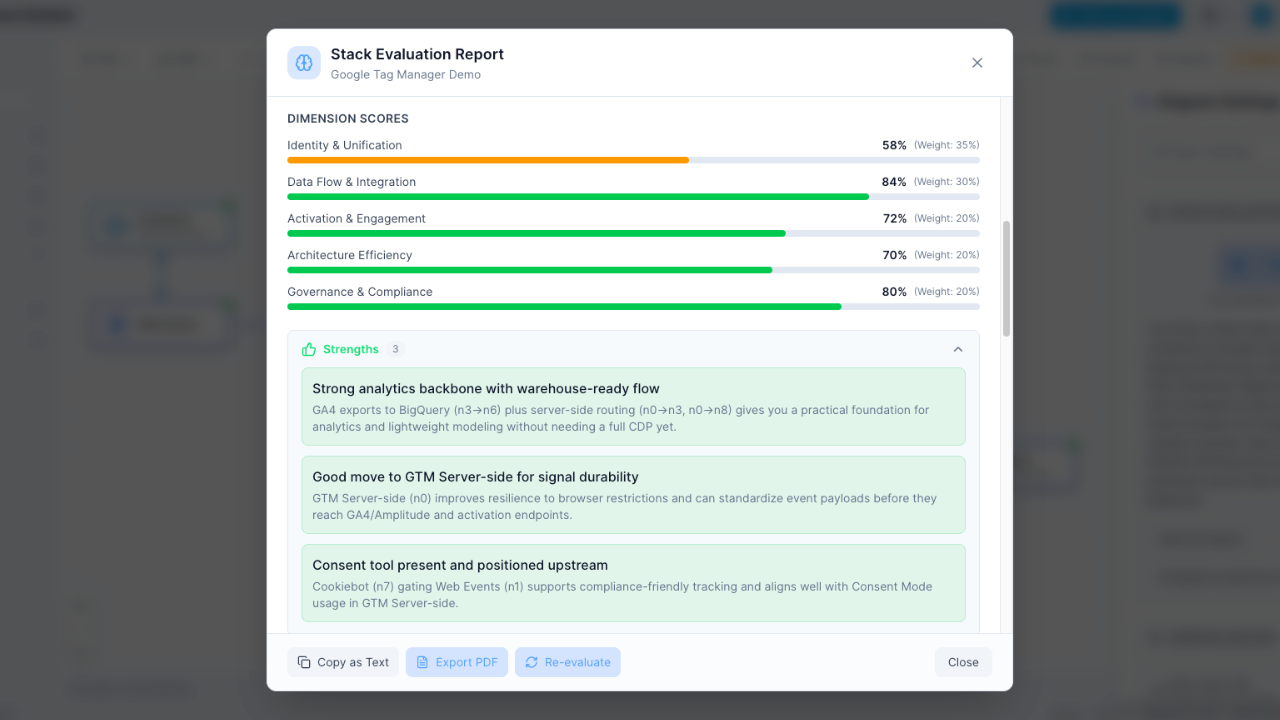
AI-Powered Evaluation
Our AI analyzes your stack structure and grades it A-F across 5 dimensions. Get specific recommendations for improving integration health, reducing redundancy, and optimizing costs.
- Letter grades A-F at a glance
- Integration Health scoring
- Cost Efficiency analysis
- Actionable improvement recommendations
Start from a template
Don't start from scratch. Choose from pre-built templates for common Martech architectures — e-commerce stacks, B2B lead gen, enterprise CDP setups, and more.
Frequently Asked Questions
What is a Martech stack visualization?
How is this different from drawing in Miro or PowerPoint?
How long does it take to build a stack diagram?
Can I visualize data flows between tools?
What does the AI evaluation measure?
Is there a free plan?
Can I use this for the Martech Stackies?
Start visualizing your stack
Build your first Martech architecture diagram in minutes. Free to start, no credit card required.
No credit card required. Free plan available.