Stop Letting Vendors Control the Conversation
G2 reviews and vendor demos don't tell you how a tool fits your architecture. Evaluate vendors against your actual stack, generate structured RFIs, and walk into negotiations with data the vendor can't argue with.
The problem with vendor reviews
Generic vendor comparison sites rank tools based on user reviews and feature lists. But they can't tell you how a specific tool will integrate with your existing stack, whether it creates data flow conflicts, or if it overlaps with something you already have.
Stack Builder flips vendor evaluation on its head. Instead of evaluating vendors in isolation, you evaluate them in the context of your architecture. Add a vendor to your stack, see how it connects, run AI analysis, and make decisions with full architectural context.
Vendor evaluation workflow
From stack mapping to vendor decision in four steps.
Map your current stack
Build your existing architecture visually. Every tool, every connection, every data flow.
Explore alternatives
Use AI Alternatives to find replacement options for any tool. See vendor suggestions that fit your category and integration requirements.
Generate RFI documents
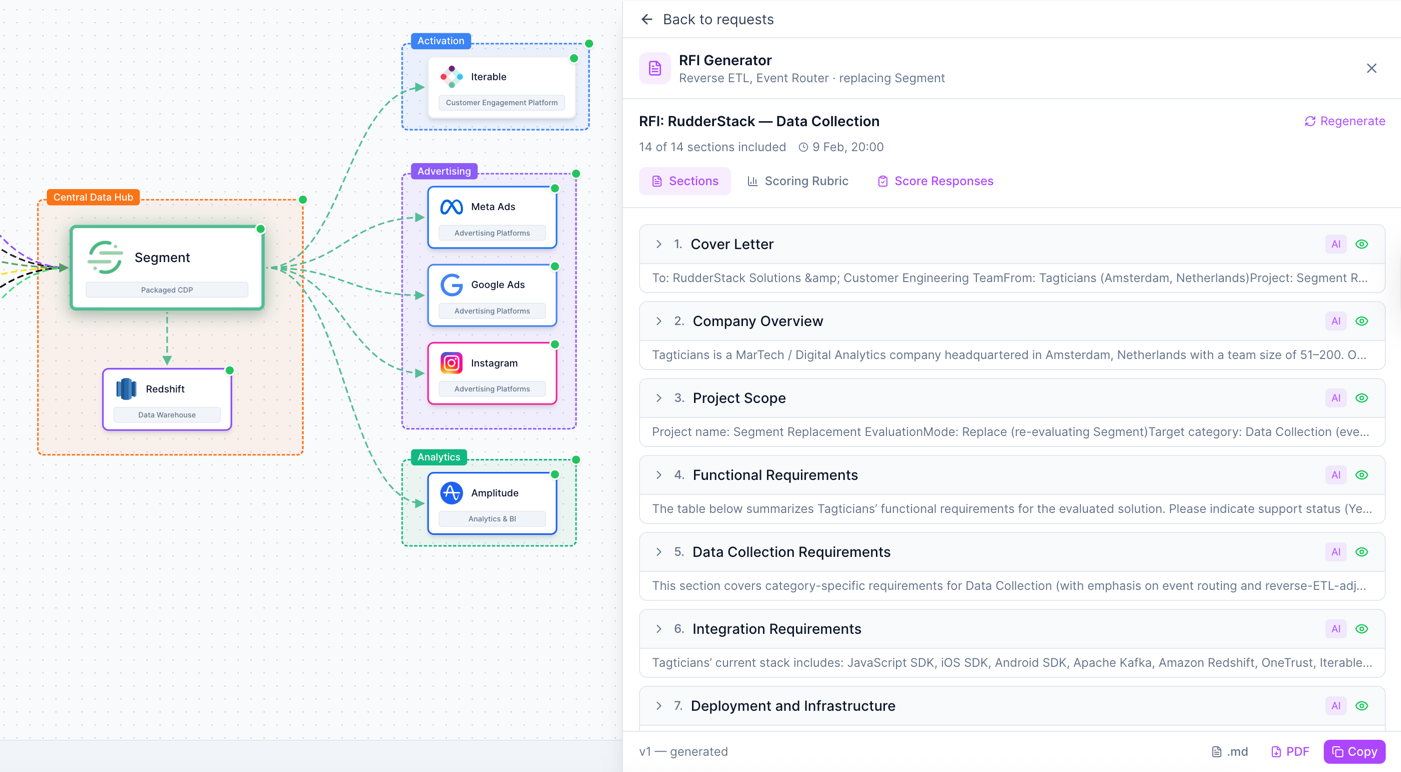
The RFI Generator walks you through a 10-step questionnaire and produces a professional vendor evaluation document with weighted scoring rubric.
Score and compare
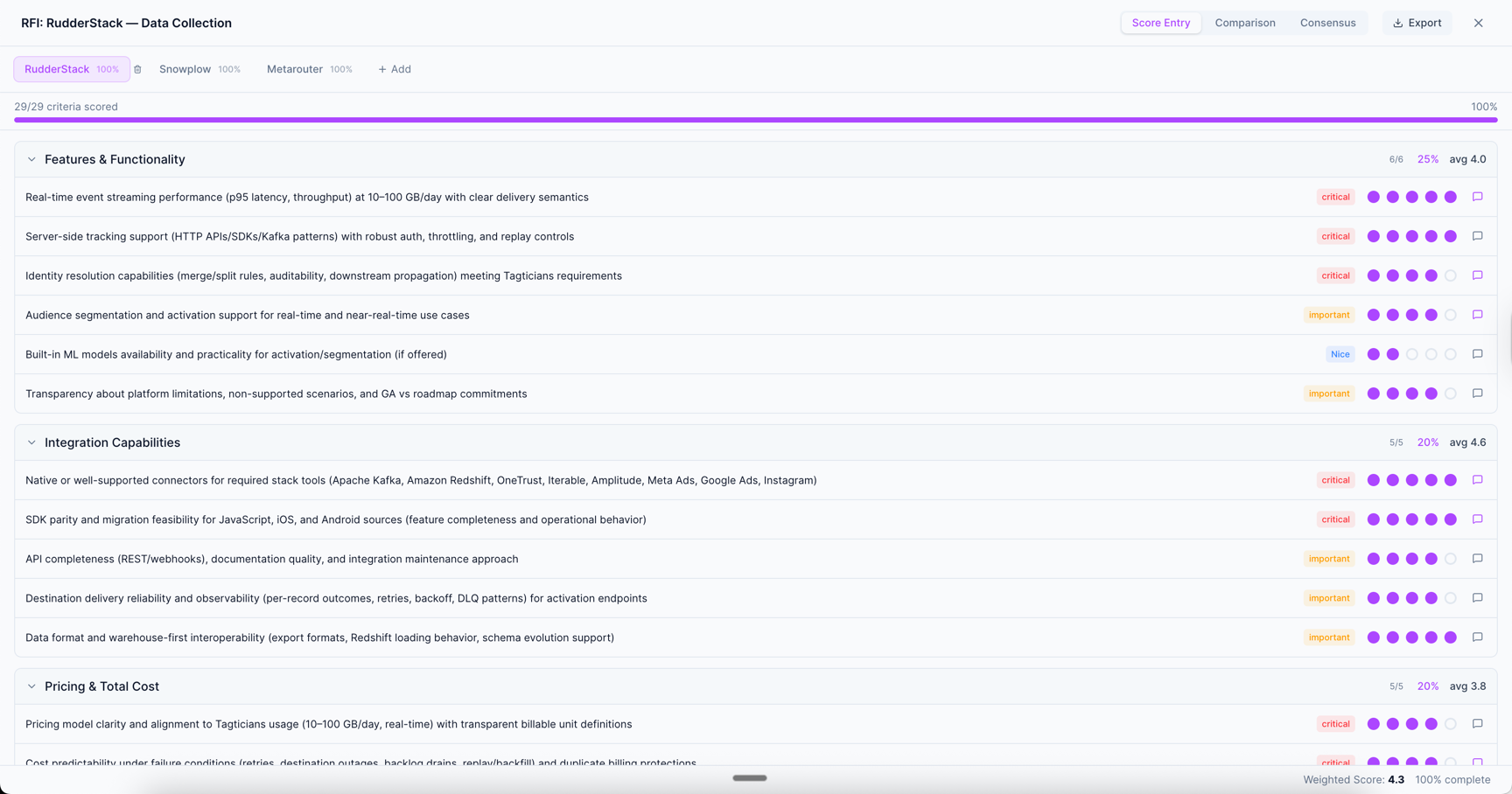
Score vendor responses against your criteria. Compare vendors side by side with team consensus tools. Make decisions with data, not opinions.
Built for stack-aware vendor evaluation
Every evaluation feature works in the context of your architecture.
AI Alternatives & Recommendations
Click any vendor in your stack and ask the AI for alternatives. Get suggestions that fit your category, integration patterns, and budget. See how each alternative would change your architecture before committing.
- Context-aware vendor suggestions
- See architectural impact before switching
- Category-matched alternatives
- Integration compatibility considered
RFI Generator
A 10-step guided questionnaire that captures your requirements and produces a professional Request for Information document. Includes weighted scoring rubric, evaluation criteria, and vendor comparison framework. Export as Markdown, PDF, or clipboard.
- 10-step guided questionnaire
- AI-generated evaluation document
- Weighted scoring rubric
- Export to Markdown, PDF, or clipboard
Vendor Scoring & Comparison
Score vendor responses criterion by criterion. Compare vendors side by side in a visual matrix. Build team consensus with multi-reviewer support and disagreement highlighting.
- Score vendors against your criteria
- Side-by-side comparison matrix
- Multi-reviewer consensus building
- Export as CSV, Markdown, or PNG
Frequently Asked Questions
How is this different from G2 or Gartner?
What does the RFI Generator include?
Can my team collaborate on vendor scoring?
How many vendors can I compare?
Does the AI recommend specific vendors?
Is the RFI Generator included in the free plan?
Start evaluating vendors in context
See how vendors fit your architecture before making decisions. AI alternatives, RFI generation, and team scoring built in.
No credit card required. Free plan available.