Comparison
Martech Stack Builder vs PowerPoint
PowerPoint is the default tool many teams use to document their Martech stack. But static slides become outdated instantly, have no vendor data, and can't be analyzed or evaluated. There's a better way.
The quick verdict
PowerPoint is the world's most common presentation tool, and many teams default to it for mapping their Martech stack. The result is always the same: a static slide with manually placed logos that becomes outdated the moment someone adds or removes a tool.
Stack Builder gives you a living, interactive diagram with real vendor data, AI analysis, and one-click export when you need slides. Build interactively, analyze intelligently, and export to PDF or PNG whenever you need a presentation.
Feature Comparison
| Feature | Martech Stack Builder | PowerPoint |
|---|---|---|
| 100+ Martech vendor library | ✓ | — |
| Pre-built vendor logos & metadata | ✓ | — |
| AI Stack Evaluation | ✓ | — |
| AI diagram generation | ✓ | — |
| Multi-Lens Views | ✓ | — |
| Interactive canvas (zoom, pan, drag) | ✓ | — |
| Real-time data connections | ✓ | — |
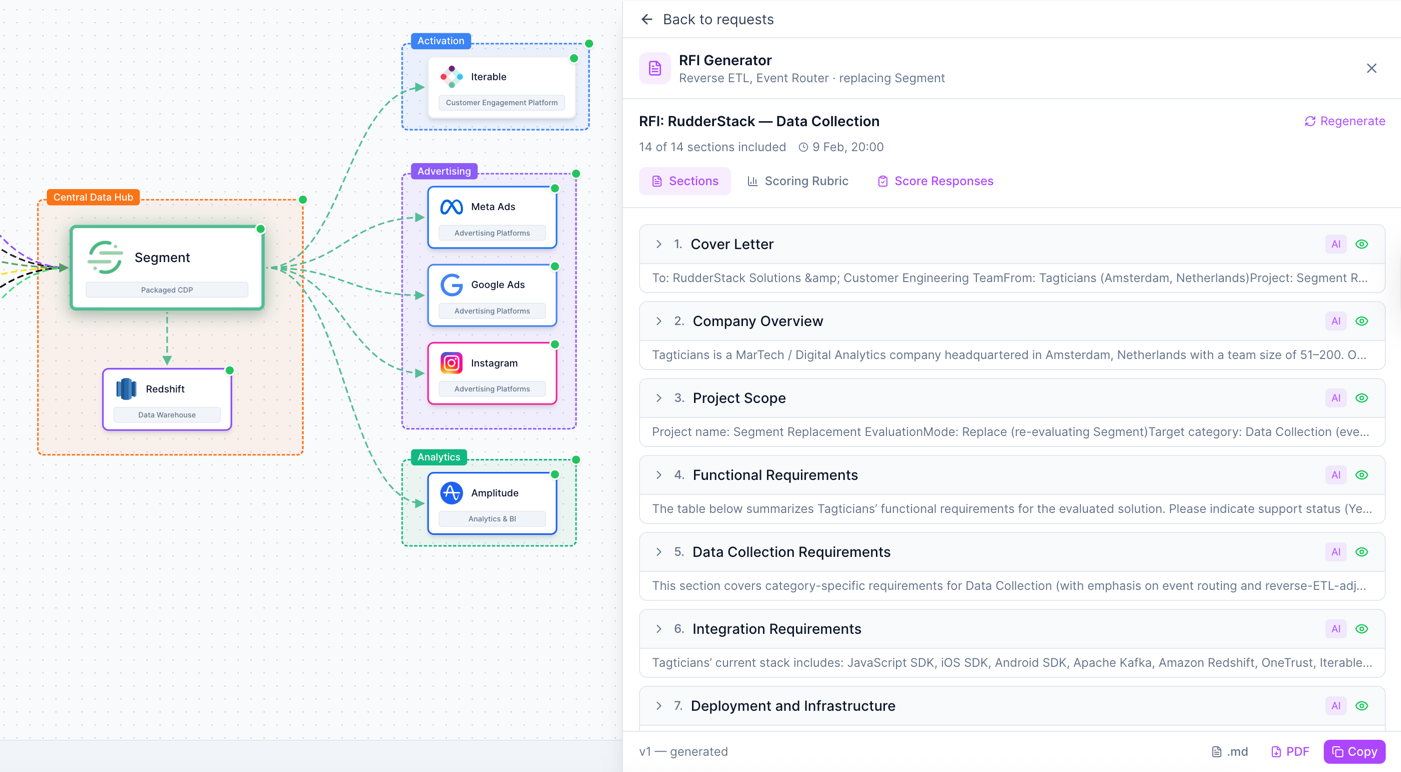
| RFI Generator | ✓ | — |
| Presentation-ready output | Export to PDF/PNG | ✓ |
| Animation & transitions | — | ✓ |
| Offline editing | — | ✓ |
| Universal format (.pptx) | — | ✓ |
| Free tier | ✓ | Microsoft 365 |
Why Martech teams choose Stack Builder
Living diagrams vs static slides
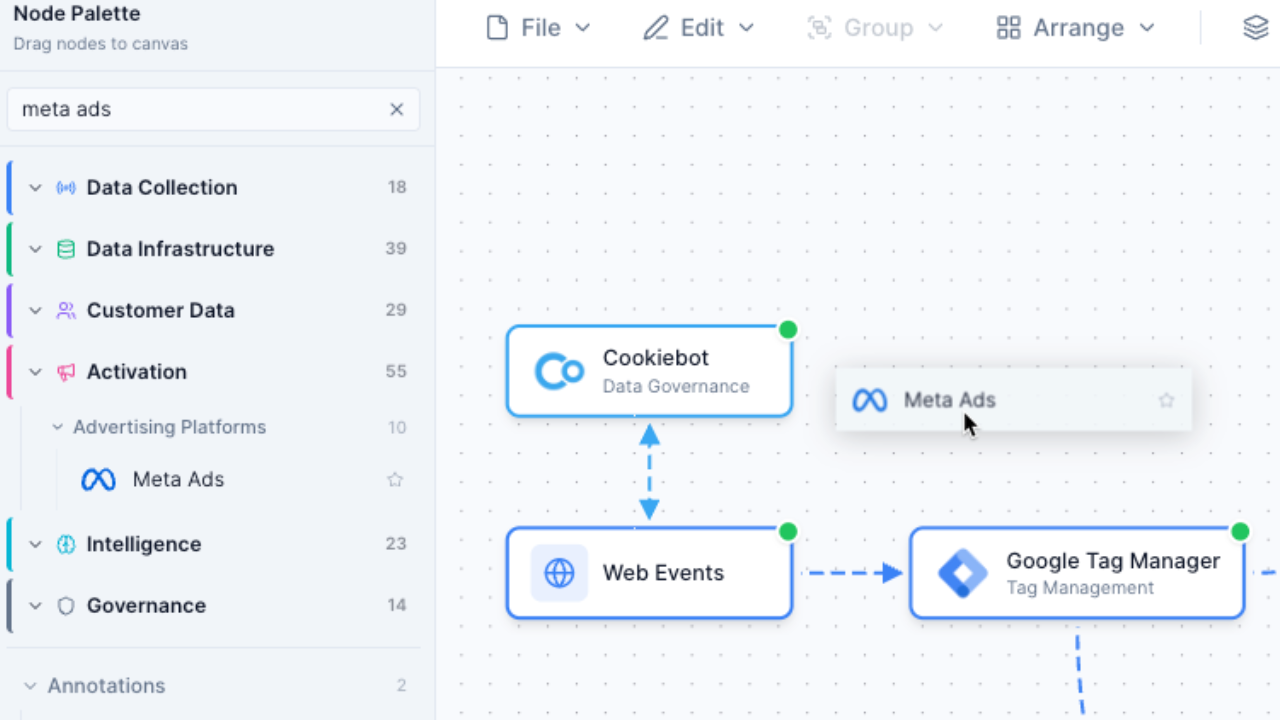
PowerPoint slides are frozen in time. The moment your stack changes, your slide is wrong. Stack Builder gives you an interactive canvas where you can zoom, pan, drag, and reorganize your architecture in real time. Your diagram is always current because it's always editable.
- Interactive canvas with zoom, pan, and drag
- Update your stack in seconds, not hours
- Cloud-saved and always accessible from any device
AI evaluation vs gut feeling
A PowerPoint slide can't tell you if your architecture has gaps, redundancies, or risks. Stack Builder's AI evaluates your stack across Integration Health, Data Governance, Cost Efficiency, Scalability, and Security -- giving you data-driven insights instead of guesswork.
- Instant A-F letter grades for your stack architecture
- 5-dimension scoring with detailed breakdown
- Actionable recommendations to improve your architecture

Built-in vendor data vs manual logo hunts
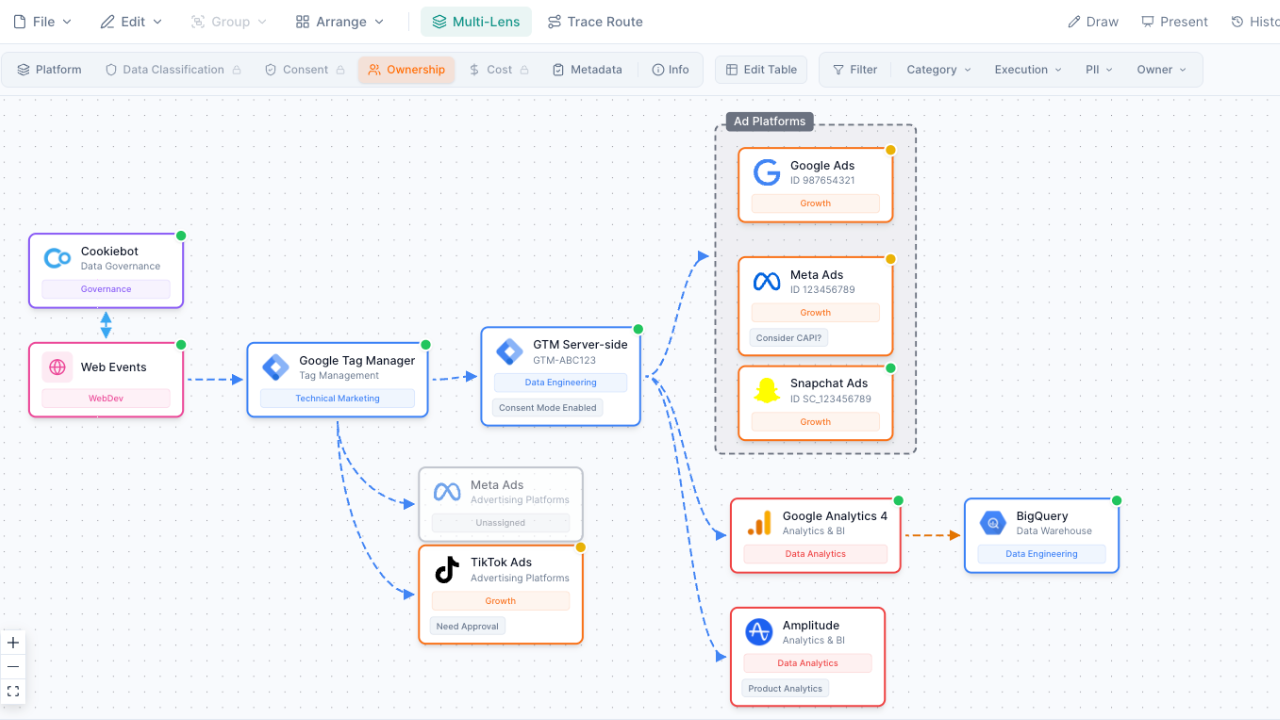
In PowerPoint, building a stack diagram means searching the web for vendor logos, downloading them, resizing them, placing them on the slide, and typing names underneath. In Stack Builder, you get 100+ pre-built vendor nodes with logos, categories, and metadata already included. Just drag, drop, and connect.
- Pre-built nodes for Segment, HubSpot, Salesforce, and 100+ more
- Vendor logos, categories, and integration data included
- Build a complete stack diagram in 10-15 minutes, not hours
Export when you need to present
Get the best of both worlds. Build and iterate on your stack interactively in Stack Builder, then export to high-resolution PDF or PNG when it's time to present. Insert the export into your PowerPoint deck and your audience gets a polished, up-to-date diagram every time.
- One-click export to high-resolution PNG or PDF
- Insert into PowerPoint, Google Slides, or any presentation tool
- Always present the latest version of your architecture
When to use PowerPoint instead
PowerPoint is still the right choice for certain scenarios. Use PowerPoint when you need:
- Animated presentations with slide transitions -- when the presentation itself needs motion and storytelling flow
- Universal .pptx format requirements -- when your audience or organization only accepts PowerPoint files
- Non-technical content alongside the stack -- when your presentation mixes strategy slides, budgets, and timelines with the architecture diagram
- Quick one-off slides -- when interactivity doesn't matter and you just need a simple static reference
But when the task is specifically building, analyzing, and maintaining your Martech stack architecture -- Stack Builder is purpose-built for exactly that. And when you need a slide, just export.
Frequently Asked Questions
Can I export my Stack Builder diagrams to PowerPoint?
Is PowerPoint really used for Martech stacks?
How long does it take to build a stack diagram?
Can my team collaborate on Stack Builder?
Will my PowerPoint diagrams import?
Does Stack Builder work offline?
Stop updating static slides
Build an interactive Martech stack that stays current. Export to PDF or PNG whenever you need a presentation.
No credit card required. Free plan available.