Comparison
Martech Stack Builder vs FigJam
FigJam is Figma's collaborative whiteboard, built for design teams doing brainstorming and ideation. But for Martech stack architecture, you need a purpose-built tool with vendor data, AI evaluation, and procurement workflows.
The quick verdict
FigJam is built for design teams doing brainstorming and ideation. It shines at sticky note sessions, design critiques, and collaborative sketching -- especially when used alongside Figma for design workflows.
For Martech teams mapping their technology architecture, Stack Builder provides specialized vendor data, AI evaluation, and procurement workflows that FigJam wasn't designed for. You get 100+ pre-built vendor nodes, multi-lens analysis, and RFI generation out of the box.
Feature Comparison
| Feature | Martech Stack Builder | FigJam |
|---|---|---|
| 100+ Martech vendor library | ✓ | — |
| Pre-built vendor logos & metadata | ✓ | — |
| AI Stack Evaluation (A-F grades) | ✓ | — |
| AI diagram generation | ✓ | AI (general) |
| Multi-Lens Views (data flow, cost, consent) | ✓ | — |
| RFI Generator for vendor procurement | ✓ | — |
| Drag-and-drop canvas | ✓ | ✓ |
| Figma integration | — | ✓ |
| Sticky notes & widgets | — | ✓ |
| Stamps & reactions | — | ✓ |
| Free tier | ✓ | ✓ |
| Export (PNG, PDF) | ✓ | ✓ |
Why Martech teams choose Stack Builder
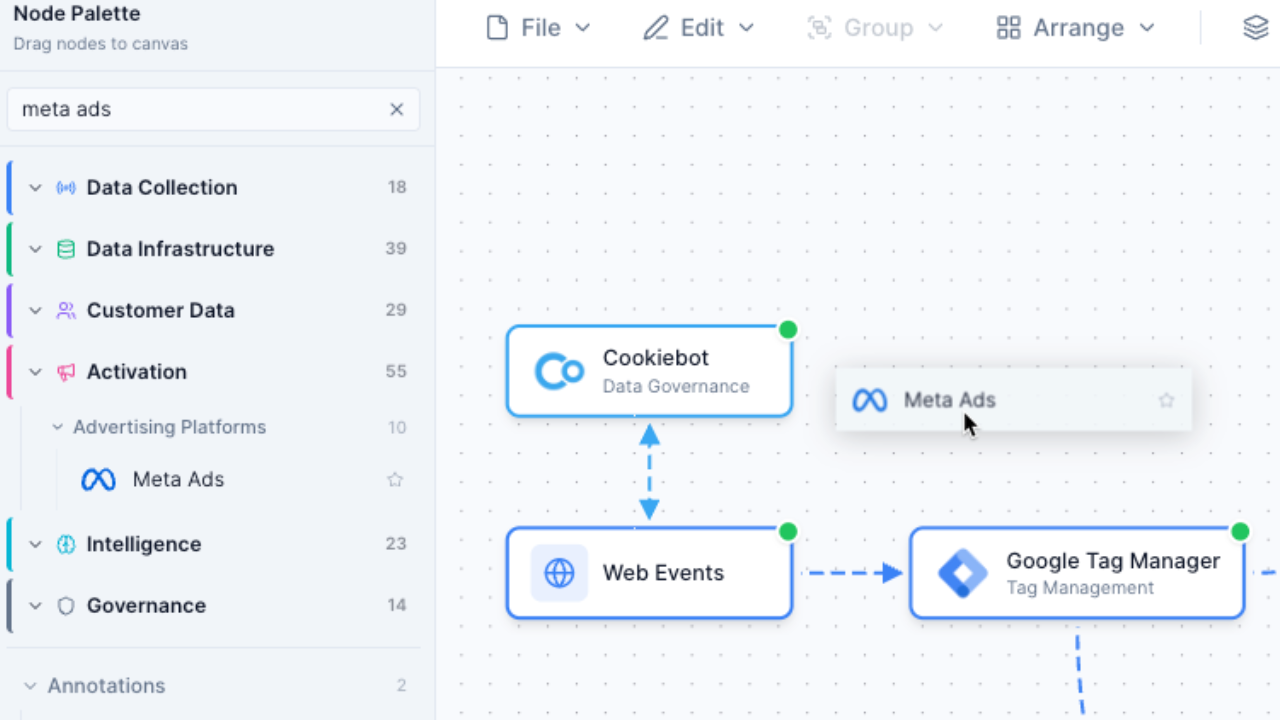
100+ vendor nodes vs sticky notes
In FigJam, mapping your Martech stack means using sticky notes and shapes, then manually adding logos and labels. In Stack Builder, you drag pre-built vendor nodes with logos, categories, and metadata already included. Build in minutes, not hours.
- Pre-built nodes for Segment, HubSpot, Salesforce, and 100+ more
- Vendor logos, categories, and integration data included
- Smart search by name, category, or function
AI stack evaluation vs no analysis
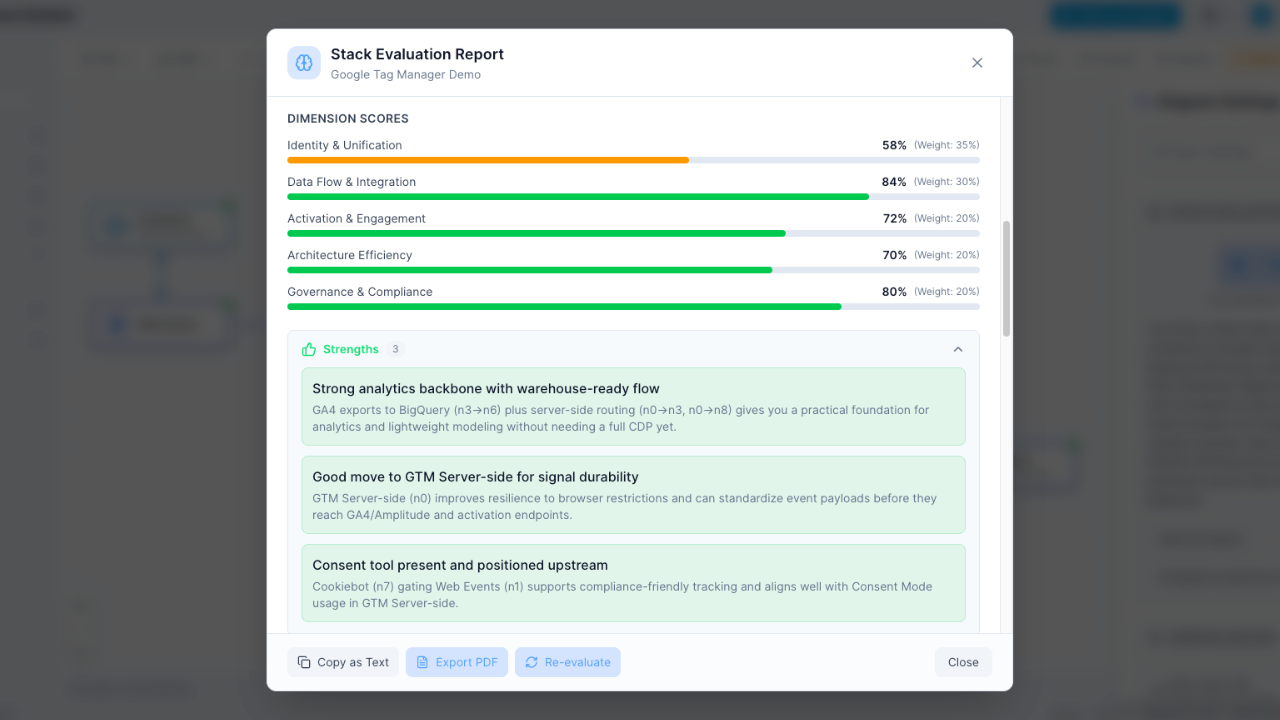
FigJam's AI helps with general brainstorming tasks, but it can't analyze your Martech architecture. Stack Builder's AI evaluates your stack across Integration Health, Data Governance, Cost Efficiency, Scalability, and Security -- then gives you letter grades and actionable recommendations.
- Instant A-F letter grades for your stack
- 5-dimension scoring with detailed breakdown
- Actionable recommendations to improve your architecture
Multi-lens views vs flat canvas
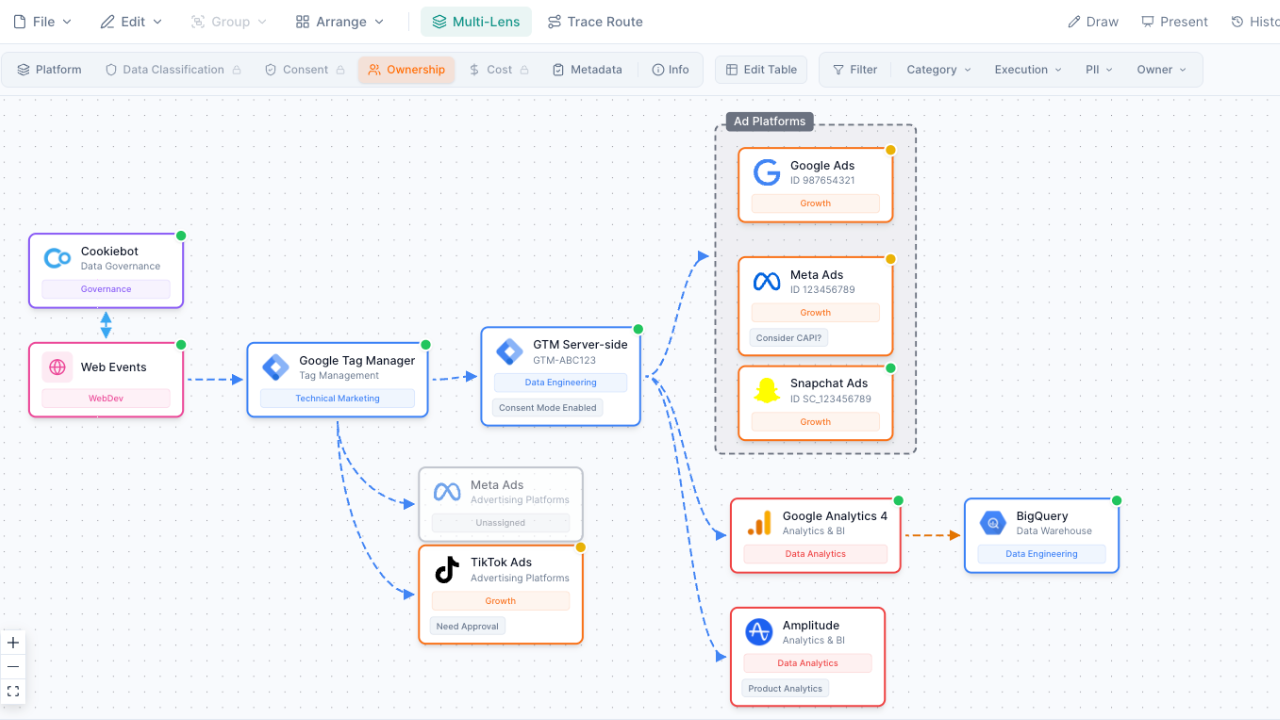
FigJam gives you one flat canvas view. Stack Builder lets you switch between 5 analytical lenses: Platform Architecture, Team Ownership, Data Classification, Consent Governance, and Cost Analysis. Each lens reveals different insights about your stack without creating separate boards.
- See who owns each tool with the Ownership lens
- Track data classification and PII exposure
- Visualize cost distribution across your stack
Vendor procurement workflows built in
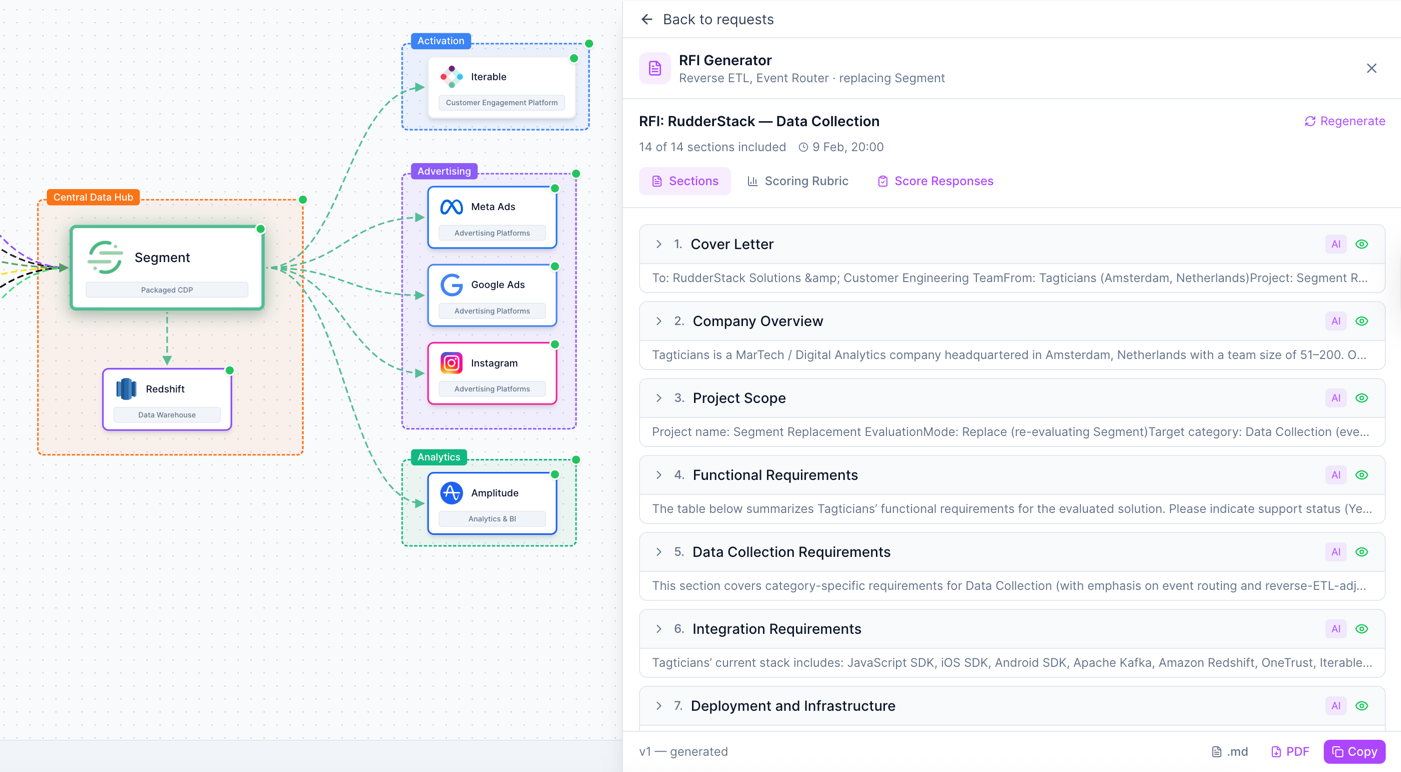
Stack Builder goes beyond visualization. Generate professional RFI documents, score vendor responses against weighted criteria, and build team consensus with side-by-side comparisons. In FigJam, you'd need separate spreadsheets and documents for all of this.
- 10-step guided RFI questionnaire
- AI-generated evaluation documents with scoring rubrics
- Side-by-side vendor comparison with team consensus
When to use FigJam instead
FigJam is an excellent tool for many use cases. Choose FigJam when you need:
- Design team brainstorming and ideation -- sticky notes, stamps, and reactions for collaborative thinking sessions
- Design sprint workshops -- facilitated sessions with voting, timers, and structured templates
- UX flow planning alongside Figma designs -- seamless integration with your Figma design files and prototypes
- Quick collaborative sketching -- freeform drawing, connectors, and shapes for any ad-hoc visual collaboration
But when the task is specifically Martech stack architecture -- mapping your tools, evaluating your stack, and managing vendor decisions -- Martech Stack Builder gives you the specialized features FigJam doesn't have.
Frequently Asked Questions
Can FigJam map Martech stacks?
Does FigJam have Martech templates?
Is FigJam free?
Can I use both FigJam and Martech Stack Builder?
How does FigJam's AI compare to Stack Builder's AI?
Which is better for team collaboration?
See the difference for yourself
Build your first Martech stack in minutes with 100+ pre-built vendor nodes, AI evaluation, and multi-lens analysis.
No credit card required. Free plan available.