Stack Consolidation
Cut the Right Tools. Keep the Ones That Matter.
Everyone knows you have too many tools. The hard part is proving which ones to cut without breaking something. See overlaps, trace dependencies, quantify savings — and make consolidation decisions your CFO and your engineers can both support.
The consolidation imperative
The numbers tell the story. Stack sprawl has hit a tipping point.
59%
of marketers are actively consolidating their stacks (2025 industry survey)
$100K+
average annual hidden cost of redundant Martech tools
91 tools
average enterprise Martech stack size (and growing)
Stack sprawl is the defining Martech challenge of 2026. Budgets are tightening, tools overlap, and nobody can confidently answer 'what would break if we removed this tool?' Stack Builder helps you move from gut feeling to data-driven consolidation.
Four steps to confident consolidation
A structured workflow to go from stack chaos to a clear consolidation plan.
Map your complete stack
Build a visual inventory of every tool, how they connect, and what data flows between them. See the full picture before making any cuts.
Identify overlaps with AI
AI evaluation highlights redundant capabilities, underutilized tools, and integration gaps. See which tools serve the same function and which are critical path.
Analyze cost impact
The Cost Analysis lens shows spend distribution across your stack. Identify your most expensive redundancies and quantify potential savings.
Build your consolidation plan
Use multi-lens views to understand the full impact of removing a tool — data flow disruption, team dependencies, and cost savings. Export your plan for stakeholder approval.
Purpose-built for stack consolidation
Tools that turn consolidation from a political minefield into a data-driven process.
Visualize Tool Overlaps
When multiple tools serve the same function, it's hard to see in a spreadsheet. On a visual canvas, overlapping capabilities become immediately obvious. Group tools by category, trace data flows, and identify which tools are truly redundant.
- See category overlaps at a glance
- Trace data flow to understand dependencies
- Identify critical-path vs. redundant tools
- Group by function for clarity
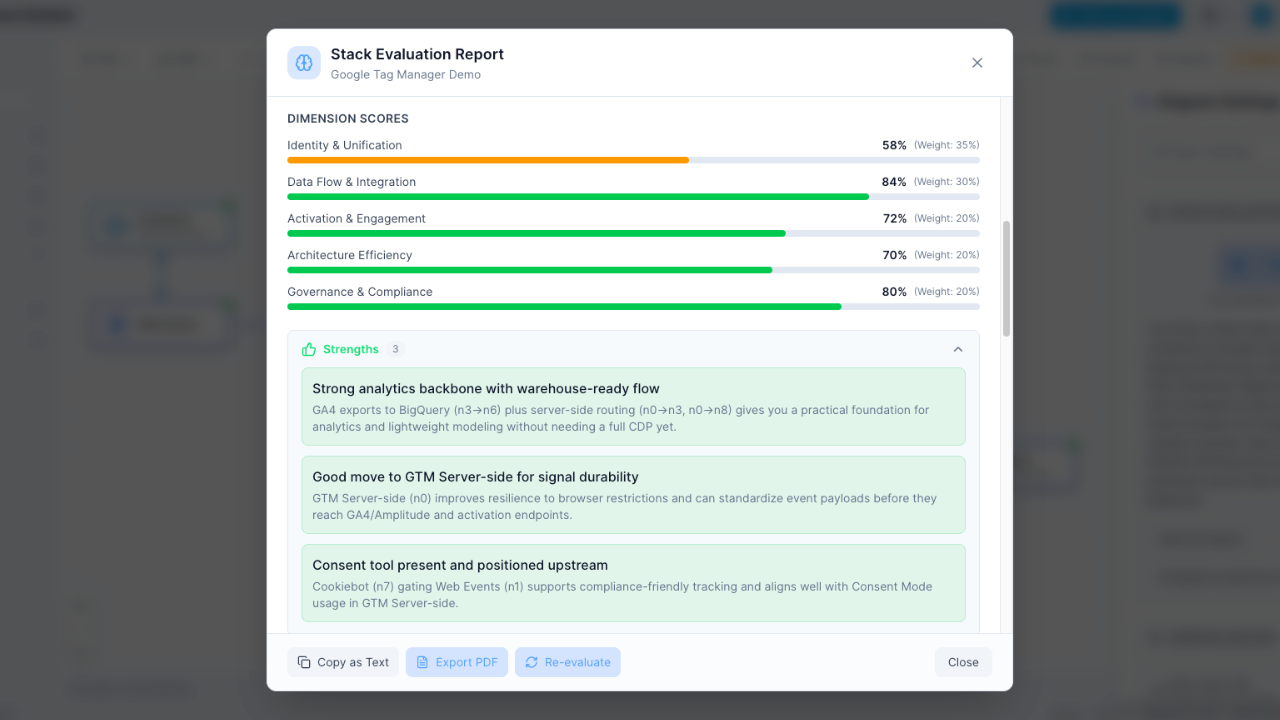
AI-Powered Redundancy Detection
The AI evaluation doesn't just grade your stack — it identifies specific redundancies and optimization opportunities. Get recommendations for which tools to consolidate and why.
- Automatic redundancy identification
- Specific consolidation recommendations
- Integration health assessment
- Cost efficiency scoring
Cost Analysis Lens
Switch to the Cost lens to see exactly where your budget goes. Visualize spend per tool, per category, and identify the biggest cost-saving opportunities. Build a business case with real numbers.
- Visualize spend distribution
- Quantify consolidation savings
- Category-level cost analysis
- Data for budget conversations
Frequently Asked Questions
How does Stack Builder help with consolidation?
Can AI identify which tools to cut?
What if we cut a tool and something breaks?
How do I get buy-in from leadership?
How long does a consolidation analysis take?
Can we track consolidation progress over time?
Is there a free plan?
Map your stack and find what to cut
Visualize overlaps, quantify redundancy, and build a data-driven consolidation plan. Free to start.
No credit card required. Free plan available.