 Confluence Integration
Embed Your Martech Stack in Confluence
Stop pasting screenshots that go stale. Embed live, interactive architecture diagrams that your whole team can explore — directly inside Confluence pages.
Three steps to a live diagram in Confluence
From Stack Builder canvas to Confluence page in under a minute.
Build
Create your Martech stack diagram in Stack Builder. Drag 100+ vendor nodes, connect data flows, and organize your architecture.
Share
Generate a share link from the Share menu. This creates a public, read-only view of your diagram that stays in sync with your edits.
Embed
Insert the Martech Stack Builder macro in any Confluence page. Paste your share link, configure theme and height, and publish.
More than a static image
Confluence embeds are live, interactive, and always up to date.
Interactive, Not Static
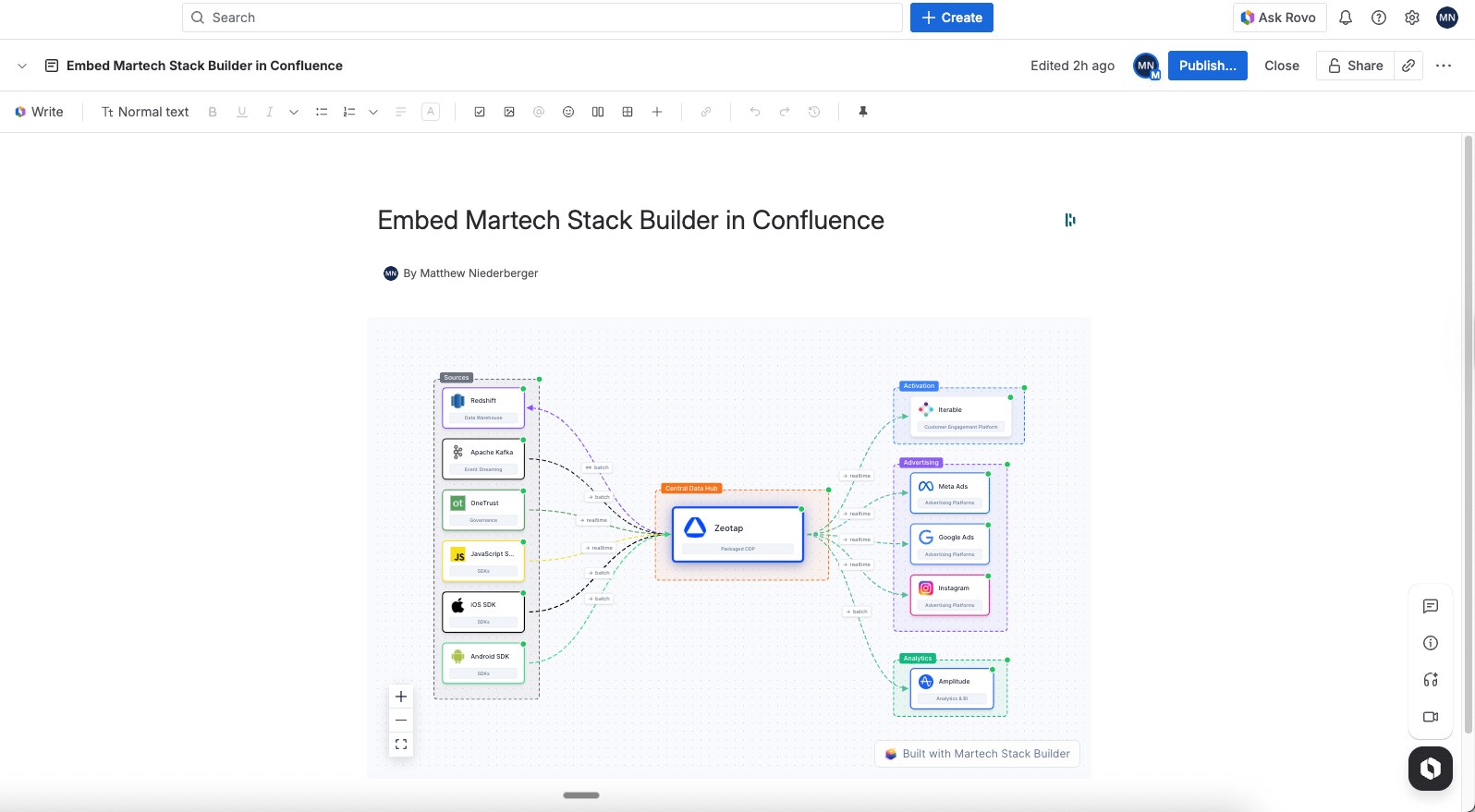
Embedded diagrams are fully interactive. Your team can zoom, pan, and explore the architecture — not just stare at a screenshot that's outdated the moment it's pasted.
- Zoom and pan to explore complex architectures
- Always shows the latest version of your diagram
- No more outdated PNG screenshots in docs
- Click nodes to see vendor details and metadata
Screenshot coming soon
Theme & Layout Control
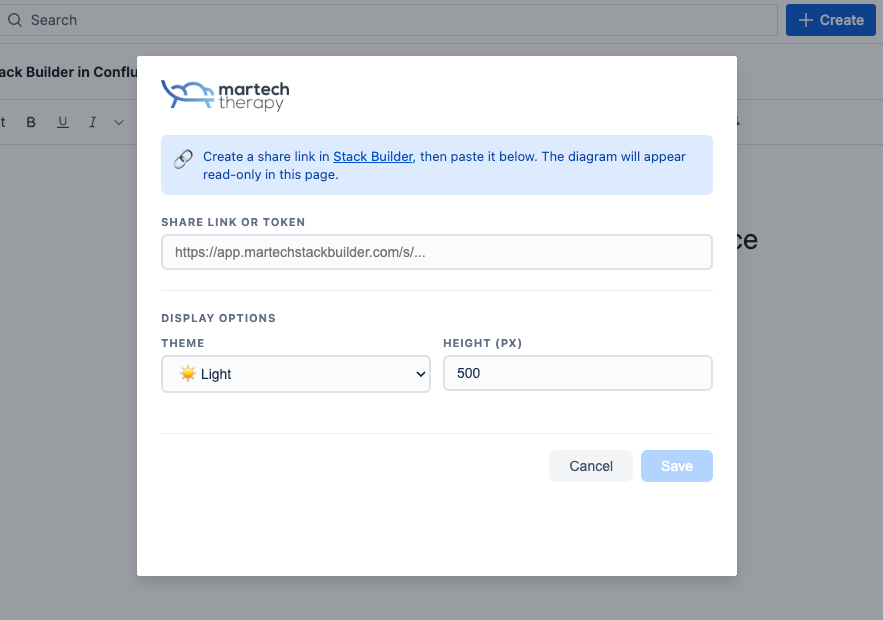
Configure the embed to match your Confluence space. Choose light, dark, or auto theme. Set custom height to fit your page layout. The macro config panel makes it easy.
- Light, dark, or auto theme detection
- Custom height to fit your page layout
- Responsive — works on any screen size
- Branded look for enterprise spaces
Screenshot coming soon
Clean Enterprise Presentation
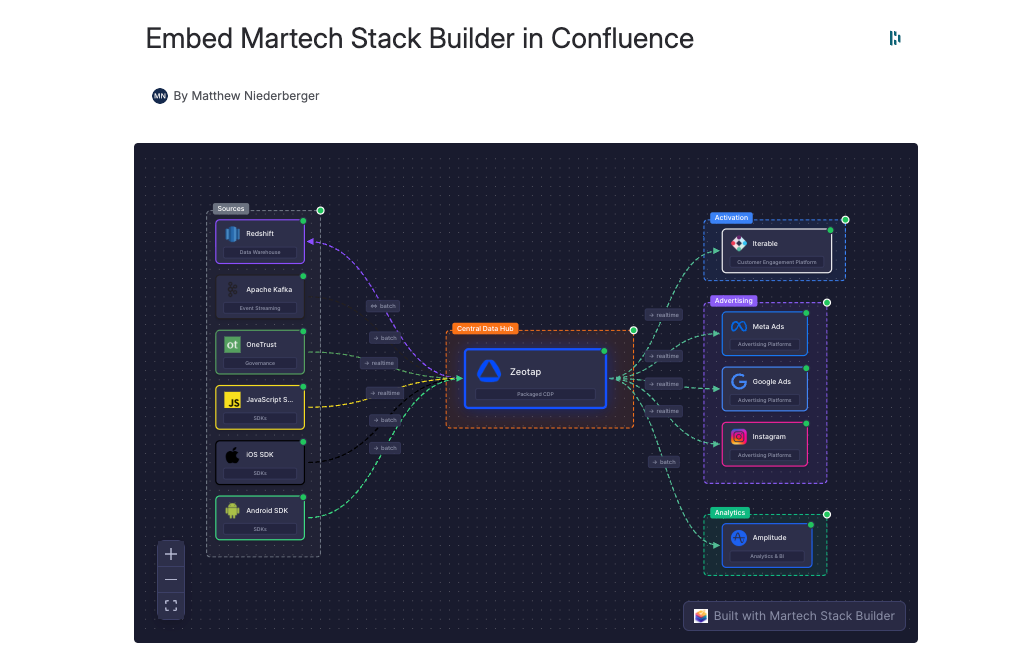
Pro embeds are clean and professional — no watermarks, no distractions. Enterprise adds your own branding — your company logo, your colors, zero trace of third-party tools.
- Pro tier: clean, professional presentation
- No watermarks or third-party branding
- Enterprise: full whitelabel with your branding
- Perfect for client-facing documentation
Screenshot coming soon
Where teams embed their stack diagrams
Architecture Documentation
Replace static architecture diagrams in your technical docs with live, interactive versions that never go stale.
Stakeholder Communication
Share your stack with leadership, compliance, and procurement teams in the tool they already use every day.
Team Onboarding
New hires can explore the complete Martech landscape interactively, understanding tool relationships from day one.
Explore more ways to work with your stack
Frequently Asked Questions
How do I install the Confluence macro?
Do embedded diagrams update automatically?
Does it work with Confluence Data Center (on-premise)?
What data does the macro access?
What's the difference between Pro and Enterprise embeds?
Can I embed multiple diagrams on one page?
Bring your stack diagrams into Confluence
Install the macro and embed your first diagram in under a minute. Available on Pro and Enterprise plans.
No credit card required. Free forever plan available.