 JIRA Integration
Push Your Stack Roadmap to JIRA
Your AI stack evaluation generated a roadmap. Now turn those recommendations into JIRA Stories with one click — complete with subtasks, priorities, and rich formatting.
From evaluation to execution in three steps
Close the gap between architectural analysis and project delivery.
Evaluate
Run an AI evaluation on your stack. Get letter grades across Integration Health, Data Governance, Cost Efficiency, Scalability, and Security.
Plan
Generate an AI roadmap with prioritized recommendations. Each item includes rationale, effort estimate, and expected impact on your stack scores.
Push
Connect your JIRA account and push roadmap items as Stories. Subtasks, acceptance criteria, and context are created automatically.
Built for real JIRA workflows
Not a generic webhook. Purpose-built for Martech teams using JIRA.
One-Click Story Creation
Turn AI roadmap recommendations into JIRA Stories with a single click. Each Story includes structured subtasks, acceptance criteria, and context from your stack evaluation — ready for sprint planning.
- Auto-generates Story with subtasks
- Includes evaluation context and rationale
- Sets priority based on roadmap scoring
- Links back to your stack diagram
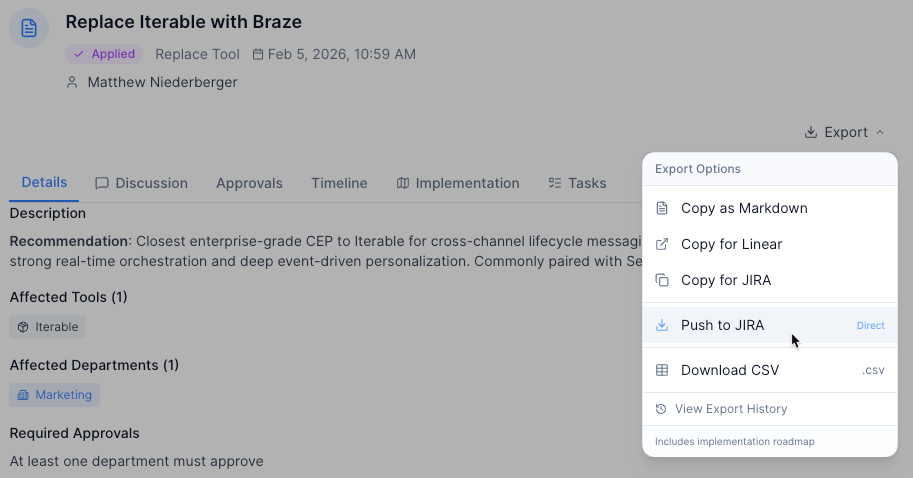
Screenshot coming soon
Smart Issue Type Detection
No manual configuration needed. Stack Builder reads your JIRA project's available issue types and adapts automatically. Whether you use Stories, Tasks, or custom types — it just works.
- Auto-detects project issue types
- Works with any JIRA project configuration
- Supports custom issue type schemes
- Falls back gracefully if types aren't available
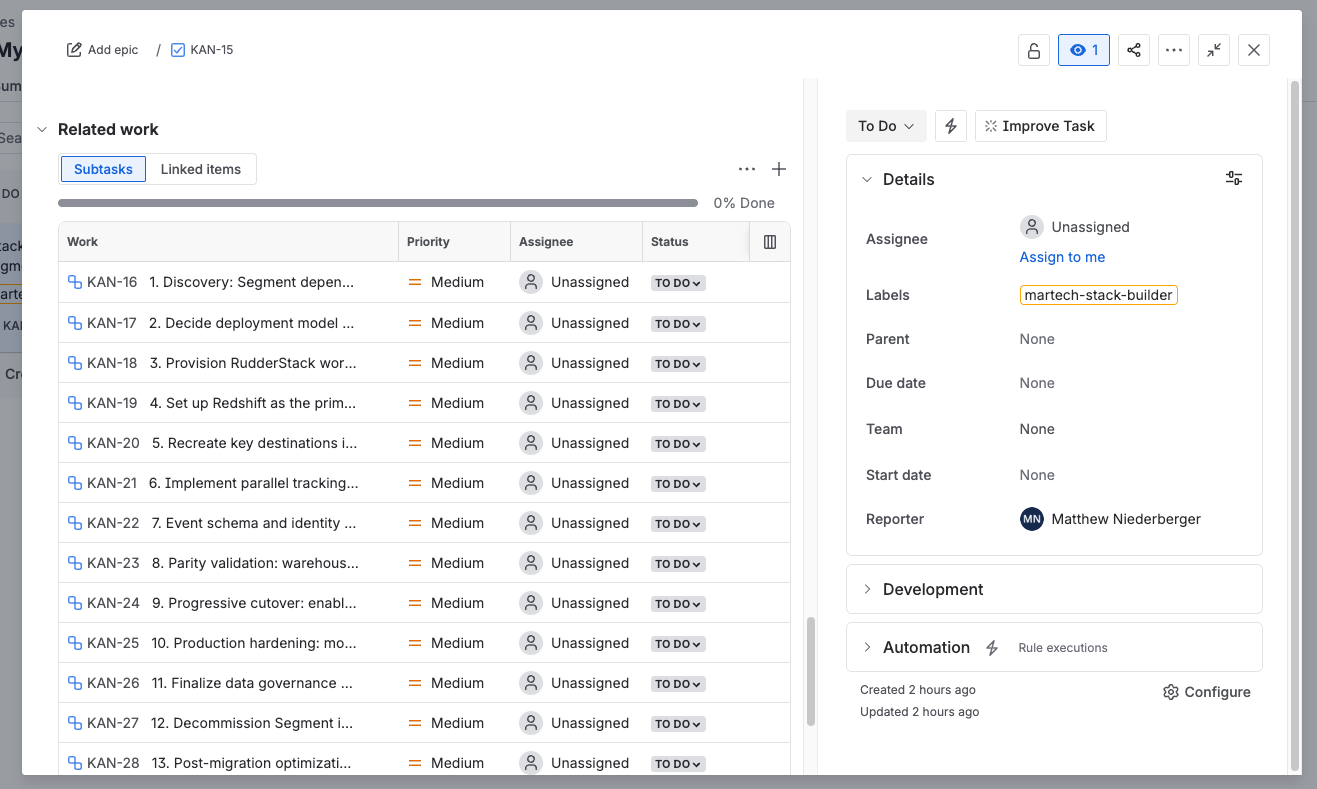
Screenshot coming soon
Rich JIRA Formatting
Roadmap items are converted to Atlassian Document Format (ADF) — the native rich text format in JIRA. Bold text, bullet lists, info panels, and structured headings render beautifully in JIRA tickets.
- Markdown converted to native ADF
- Bold, lists, and panels render correctly
- Structured headings for readability
- Clean formatting in JIRA mobile app too
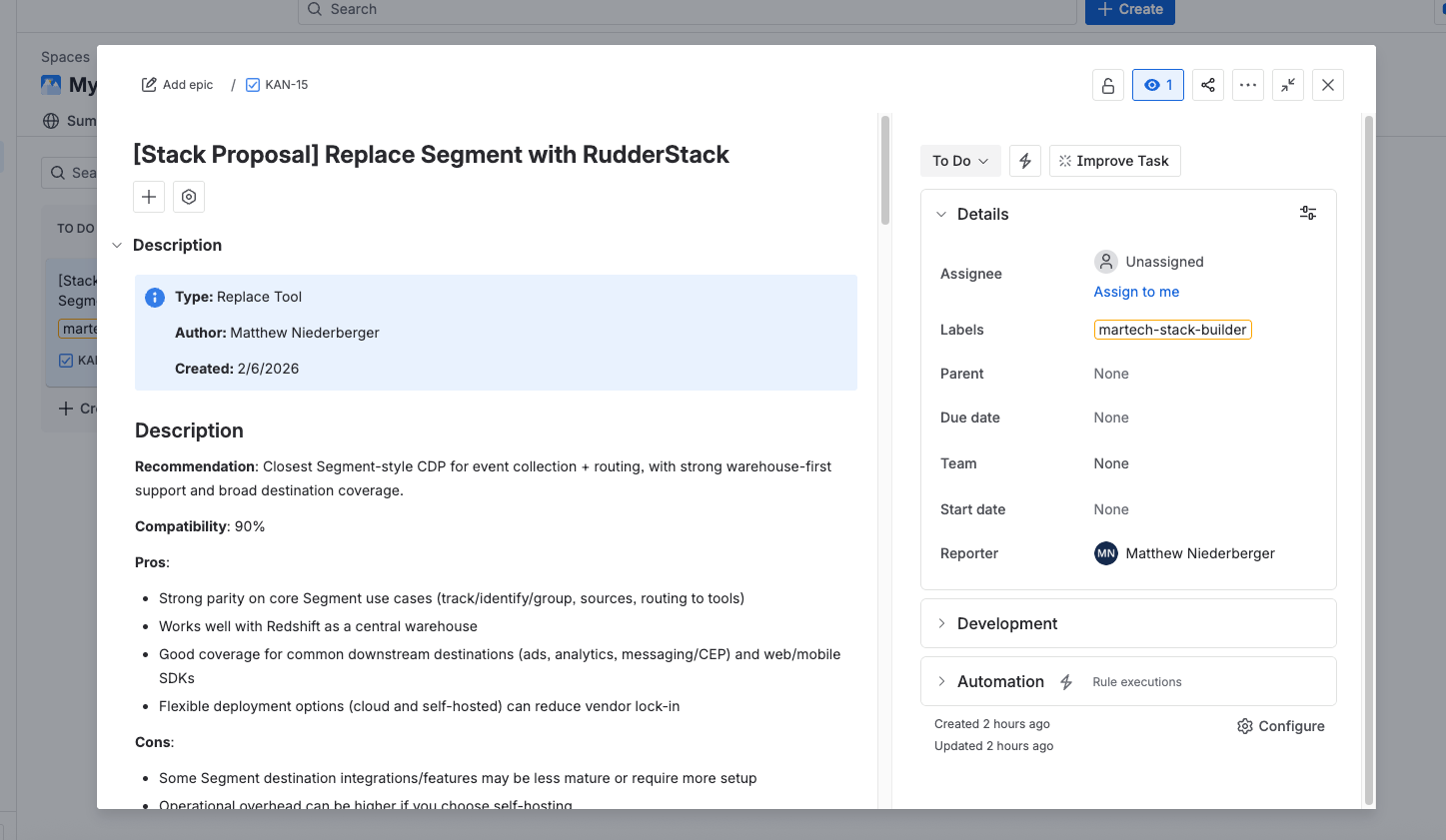
Screenshot coming soon
Close the strategy-to-execution gap
Most Martech audits end with a PDF that sits in a shared drive. With JIRA sync, every recommendation becomes a trackable work item — assigned, prioritized, and visible in your team's sprint board.
Stack Builder
AI Roadmap
JIRA
Stories & Subtasks
Your Team
Sprint Delivery
Explore more ways to work with your stack
Frequently Asked Questions
How does the JIRA OAuth connection work?
What JIRA issue types does it support?
Is this available on all plans?
Can I push multiple roadmap items at once?
Does it work with JIRA Data Center (on-premise)?
What data is sent to JIRA?
Turn your roadmap into JIRA tickets
Stop copy-pasting recommendations into JIRA. Push them directly from your stack evaluation.
No credit card required. Free forever plan available.