Comparison
Martech Stack Builder vs FigJam
FigJam is Figma's collaborative whiteboard, built for brainstorming and ideation. For Martech stack architecture, a tool built for the job adds vendor data, a stack audit and procurement workflows.
The quick verdict
FigJam is built for design teams doing brainstorming and ideation. It shines at sticky note sessions, design critiques, and collaborative sketching -- especially when used alongside Figma for design workflows.
For Martech teams mapping their technology architecture, Stack Builder provides vendor data, a stack audit and procurement workflows that FigJam wasn't designed for. You get vendor nodes for 460+ vendors, lenses and RFI generation.
Feature Comparison
| Feature | Martech Stack Builder | FigJam |
|---|---|---|
| 460+ Martech vendor library | ✓ | — |
| Pre-built vendor logos & metadata | ✓ | — |
| Stack audit with an A-F grade | ✓ | — |
| AI diagram generation | ✓ | AI (general) |
| Lenses (data flow, cost, consent, ownership) | ✓ | — |
| RFI builder for vendor procurement | ✓ | — |
| Drag-and-drop canvas | ✓ | ✓ |
| Figma integration | — | ✓ |
| Sticky notes & widgets | — | ✓ |
| Stamps & reactions | — | ✓ |
| Free tier | ✓ | ✓ |
| Image export | PNG, SVG | ✓ |
Why Martech teams choose Stack Builder
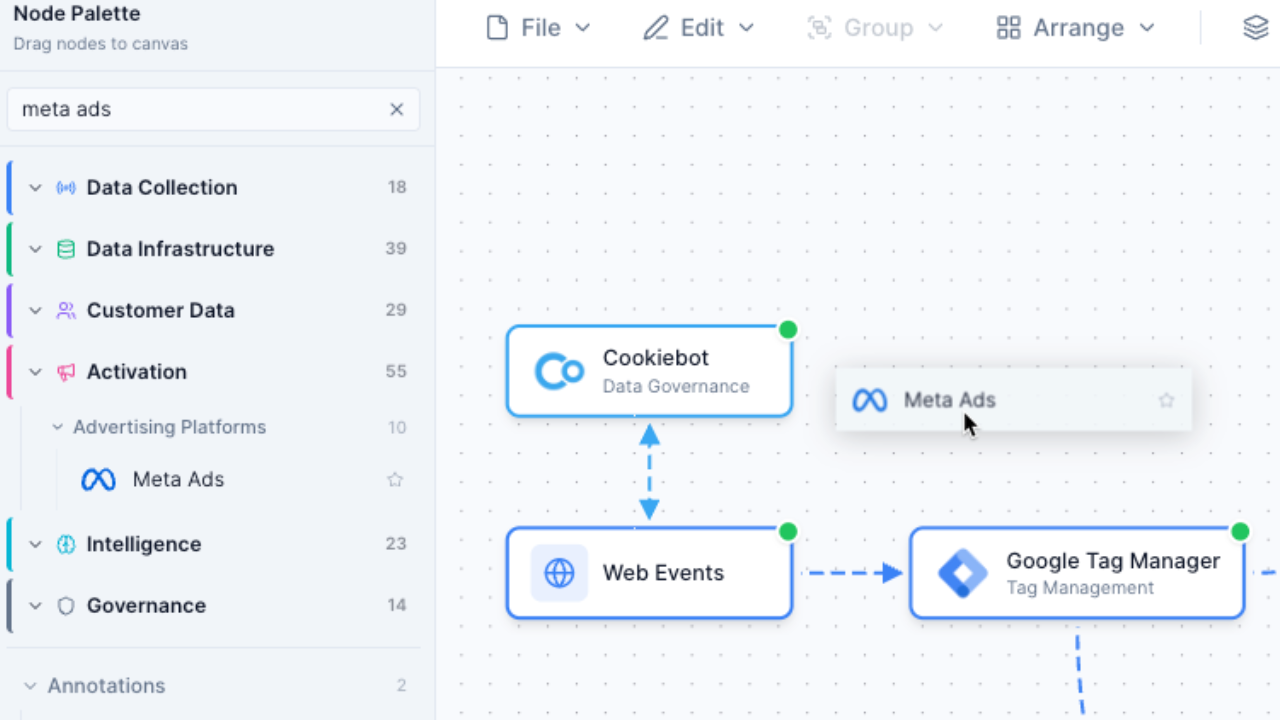
460+ vendor nodes vs sticky notes
In FigJam, mapping your Martech stack means using sticky notes and shapes, then manually adding logos and labels. In Stack Builder, you drag vendor nodes that already carry the logo, category and description.
- Pre-built nodes for Segment, HubSpot, Salesforce and the rest of 460+ vendors
- Vendor logos, categories and descriptions included
- Search by name, category or capability
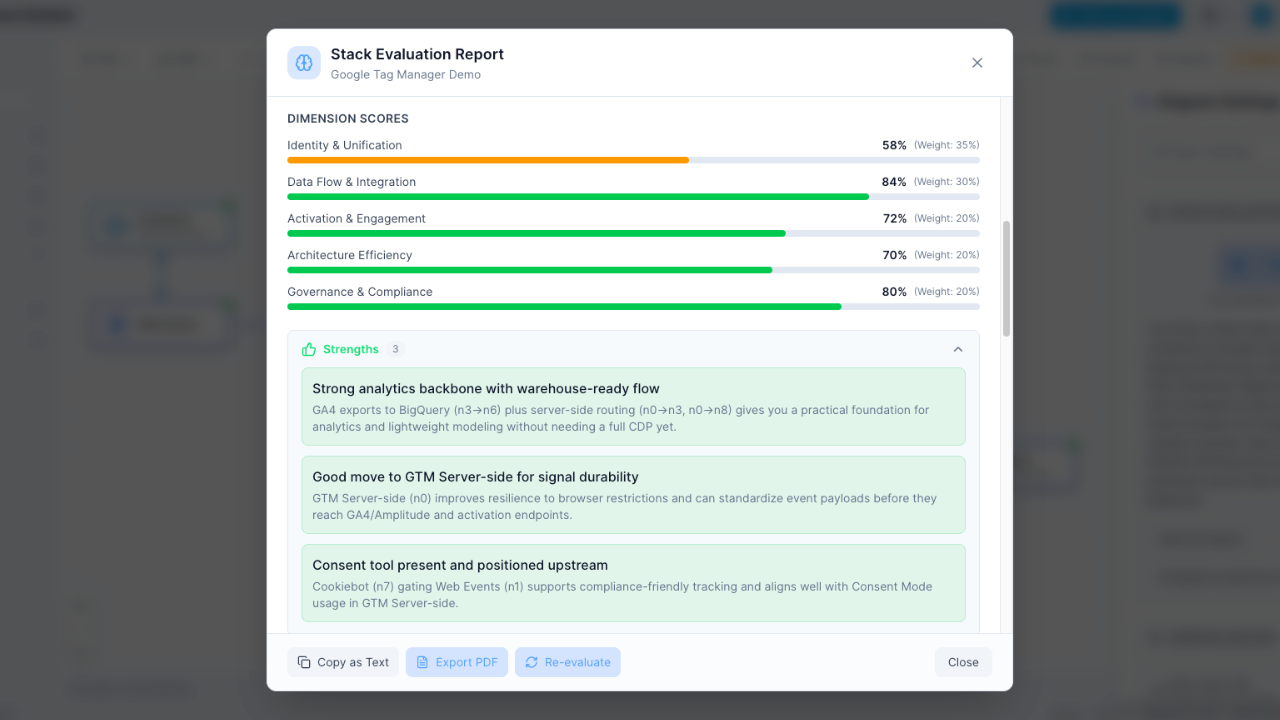
Stack evaluation vs no analysis
FigJam's AI helps with general brainstorming tasks; it has no Martech vendor data to analyze. Stack Builder computes the duplicated capability in your stack, grades it A-F, names the overlapping tools and, from the costs you enter, prices what the duplication costs.
- Instant A-F letter grades for your stack
- Overlaps named and priced, with a verdict per tool
- Numbers computed from your stack; the AI only writes the summary
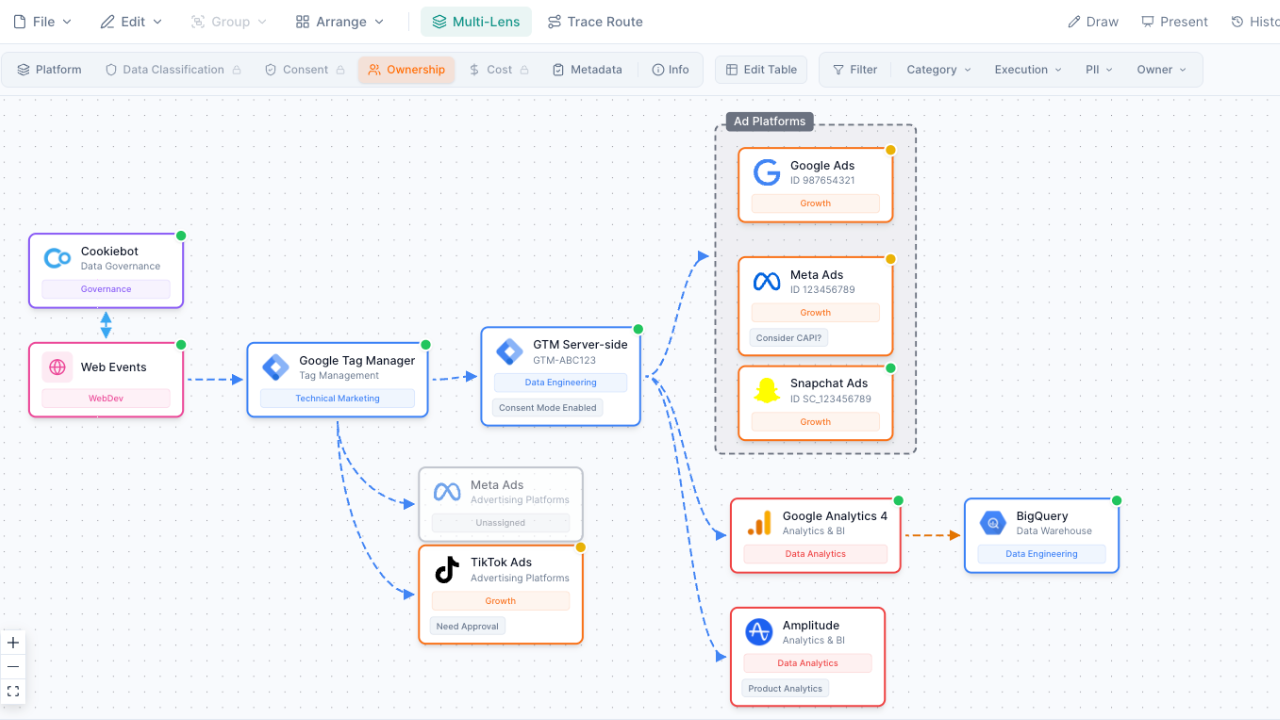
Multi-lens views vs flat canvas
On a whiteboard, a different perspective means another board to maintain. Stack Builder lets you switch lenses on the same diagram: Platform, Owner, PII Data, Consent, Cost, Lifecycle, Data Flow, Security and more. Free includes Platform and Owner; the rest come with Pro. Each lens recolours the same diagram, so there are no separate boards to keep in sync.
- See who owns each tool with the Ownership lens
- Track data classification and PII exposure
- Visualize cost distribution across your stack
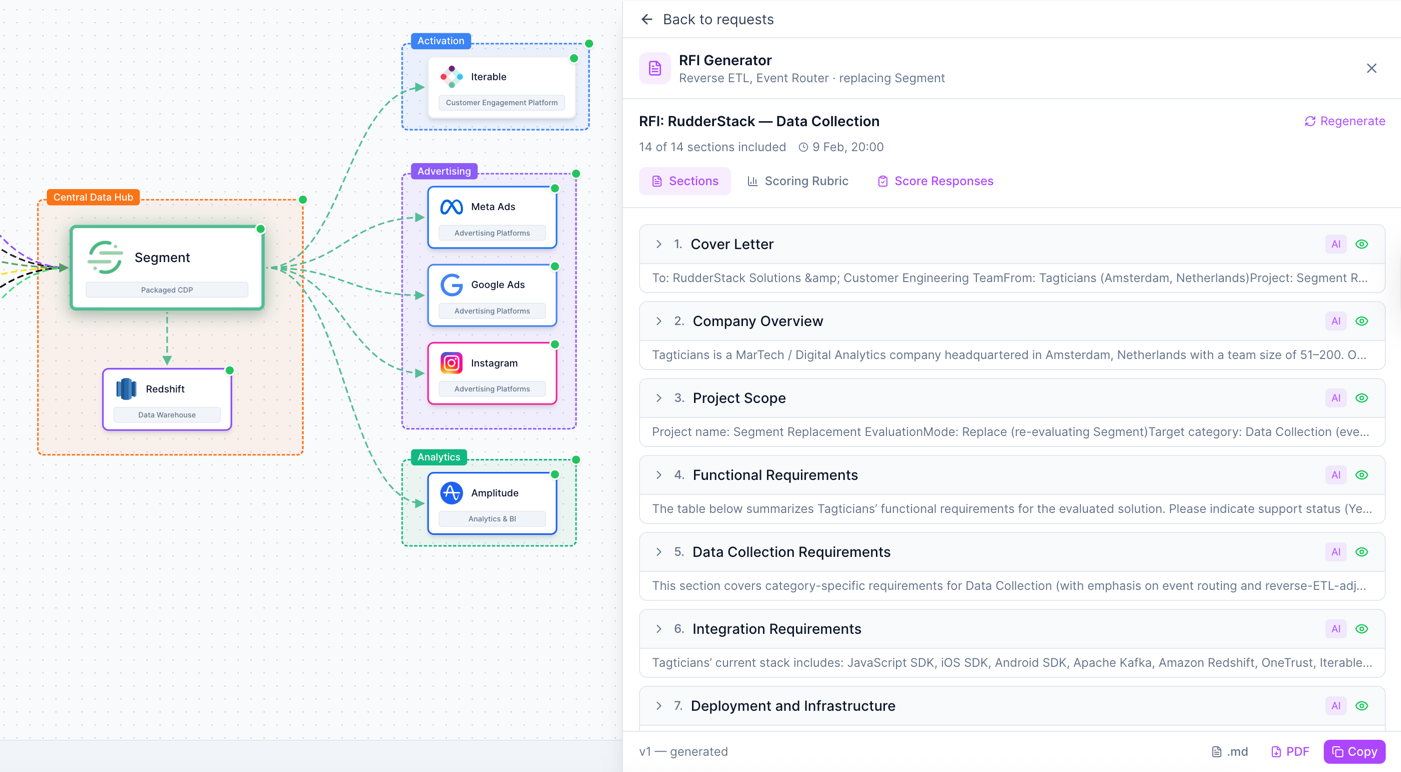
Vendor procurement workflows built in
Stack Builder goes beyond the diagram. Draft an RFI from your stack, send it to the vendors and let the reminders chase them. Vendors answer on a page or in an Excel workbook, your team scores the answers side by side, and the decision is recorded with its reason. In FigJam, that’s separate documents, spreadsheets and a lot of follow-up email. Pro includes your first RFI; Consultant, Agency, Team and Enterprise include unlimited RFIs.
- An RFI drafted from your stack, with a weighted scoring rubric
- Vendor answers per question, on the page or in Excel
- Side-by-side scoring and a recorded decision
When to use FigJam instead
FigJam is an excellent tool for many use cases. Choose FigJam when you need:
- Design team brainstorming and ideation -- sticky notes, stamps, and reactions for collaborative thinking sessions
- Design sprint workshops -- facilitated sessions with structured templates
- UX flow planning alongside Figma designs -- in the same product as your Figma files
- Quick collaborative sketching -- freeform drawing, connectors, and shapes for any ad-hoc visual collaboration
But when the task is specifically Martech stack architecture -- mapping your tools, evaluating your stack, and managing vendor decisions -- Martech Stack Builder gives you the specialized features FigJam doesn't have.
Frequently Asked Questions
Can FigJam map Martech stacks?
Does FigJam have Martech templates?
Is FigJam free?
Can I use both FigJam and Martech Stack Builder?
How does FigJam's AI compare to Stack Builder's AI?
Which is better for team collaboration?
See the difference for yourself
Build your first Martech stack from 460+ vendor nodes, then audit it and switch lenses.
No credit card required. Free plan available.