Martech Stack Audit
Audit Your Martech Stack in Minutes
Your stack grew organically. Nobody planned for 91 tools. A self-serve Martech stack audit gives you letter grades, redundancy detection, and the data to walk into a budget review with confidence — not opinions. Or hand it to a martech architect: done-for-you audits available.
No signup needed — tick your tools, see the overlaps and recoverable spend instantly.
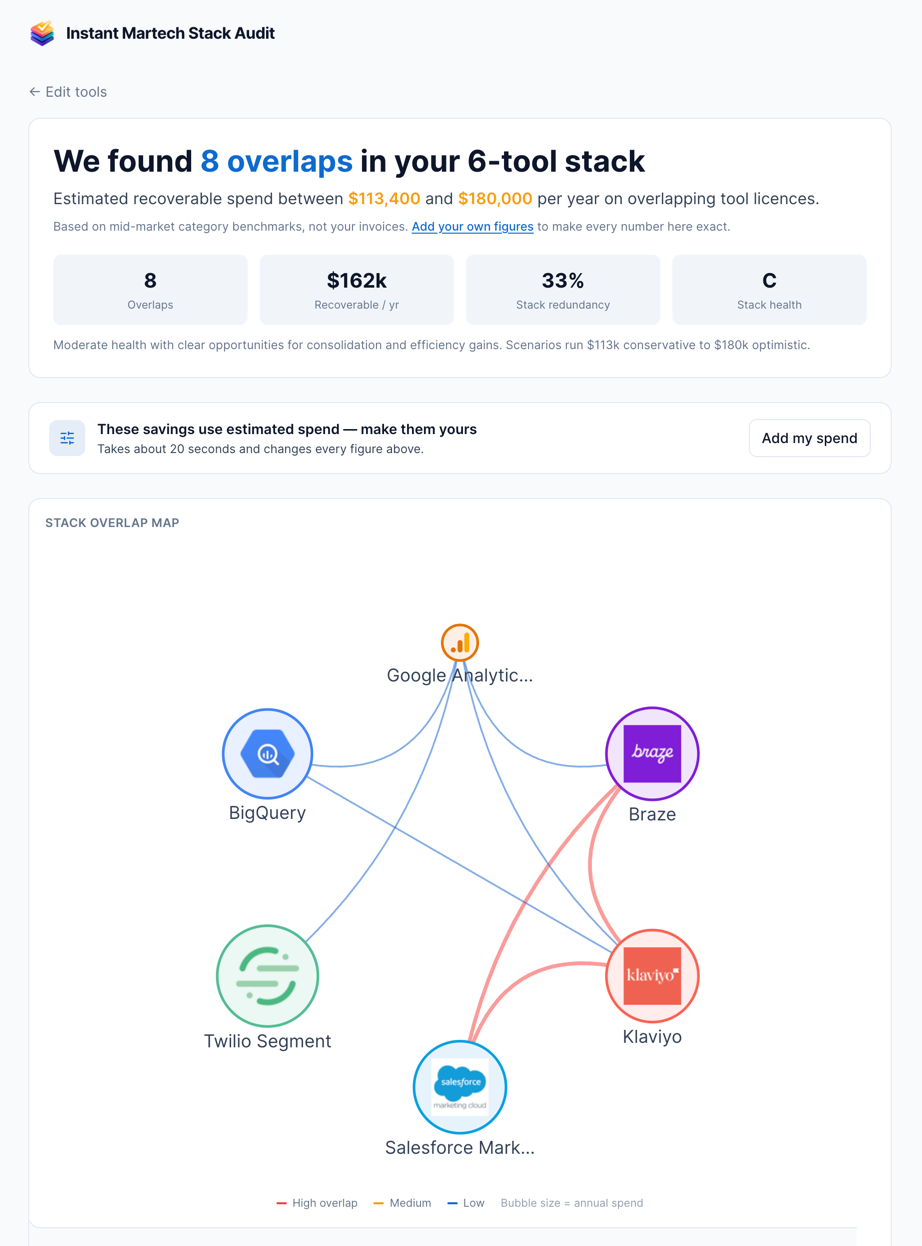
See a sample report : a 12-tool stack graded F, with $378k a year recoverable.
The thinking behind this tool — why stacks end up paying twice for the same capability — is something I dig into properly on my blog at Martech Therapy. Start with The martech stack you bought twice.
The state of Martech stack management
59%
of marketers are actively consolidating their Martech stack (2025 survey)
33%
of Martech tools are fully utilized in the average organization
$0
is what most teams spend on structured stack evaluation
Most Martech audits happen in spreadsheets — rows of vendor names, renewal dates, and guessed utilization rates. That tells you what you have, but not how it works together. Mapping the stack and comparing tools capability by capability shows the duplicated capability, the spend attached to it, and the integrations that everything depends on.
Your stack audit in 5 steps
Go from scattered tools to a clear, graded architecture assessment.
Map your current stack
Drag your existing tools from our 460+ vendor library onto the canvas. Connect them to show how data flows between systems.
Run the evaluation
The engine computes the duplication in your architecture and grades it A-F; the AI explains the result. See immediately where the stack is paying twice.
Review recommendations
Get specific recommendations: which overlaps to consolidate, a keep/evaluate/remove call per tool, single points of failure, and where the diagram is too thinly documented to judge.
Analyze through multiple lenses
Switch between the Cost, Utilization, Owner, PII Data, Consent and Data Flow lenses. Each colors the same diagram by a different audit question.
Export your findings
Export the evaluation report as a PDF (Pro and above) and the diagram as PNG or SVG, or share a live link. Share with stakeholders to drive action.
Audit tools that go beyond spreadsheets
Purpose-built features for thorough, visual, and objective stack assessment.
Instant overlap audit — free, no account
Tick the tools you run. The audit compares them capability by capability against a curated taxonomy — not by category label — and tells you which tools already cover each other, how much of each one is duplicated elsewhere, and what that duplication likely costs per year.
- Directional overlap — which tool contains which, not just that they touch
- Recoverable spend, with a conservative-to-optimistic range
- Complements are ruled out, not counted as waste
- One redundancy grade, A–F, for the stack as a whole
Looking for the full evaluation — per-tool verdicts, topology risks and the documentation check on a stack you have drawn? That’s the AI Stack Evaluation, which scores a diagram you have built rather than a list you have ticked.
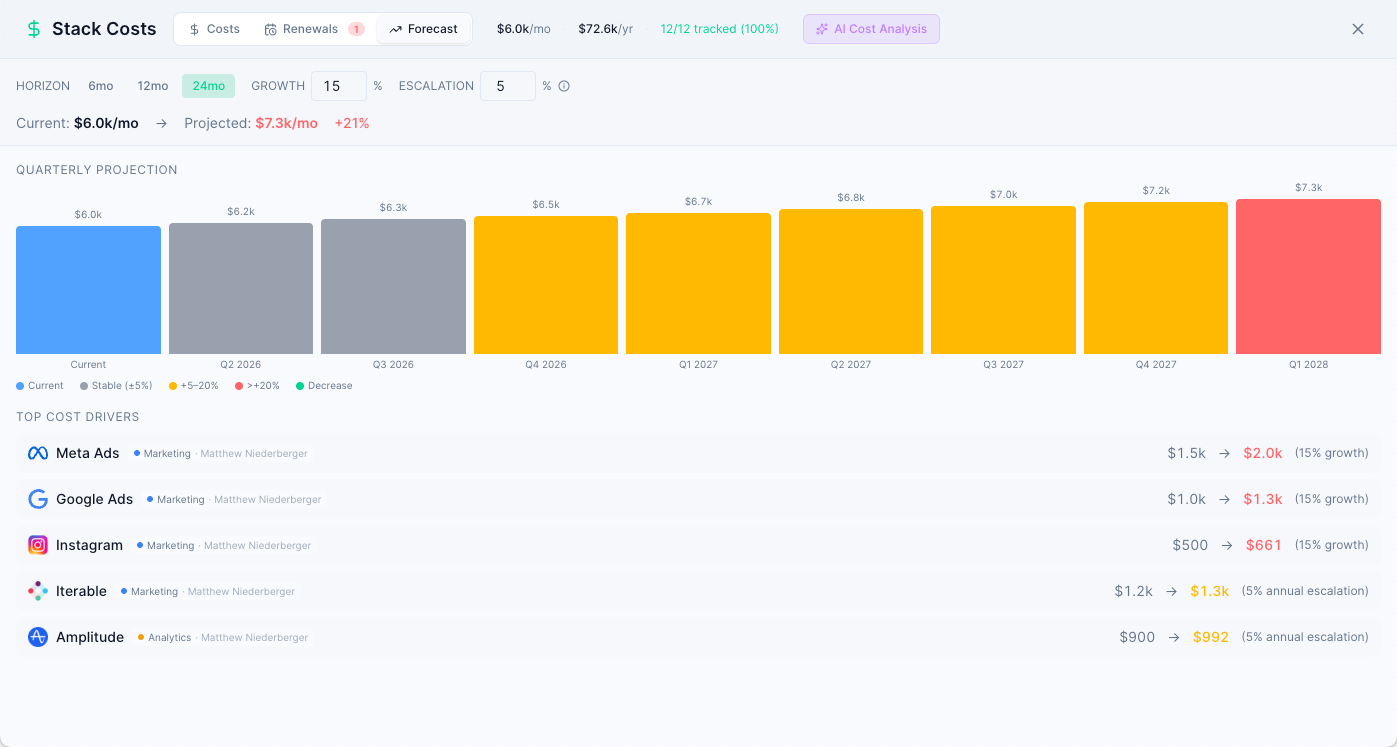
Cost Lens and Stack Costs
The Cost lens colors every tool by its monthly cost, so the expensive ones stand out on the diagram. The evaluation puts a recoverable figure on the overlaps. On Consultant, Agency, Team and Enterprise, the Stack Costs panel adds spend by department, a renewal calendar and a forecast.
- Visualize cost distribution
- Identify redundant spend
- Build consolidation business cases
- Data-driven budget conversations
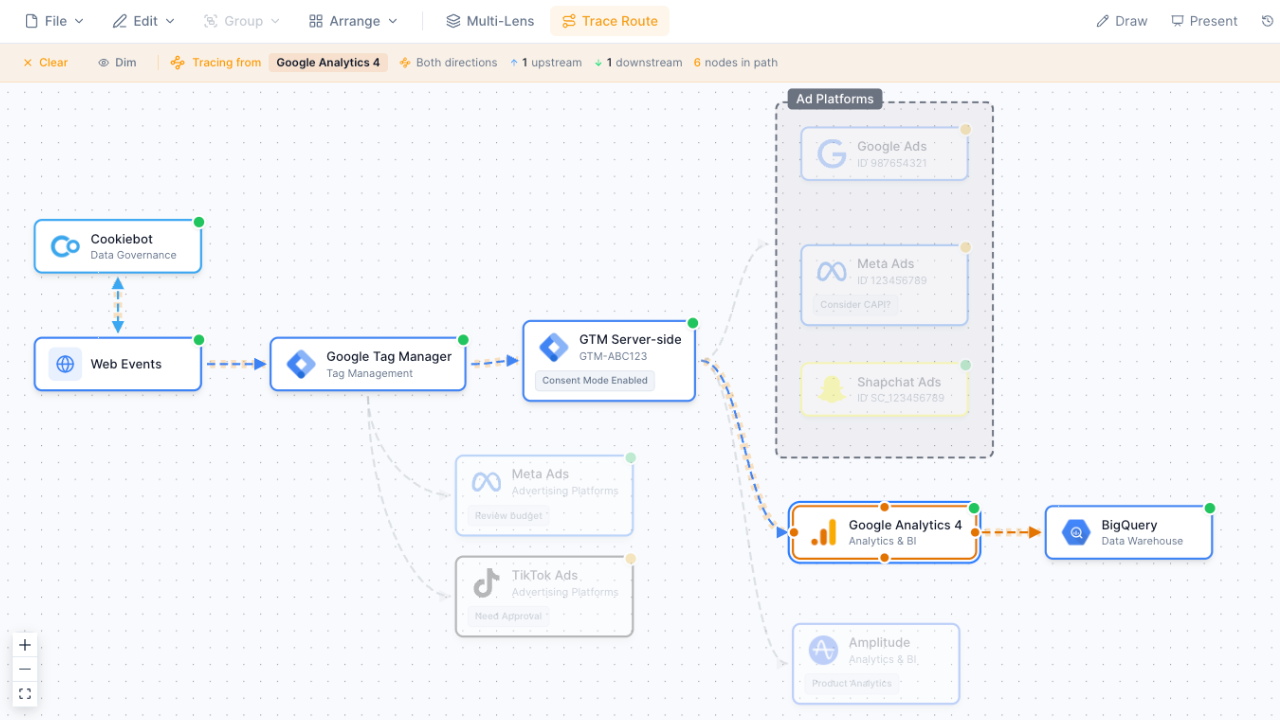
Trace Data Flow
Click any node to see its complete data path — upstream sources and downstream destinations. Discover unexpected data flows, identify bottlenecks, and verify integration integrity.
- One-click trace from any node
- Upstream and downstream visibility
- Discover hidden data paths
- Verify integration integrity
Or — want it done for you?
Hand the audit to a martech architect
Matthew Niederberger — 20+ years in Martech architecture, founder of Martech Stack Builder, prior engagements with Emirates, Bennetts, and 40+ others. Two-week fixed-price audit. You get a scored DNA report, a redundancy matrix, a SPOF analysis, and a 90-day action plan.
2-week engagement
- ✓ Scored Stack DNA report
- ✓ Redundancy + SPOF analysis
- ✓ 90-day action plan with owners
- ✓ 60-min readout call
- ✓ MSB workspace included (12 mo)
The method
Audit your stack by hand
An audit answers "what do we have and what is wrong with it". The trap is auditing the tools you remember. Work from billing, not from the org chart. Half a day for most stacks.
-
Start from the invoices, not the tool list
Export twelve months of software spend from finance. Every line is a candidate. This is the step that surfaces the analytics tool one team bought on a card and nobody else knows about.
-
Assign each tool a single primary job
One job per tool, in your own words, no vendor category names. Two tools with the same sentence is your first overlap finding — and writing it plainly stops "but ours does it differently" ending the conversation early.
-
Mark last-meaningful-use
For each tool: when did someone last do real work in it? Not last login — last output that mattered. Anything past 90 days goes on the list whether or not it is cheap.
-
Flag the single points of failure
Which tools, if switched off this morning, stop other tools working? Count how many other rows depend on each one. High count plus low satisfaction is your risk list.
-
Rank by cost times doubt
Sort by annual cost, then by how confident you are that it earns its place. Expensive and doubtful goes to the top. That ordering is the audit output — the rest is evidence.
B2B SaaS, 23 tools on the invoice export, 16 on the team's own list.
| Tools on invoices | 23 |
|---|---|
| Tools the team could name | 16 |
| Unused >90 days | 5 |
| Duplicate primary job | 3 pairs |
| Annual spend on the above | $47,000 |
Reading it: Seven tools nobody named is the finding, not the $47,000. The spend is recoverable; the visibility gap is what let it accumulate and will do so again.
The shortcut: The free Instant Stack Audit does step 2 from a capability taxonomy, so the overlaps are computed rather than argued. Step 4 needs the connections, which the evaluation in the builder reads from your diagram.
The argument behind this
The context audit
Why auditing what a stack knows matters more than auditing what it costs.
Frequently Asked Questions
What does a Martech stack audit include?
How do I find out if two martech tools overlap?
How often should I audit my stack?
Can Stack Builder replace a manual audit?
What does the AI actually analyze?
Can I audit a client's stack?
How is this better than a spreadsheet audit?
Is there a free plan?
Related Solutions
Martech Stack Evaluation
Grade a stack you have drawn: overlaps, recoverable spend and a verdict per tool.
Learn moreStack Consolidation
Reduce vendor redundancy and optimize your martech spend.
Learn moreMartech Governance
Establish structured change management with approval workflows.
Learn moreStart your stack audit
Map your Martech stack, get a computed A–F grade, and see where you pay twice. Free to start.
No credit card required. Free plan available.