Comparison
Martech Stack Builder vs PowerPoint
PowerPoint is the default tool many teams use to document their Martech stack. But a static slide goes out of date with the next tool change, carries no vendor data, and can't be analyzed.
The quick verdict
PowerPoint is a common default for mapping a Martech stack. The result is usually the same: a static slide with hand-placed logos that goes out of date the moment someone adds or removes a tool.
Stack Builder gives you an interactive diagram built from catalog vendors, a stack audit, and image export when you need a slide. Export the diagram as PNG or SVG whenever you need a presentation.
Feature Comparison
| Feature | Martech Stack Builder | PowerPoint |
|---|---|---|
| 460+ Martech vendor library | ✓ | — |
| Pre-built vendor logos & metadata | ✓ | — |
| Stack audit with an A-F grade | ✓ | — |
| AI diagram generation | ✓ | — |
| Lenses (data flow, cost, consent, ownership) | ✓ | — |
| Interactive canvas (zoom, pan, drag) | ✓ | — |
| Documented data connections between tools | ✓ | — |
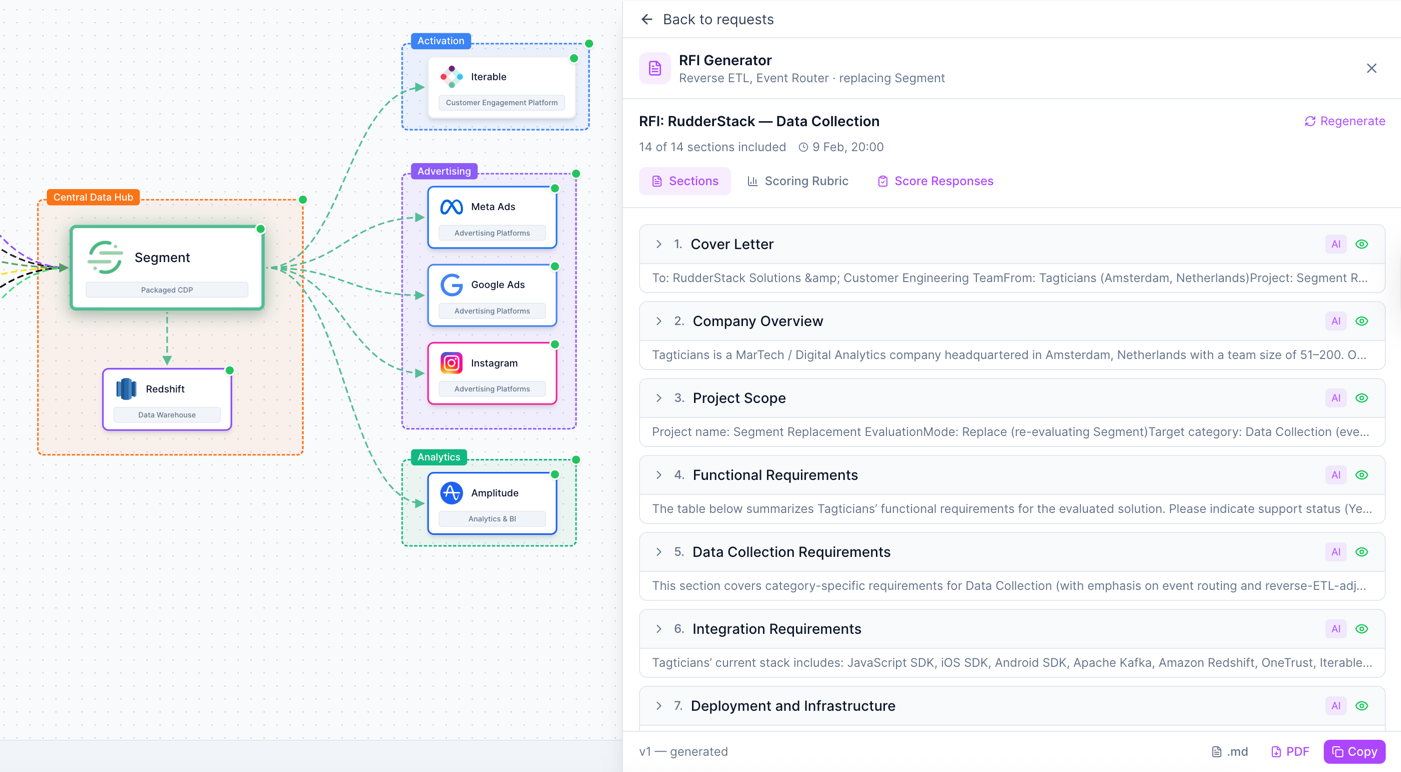
| RFI builder | ✓ | — |
| Presentation-ready output | PNG/SVG; PDF reports on Pro | ✓ |
| Animation & transitions | — | ✓ |
| Offline editing | — | ✓ |
| Universal format (.pptx) | — | ✓ |
| Free tier | ✓ | Microsoft 365 |
Why Martech teams choose Stack Builder
Living diagrams vs static slides
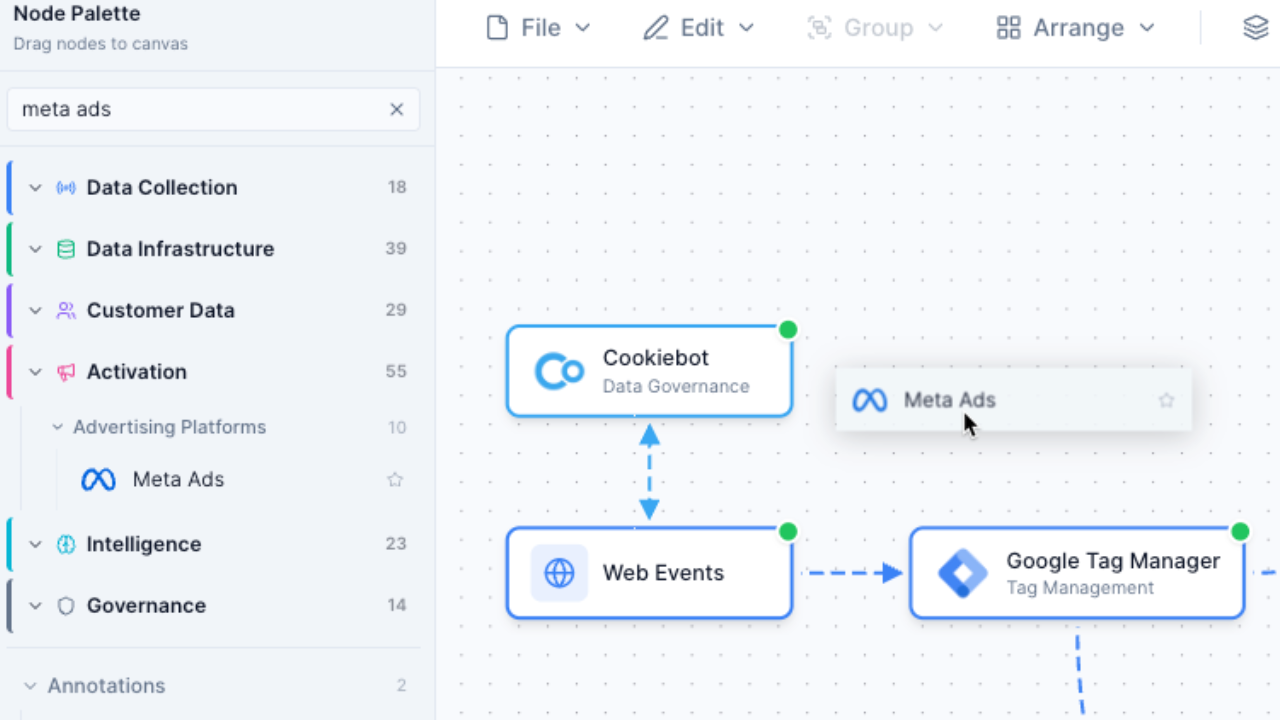
PowerPoint slides are frozen in time. The moment your stack changes, your slide is wrong. Stack Builder gives you an interactive canvas where you can zoom, pan, drag and reorganize your architecture. It stays current because changing it takes seconds.
- Interactive canvas with zoom, pan, and drag
- Update the diagram when a tool changes, not the whole slide
- Cloud-saved and available from any device
AI evaluation vs gut feeling
A PowerPoint slide can't tell you where your stack duplicates itself. Stack Builder computes the duplicated capability in your stack, grades it A-F and, from the costs you enter, prices what the duplication costs -- evidence instead of guesswork.
- Instant A-F letter grades for your stack architecture
- Overlaps named and priced, with a verdict per tool
- Numbers computed from your stack; the AI only writes the summary

Built-in vendor data vs manual logo hunts
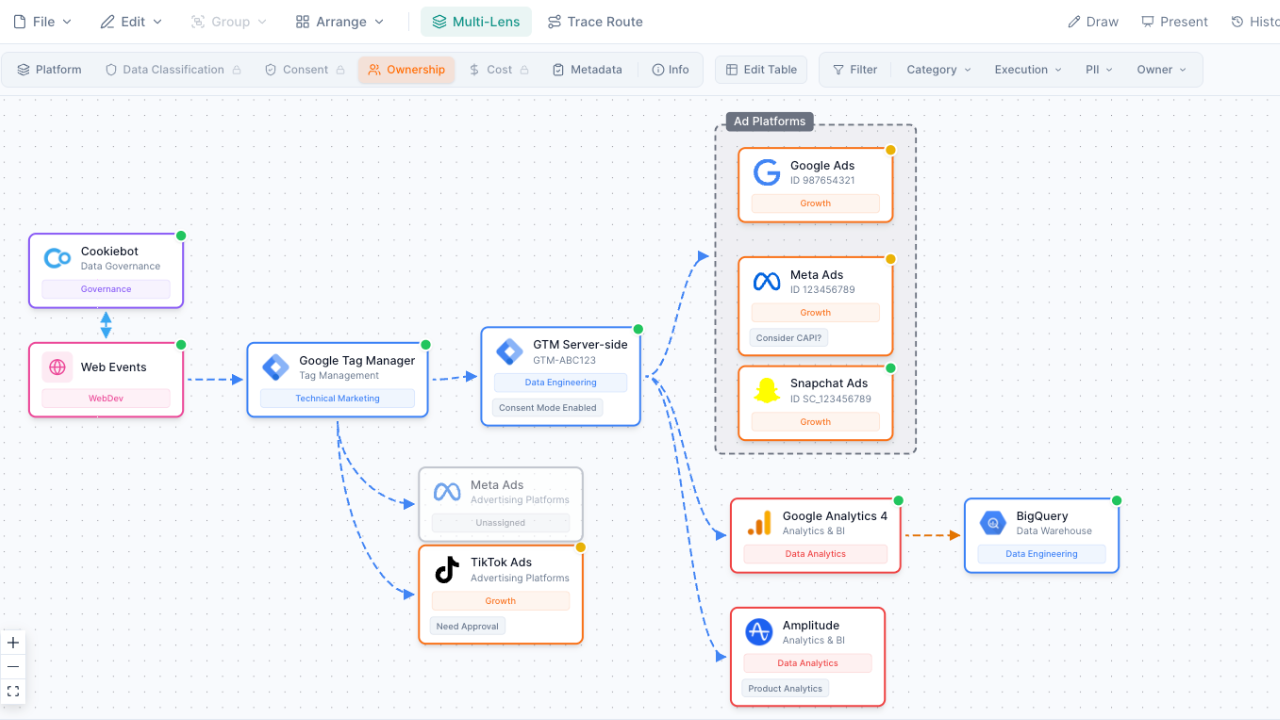
In PowerPoint, building a stack diagram means searching the web for vendor logos, downloading them, resizing them, placing them on the slide, and typing names underneath. In Stack Builder, you get vendor nodes for 460+ vendors with logos, categories and descriptions already included. Drag, drop and connect.
- Pre-built nodes for Segment, HubSpot, Salesforce and the rest of 460+ vendors
- Vendor logos, categories and descriptions included
- Start from one of 10 stack templates, or generate a first draft from a sentence
Export when you need to present
Get the best of both worlds. Build and iterate on your stack in Stack Builder, then export a PNG or SVG when it's time to present. Insert it into your deck and your audience sees the current diagram. For a live view instead, share a read-only link.
- Export the diagram as PNG or SVG
- Insert into PowerPoint, Google Slides, or any presentation tool
- Or share a live, read-only link to the stack
When to use PowerPoint instead
PowerPoint is still the right choice for certain scenarios. Use PowerPoint when you need:
- Animated presentations with slide transitions -- when the presentation itself needs motion and storytelling flow
- Universal .pptx format requirements -- when your audience or organization only accepts PowerPoint files
- Non-technical content alongside the stack -- when your presentation mixes strategy slides, budgets, and timelines with the architecture diagram
- Quick one-off slides -- when interactivity doesn't matter and you just need a simple static reference
But when the task is specifically building, analyzing, and maintaining your Martech stack architecture -- Stack Builder is purpose-built for exactly that. And when you need a slide, just export.
Frequently Asked Questions
Can I export my Stack Builder diagrams to PowerPoint?
Is PowerPoint really used for Martech stacks?
How long does it take to build a stack diagram?
Can my team collaborate on Stack Builder?
Will my PowerPoint diagrams import?
Does Stack Builder work offline?
Stop updating static slides
Build an interactive Martech stack that stays current. Export a PNG or SVG whenever you need a slide.
No credit card required. Free plan available.