For Agencies & Consultants
Deliver in Hours What Used to Take Weeks
Your clients expect a professional audit with clear recommendations. Not a spreadsheet and a "we'll get back to you." Audit stacks, generate RFIs, score vendors, and deliver branded reports without rebuilding the groundwork each time.
Built to solve real consulting problems
Client audits take too long
Every new client means starting from scratch -- finding logos, drawing diagrams, researching vendors. A single audit can take a week.
The solution
Build client stacks from 460+ vendor nodes, a template, or a one-sentence description. The Evaluate tab grades the stack A-F and names the tools that overlap.
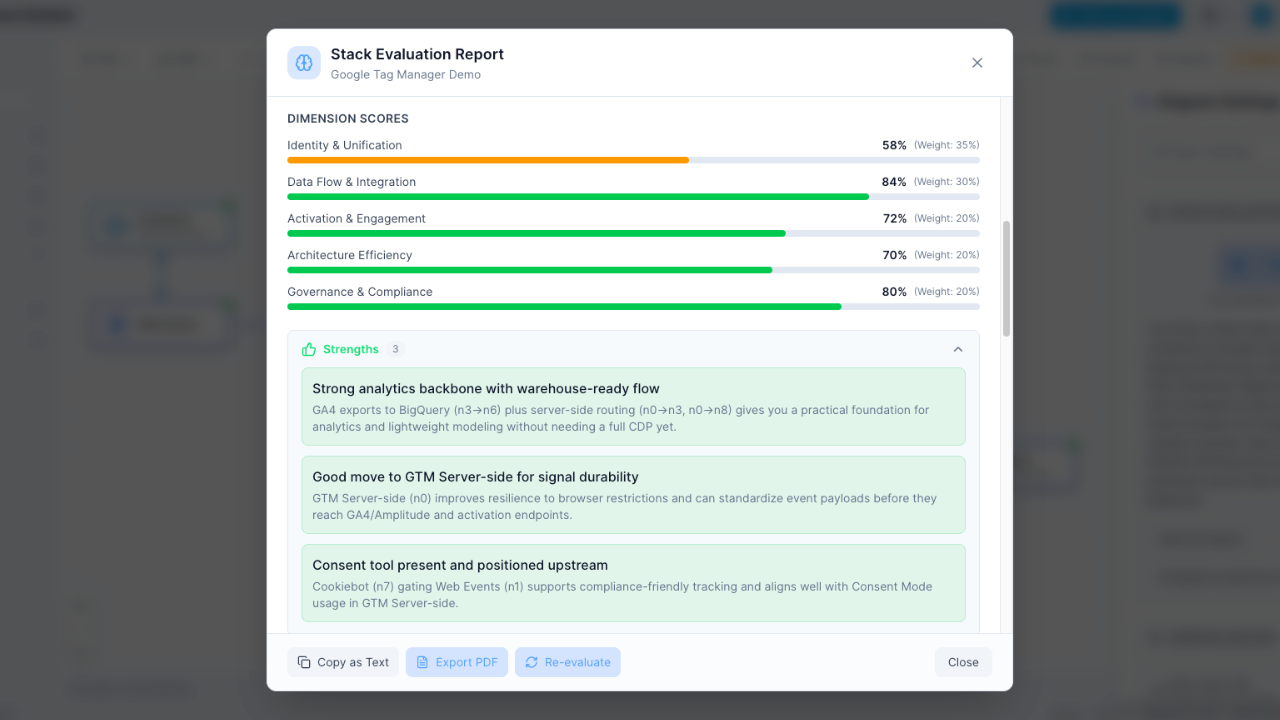
Deliverables look unprofessional
You're sending clients PowerPoint slides with misaligned logos and screenshots from other tools. It doesn't reflect your expertise.
The solution
Export diagrams as PNG or SVG and reports as PDF. On Consultant, reports carry your company name and logo instead of ours.
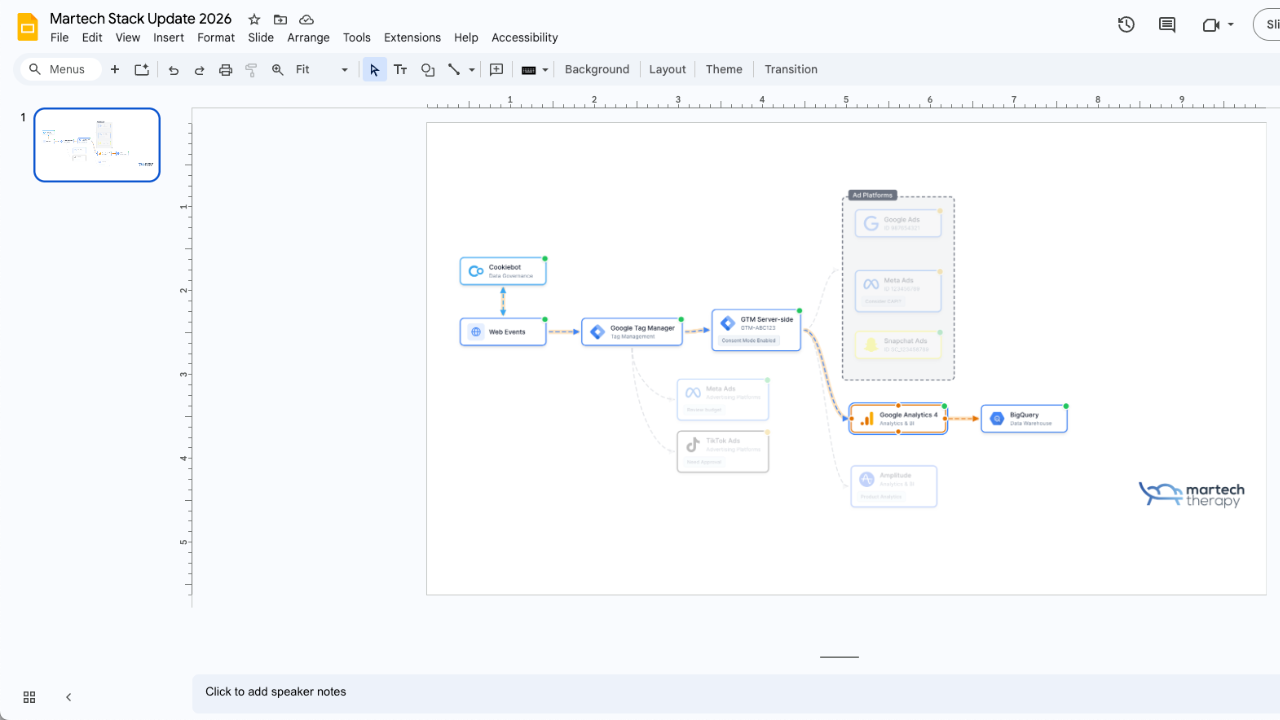
No scalable workflow for multiple clients
Each client's stack lives in a different tool -- some in Miro, some in PowerPoint, some in spreadsheets. No consistency.
The solution
A client workspace for each client: 5 on Consultant, 15 on Agency, each with up to 15 stacks. Every client stack in one place with consistent formatting and professional output.
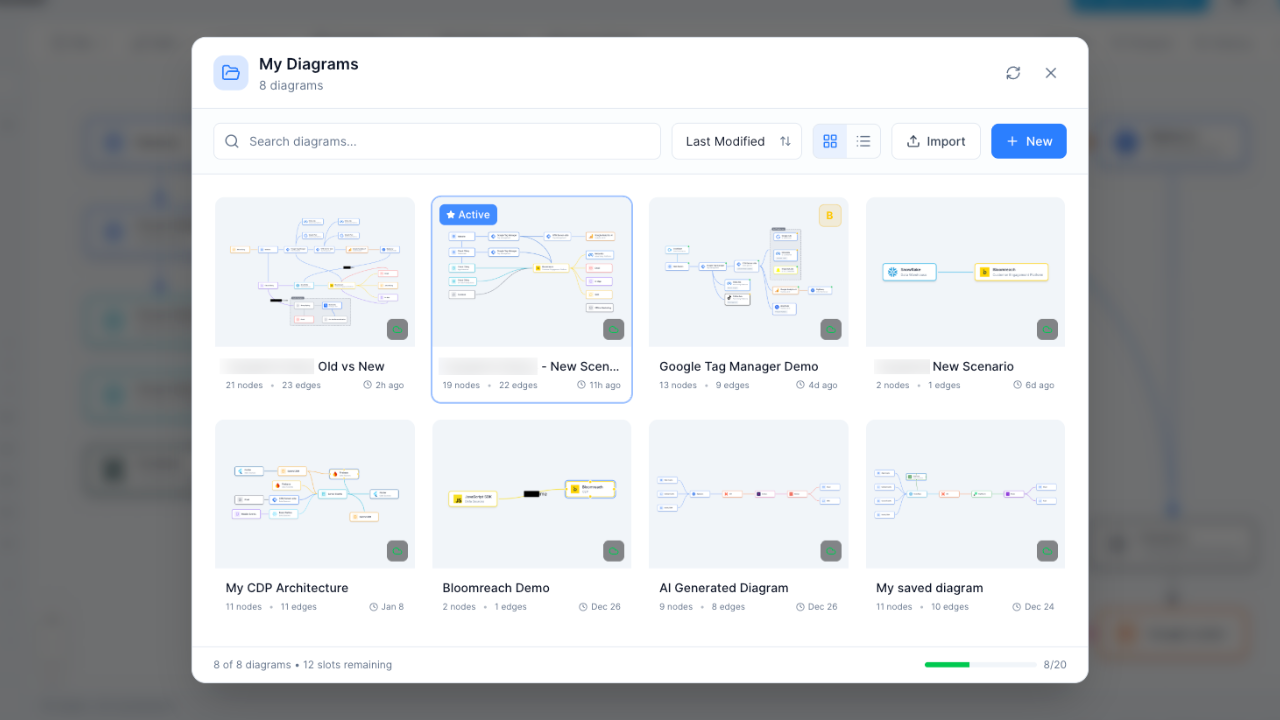
Vendor recommendations lack structure
Recommending vendors based on gut feeling doesn't inspire confidence. Clients want a structured evaluation process.
The solution
The RFI builder drafts the RFI from the client’s stack, sends it to the vendors with automatic reminders, and collects their answers on a page or in Excel. Your team scores them side by side on weighted criteria, and the decision is recorded with its reason. Alternatives lists replacement candidates ranked by capability overlap.
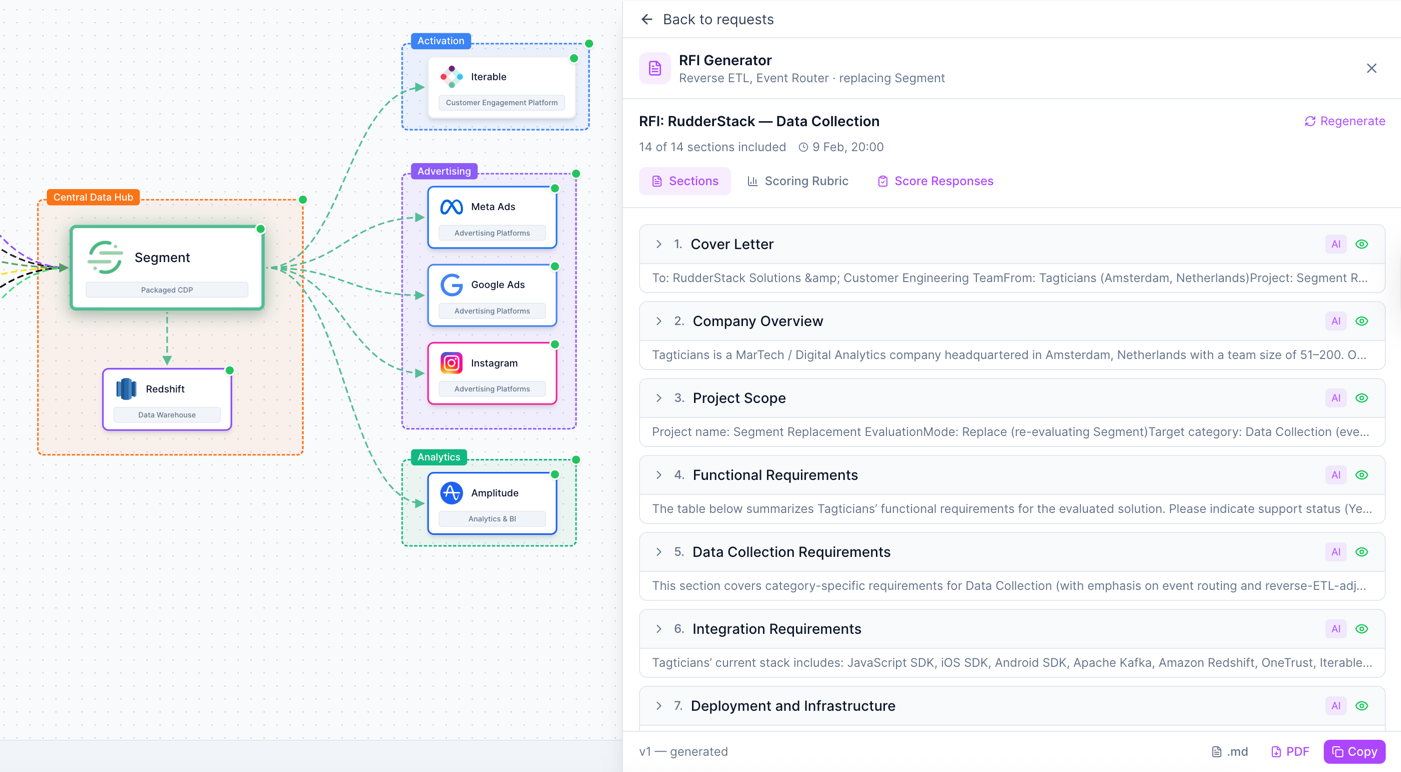
Features built for consulting workflows
Everything you need to audit, recommend, and deliver -- without switching between tools.
Rapid Stack Building
Build client stacks in minutes, not days, with 460+ pre-built vendor nodes.
Computed Audits
An A-F grade computed from duplicated capability, with the overlaps named and, from the costs you enter, priced.
White-Label Reports
PDF reports with your company name and logo (Consultant and Agency).
RFI builder
Draft, send, collect, score and decide in one room, with category questions and a weighted rubric. Unlimited on Consultant and Agency.
A Workspace per Client
Each client's stacks, costs, RFIs and people sit in their own workspace, separate from every other client.
Multi-Lens Views
Show clients their stack through different lenses: cost, data flow, ownership, PII data, consent.
How it works
From client intake to final deliverable in four steps.
Map the current stack
Drag-and-drop your client's existing tools onto the canvas. 460+ vendors with logos ready to go.
Run the audit
The Evaluate tab grades the stack A-F from duplicated capability, names the overlapping tools and prices the overlap from the costs you enter.
Build recommendations
Use alternatives, vendor scoring and the RFI builder to build a structured recommendation.
Deliver the report
Export PDF reports with your branding, plus the diagram as PNG or SVG, or send a live share link.
Frequently Asked Questions
What's included in the Consultant plan?
How is pricing per client worked out?
Is there a limit on stacks?
Can I manage multiple client stacks?
How does white-labeling work?
Can I share diagrams with clients?
Is there a free trial?
Can I use this for client proposals?
Deliver better client audits, faster
Build, evaluate, and present Martech stacks with professional-grade tools built for consultants.
No credit card required. Free plan available.