 Slack Integration
Your Stack Notifications, Right in Slack
Stop switching tabs to check what changed. Change requests, renewals, ownership updates, and team activity — delivered to the Slack channels your team already lives in.
One stack, answering wherever you work
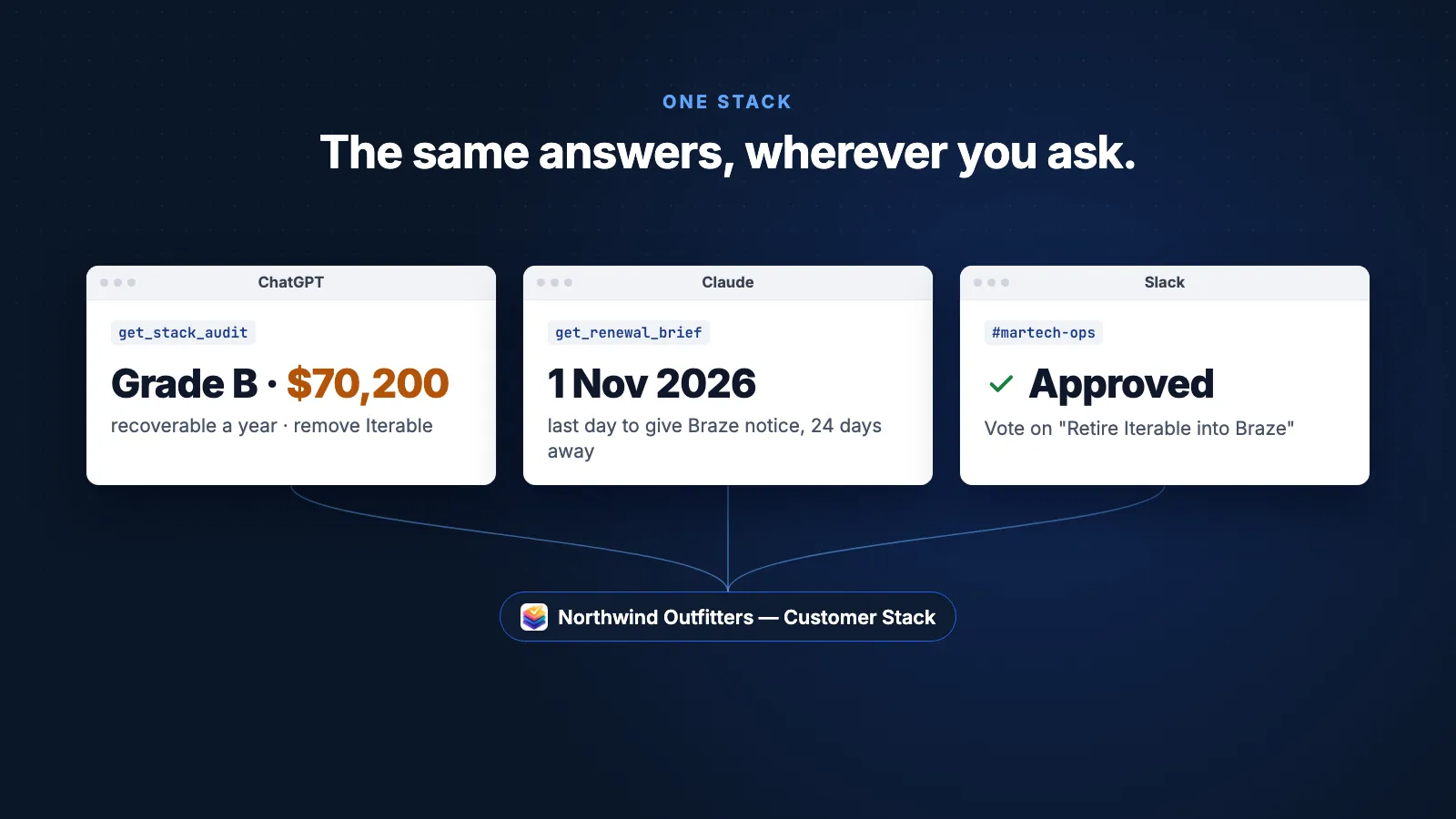
A renewal alert lands in Slack, /msb brief returns the negotiation facts, and Approve records your vote. The same stack answers in Claude and ChatGPT.
Connected in under a minute
From Settings to Slack notifications in three clicks.
Authorize
Open Settings › Workspace › Integrations and click "Add to Slack". Approve the app in Slack. No tokens or webhook URLs to manage.
Route
Pick which channels get which events. Send change requests to #governance, renewals to #ops, comments to #martech — or everything to one channel.
Notify
Each event posts to the channel routed for its category, with a link back to the app. Change requests waiting for approval carry Approve and Reject buttons.
Notifications that work for your team
Six event categories, routed by channel. You choose which ones reach Slack.
Event-Based Notifications
Change requests, upcoming renewals and ownership changes post to Slack as they happen, so your team does not have to check the app to find out.
- Change request submitted, approved, or rejected
- Renewal alerts, upcoming and overdue
- Ownership assignments and review reminders
- Comment mentions and replies
- Vendor outages and recoveries for tools on your team stacks

Channel Routing
Not every notification belongs in every channel. Route change requests to your governance channel, renewal alerts to ops, and comment threads to the team channel.
- Route by event category to specific channels
- Set a default channel for uncategorized events
- Channel picker fetches your workspace channels live
- Change routing anytime without re-connecting

OAuth Setup
No webhook URLs to copy, no tokens to manage. Click "Add to Slack" in Settings › Workspace › Integrations, approve the app, and pick your channels.
- OAuth 2.0, no manual tokens
- Owners and admins connect and disconnect
- Send a test message from the settings panel
- Disconnect at any time

Six event categories, one notification hub
Change requests
Change requests submitted, approved, sent back for changes or applied, and their tasks. Comments on a request have their own category, Change request comments.
Comments
@mentions, comment replies, and new comments on nodes you own.
Renewals
Upcoming and overdue renewal alerts, from the renewal dates on your tools.
Cost & Compliance
Cost threshold breaches, PII handling changes, and compliance flag alerts.
Ownership
Tool ownership assignments, removals, and periodic review reminders.
System
Team invites, shared stacks, and changes to how two tools are integrated.
Slash commands built for your workflow
Type /msb in any channel. Commands answer as you, so you see only what your own account can see. Your Slack email must match your Stack Builder email.
/msb ask Contract Q&A
Enterprise. Ask about the contracts, SLAs and DPAs on a stack. Answers cite the contract passages they used.
/msb stacks List stacks
The ten most recent stacks shared into your team, with node counts and last-updated dates.
/msb inbox Your Inbox
What is waiting on you, as the app's Inbox shows it: change requests asking for your vote, RFIs to score, your tasks with due dates, unread mentions. Each with a button into the app. The app's Home tab in Slack shows the same, with renewals.
/msb renewals Renewals in the next 90 days
Consultant and up. Every tool renewing in the next 90 days, with the date to give notice by and whether it auto-renews. Dates only: costs and contract terms stay in the app.
/msb audit The verdict on a stack
Consultant and up. Type the stack's name: its grade, the overlapping tools with the engine's verdict on each pair, recoverable spend a year, and keep, evaluate or remove for every tool. The same engine as the app's Evaluate tab. Only you see the reply.
/msb brief Prep a renewal
Consultant and up. Type the tool's name: when it renews, the date to give notice by, the tools on your stack that already cover what it does, seat use, and what the brief cannot show. Dates and leverage only: costs and contract terms stay in the app, one button away. Renewal alerts carry the same brief behind a Brief here button. Only you see the reply.
/msb changes Change requests waiting for a decision
Team. With Approve and Request changes buttons in Slack. /msb proposals still works.
/msb changes plans Implementation plans
Team. Change requests with an implementation plan, with step and risk counts and status. /msb roadmaps still works.
/msb share Share a stack
Post a stack card to the current channel, with thumbnail, node count and a link to open it. Only stacks shared into the team.
/msb status Connection status
Check your Slack connection and channel routing configuration.
Or just ask: Ask your stack
Message the app in its Messages tab and ask in plain words: "Audit my stack", "What renews in the next 90 days?", "Prep me for a renewal", "What needs my decision?" The answer streams into the conversation, read as you from the same data as the commands above, and you can ask a follow-up in the same thread. Works in every workspace that can connect Slack (Team, Agency and Enterprise); Slack's agent features need a paid Slack plan. Costs and contract terms for renewals stay in the app.
Explore more ways to work with your stack
Frequently Asked Questions
How do I connect Slack to my team workspace?
What events can Slack notify about?
Can I route different events to different channels?
Does it work with Slack Connect (shared channels)?
What data does the Slack bot access?
Can I ask questions about my contracts from Slack?
Is Slack included in the Team plan?
Bring your stack updates into Slack
Route the right notifications to the right channels. Included with Team and Enterprise plans.
No credit card required. Free plan available.