No more “who approved this vendor?”
Marketing buys a tool. IT finds out when an integration breaks. Finance gets the invoice. And nobody can say who agreed to it, or why. Stack Builder gives every change to the stack one place to happen: a change request that runs from draft to decision to done, with a record at the end.
One change request, from draft to closed
Write it, get the votes, apply it to the stack with a way back, track the work, and close it with the outcome on the record.

The governance gap
Code has pull requests. Infrastructure has change management. Data has access controls and lineage. The martech stack, often one of the bigger lines in the marketing budget, usually has a Slack thread and a hopeful spreadsheet.
That’s not a discipline problem. Nobody wants to fill in a form to swap one email tool for another. So the form has to do most of the work itself: know the stack, work out who’s affected, chase the people who owe a vote, and remember what was decided after everyone has moved on.
How a change request runs
Every change request moves through the same five stages, and the room shows you which one it’s in and what it’s waiting for.
-
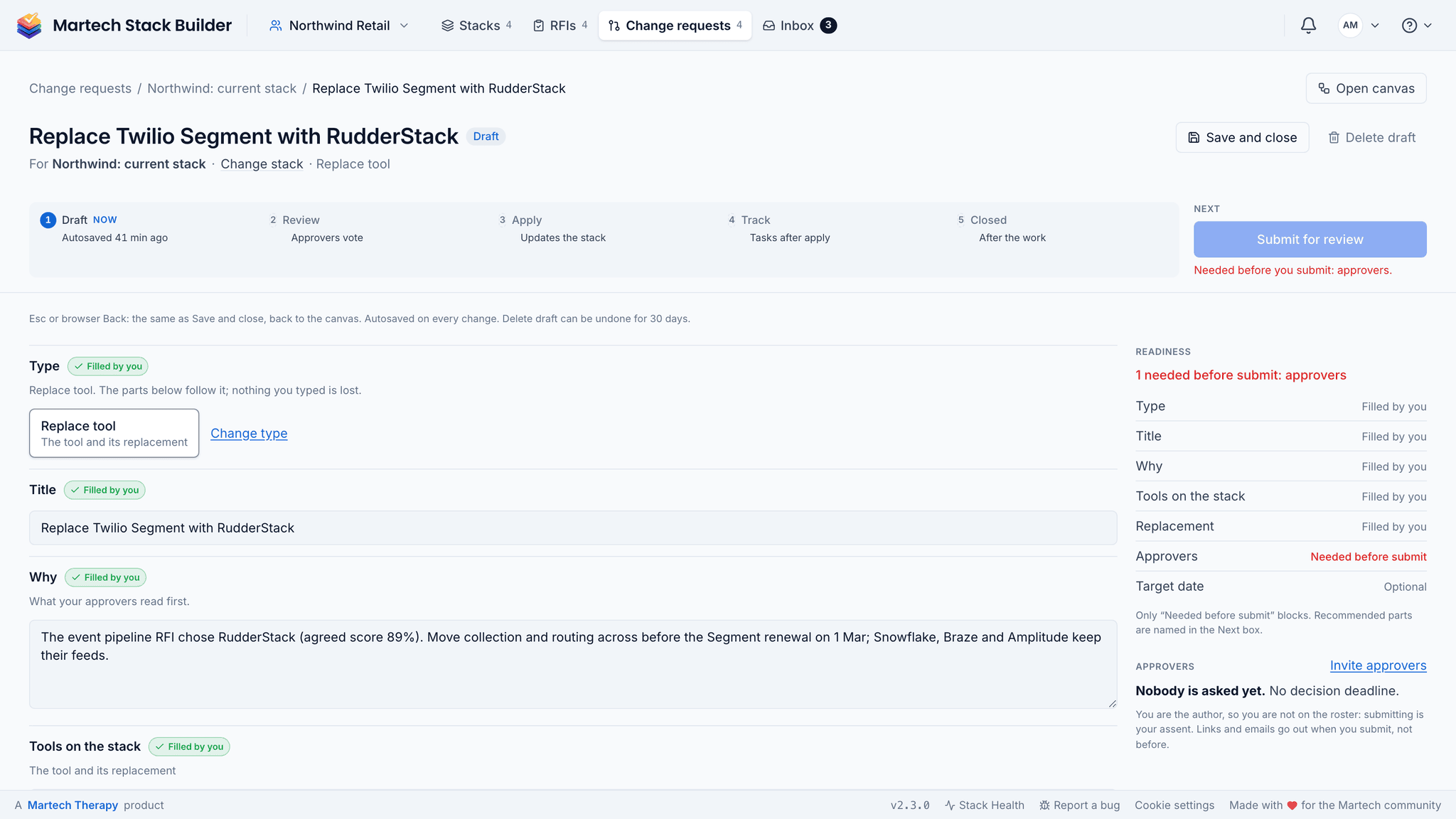
Draft
Pick the stack and the kind of change: a tool, a data flow, ownership or a governance change such as a data policy, an access change or a contract renewal. Fourteen types in four groups. The engine fills in what it already knows from the stack, scores the impact from the tools involved: how central they are, what they cost, how many departments they reach, and whether personal data or critical connections are in play. It marks what’s still missing before you can submit, and the draft saves as you go.
-
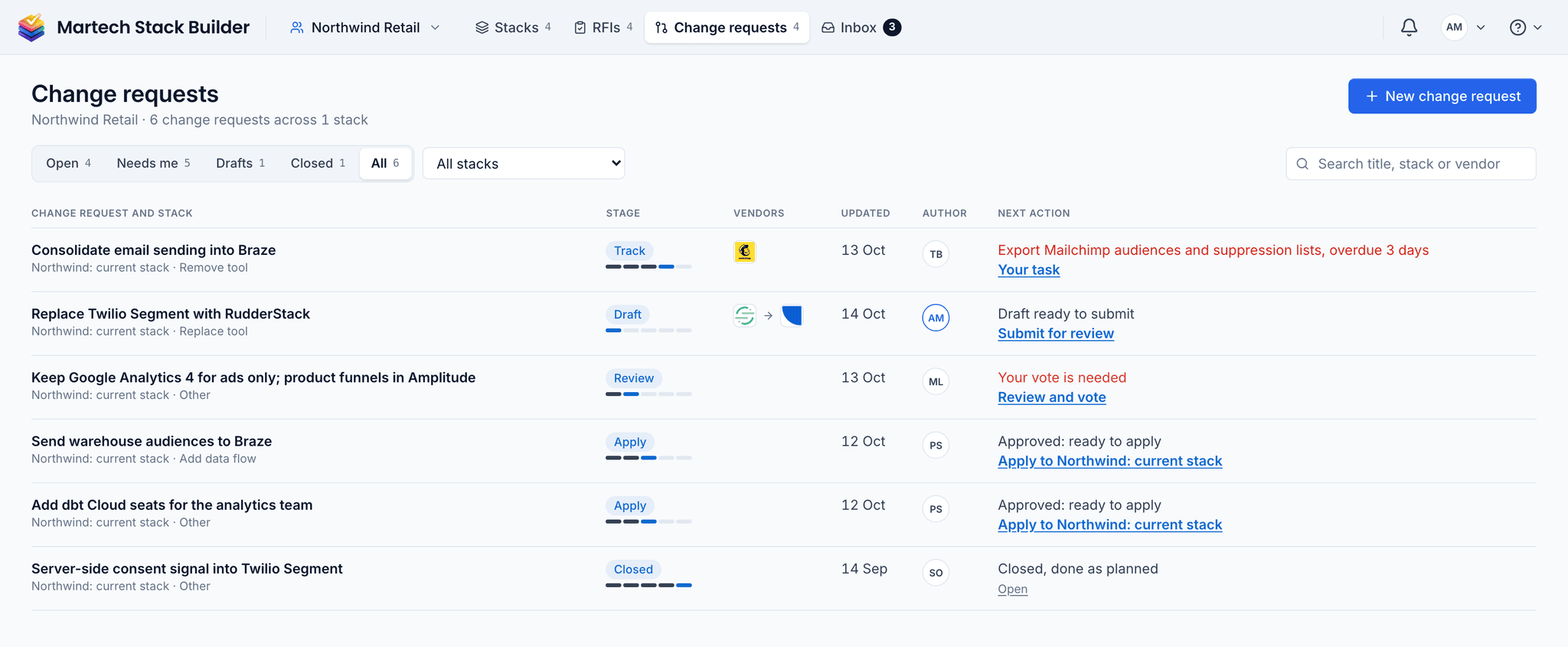
Review
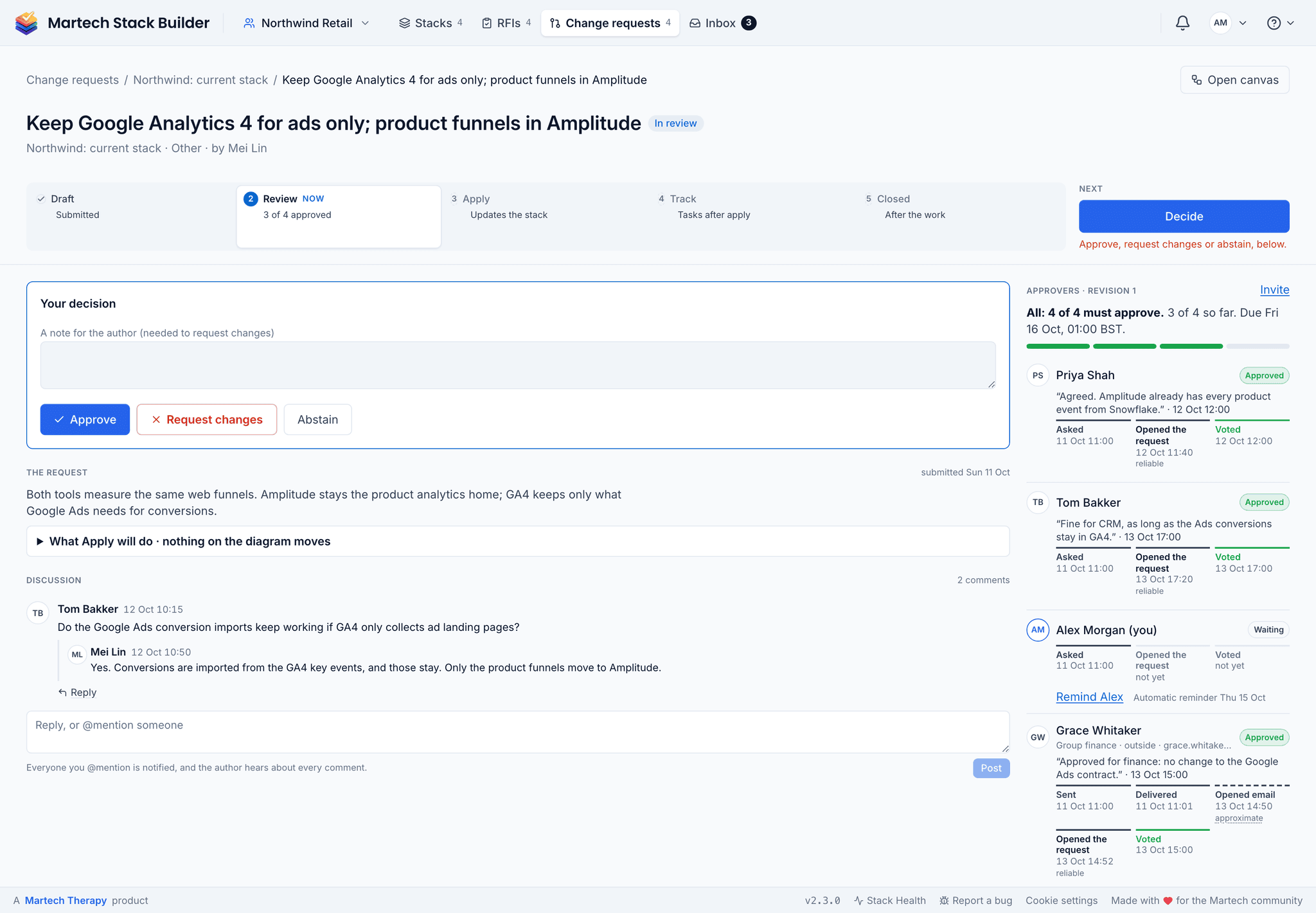
The approvers vote: approve, request changes with a note, or abstain. The request passes on the rule you chose in the draft: all approvers, a majority, or a single approval. If someone asks for changes, the author revises and resubmits. Approvers who haven’t voted can be reminded with one click.
-
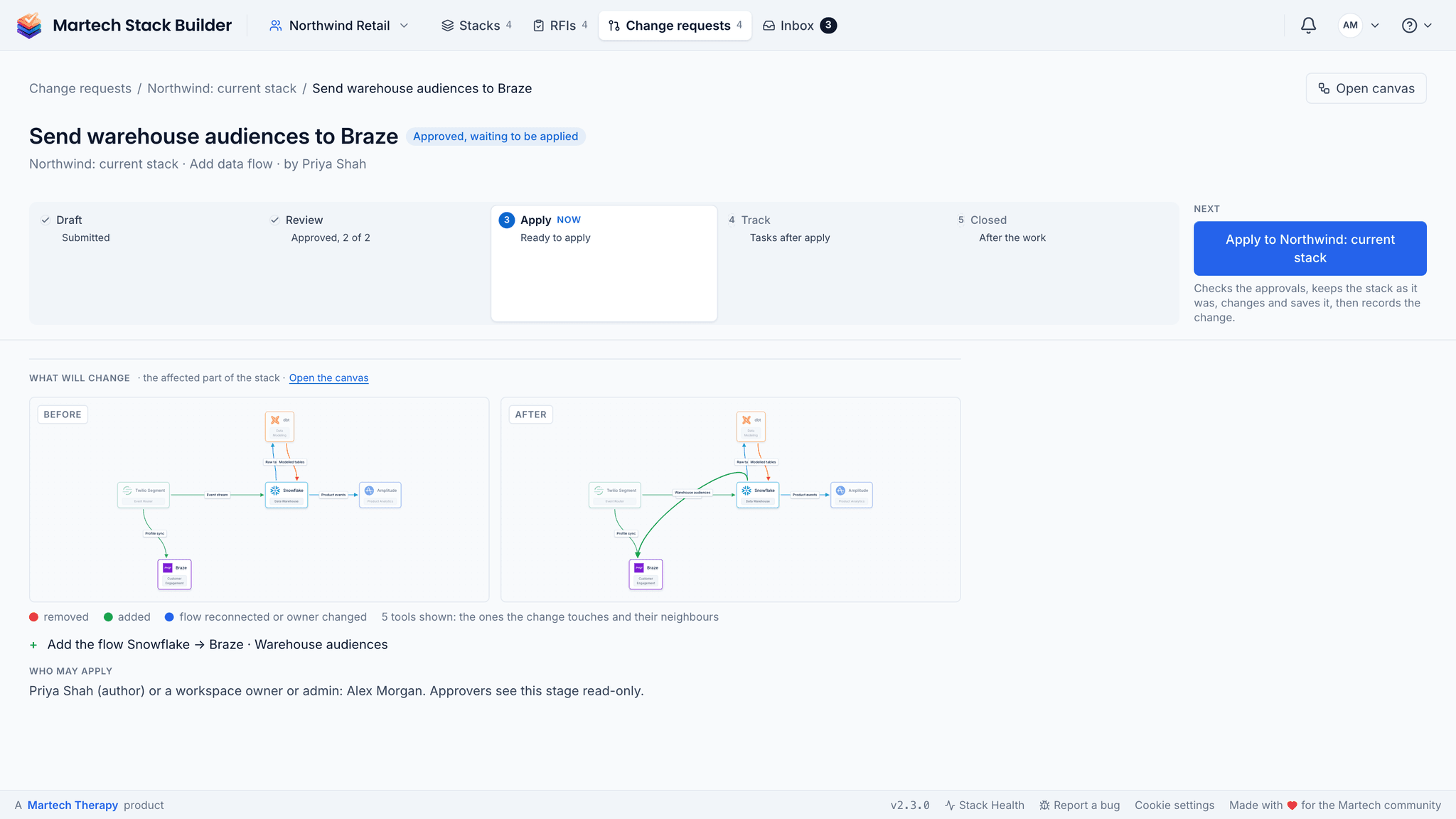
Apply
Once it’s approved, the room shows the stack before and after on a small canvas. Apply writes the change to the stack, after saving a version first, so it can be reverted within seven days.
-
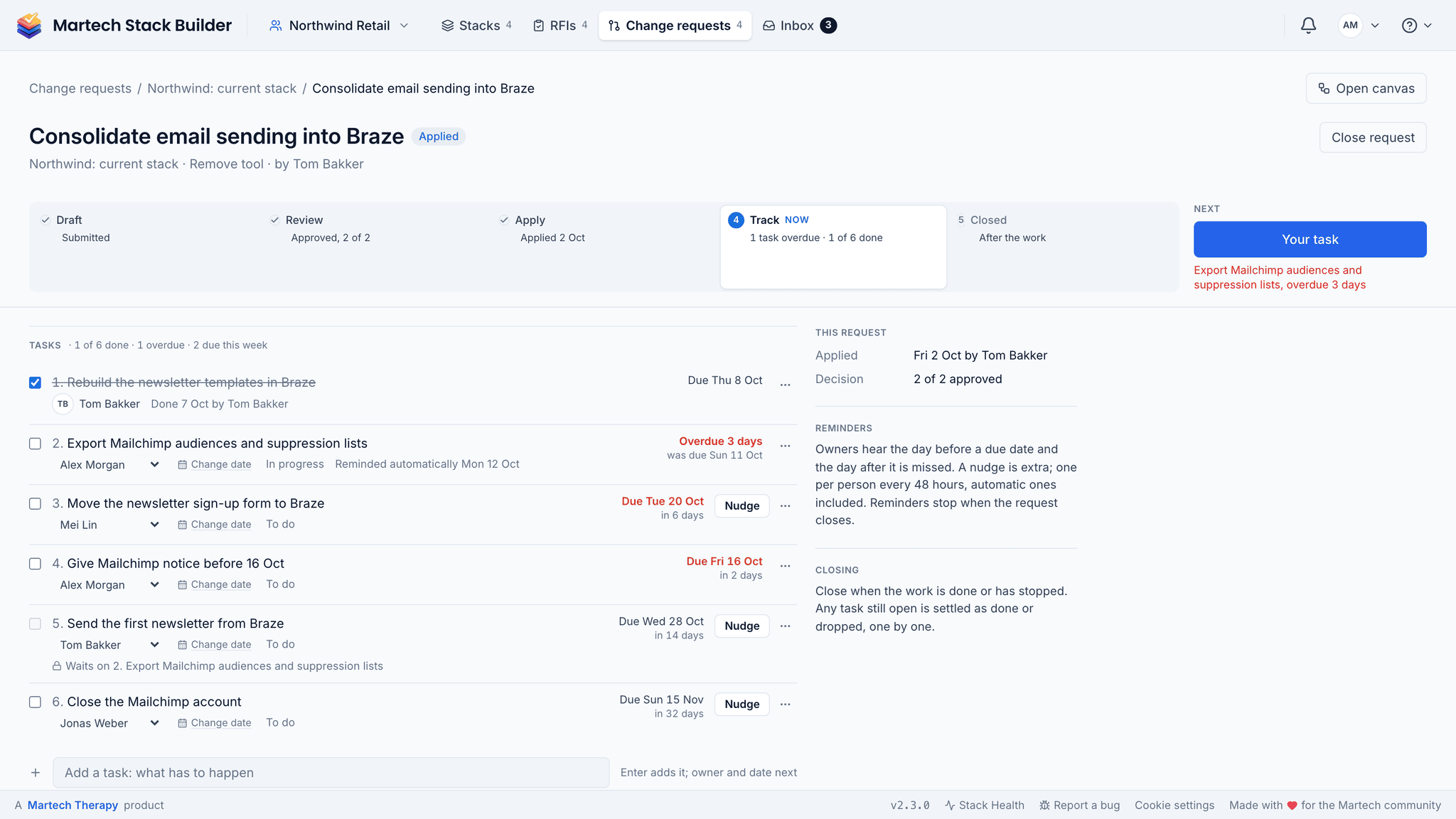
Track
The work after the decision becomes tasks with an owner and a due date. Whoever has the task gets an email the day before it’s due and another once it’s overdue. If that’s not enough, nudge them: a notification and an email (at most once per task every 48 hours, so it stays a nudge and not a nag).
-
Closed
Close it as done as planned, done with changes, or dropped, with a note. That’s the closing record: what changed, who decided, what happened and who closed it, and it can be reopened within 30 days.
The Inbox: what’s waiting on you
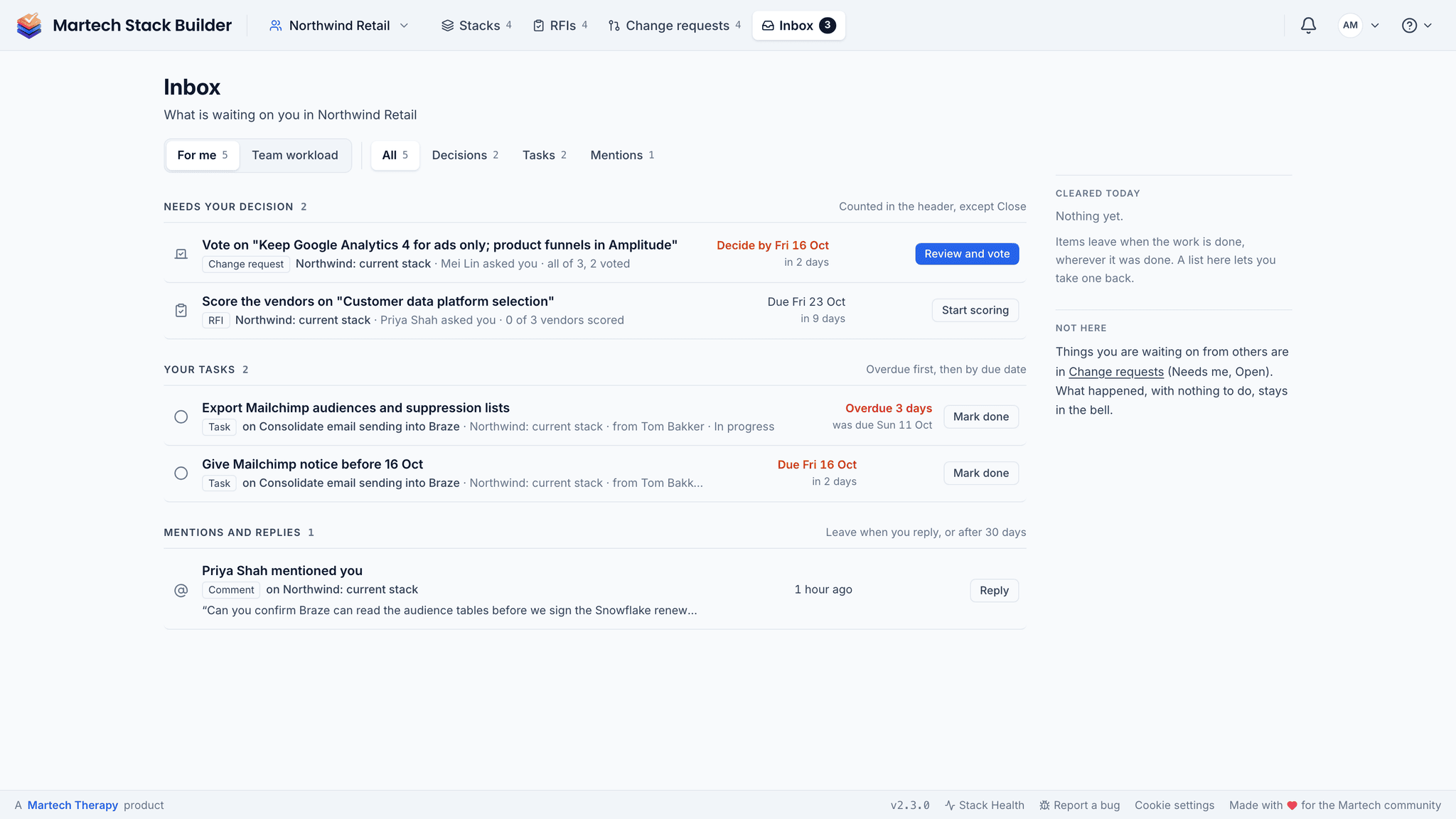
Who goes looking for change requests? Not approvers, and not the people with tasks either. So the Inbox brings them in. It shows the decisions waiting on you, your tasks with the overdue ones first, and mentions and replies from the discussions you’re in. Owners and admins also get a team view of who’s carrying what.
The Inbox is on every plan, and on your phone, where you can vote on a change request between meetings.
Approvers outside the workspace
Procurement, legal, finance. They don’t want another login, and they shouldn’t need one. Add an outside approver by email and they get a personal link to a page with just the change request on it. They approve, request changes or abstain, with a note, and can change their vote while the request is open. Their vote is recorded on the request with their name, the time and what they wrote.
Discussion in context
On Team, Agency and Enterprise, each change request has its own discussion. Replies stay threaded, and anyone you @mention is notified. Outside approvers don’t post in the discussion; their note travels with their vote.
Ownership
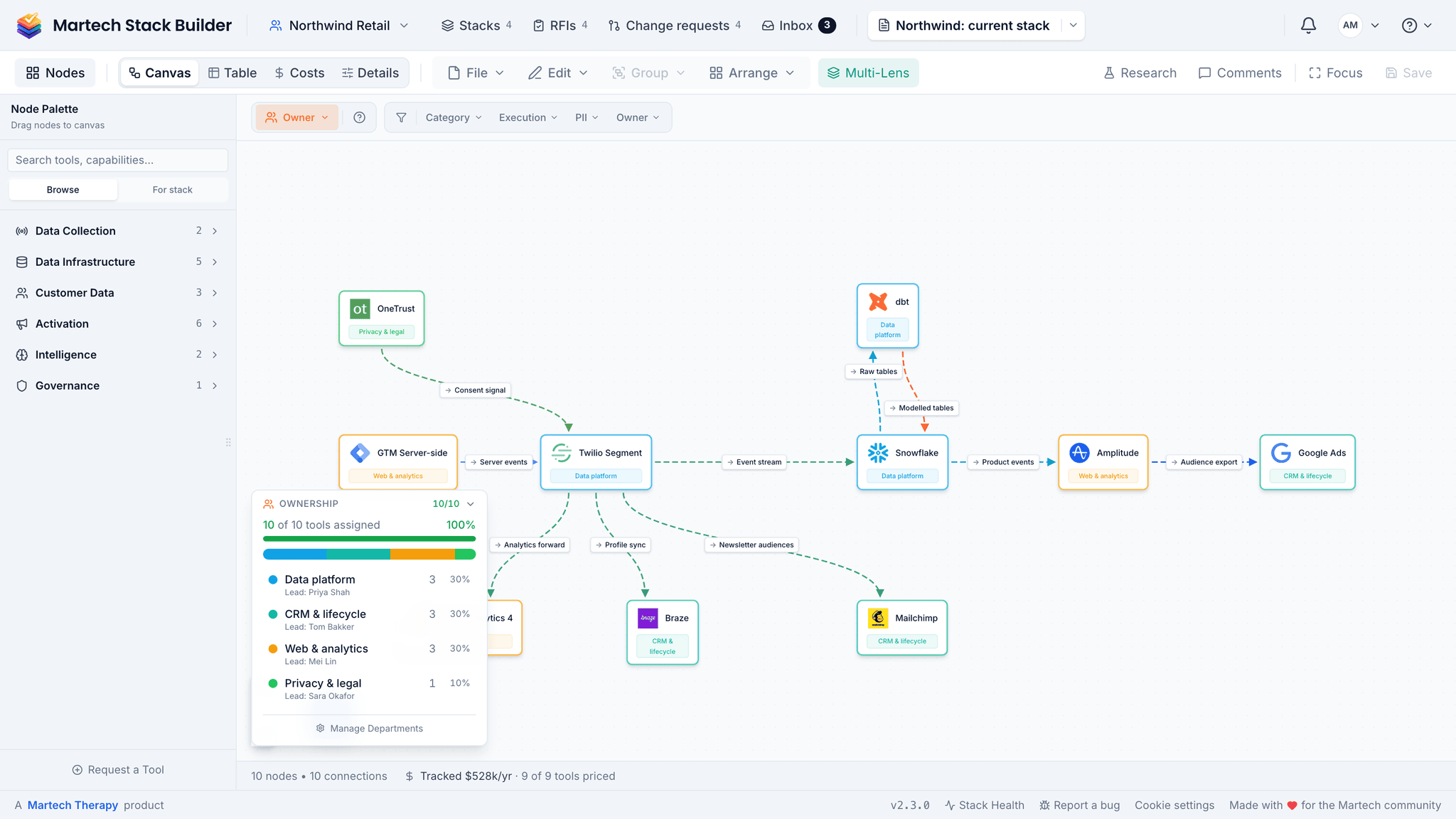
Every tool can belong to a department with a lead. The Owner lens colours the stack by who’s responsible, so the tools nobody owns stand out.
Roles
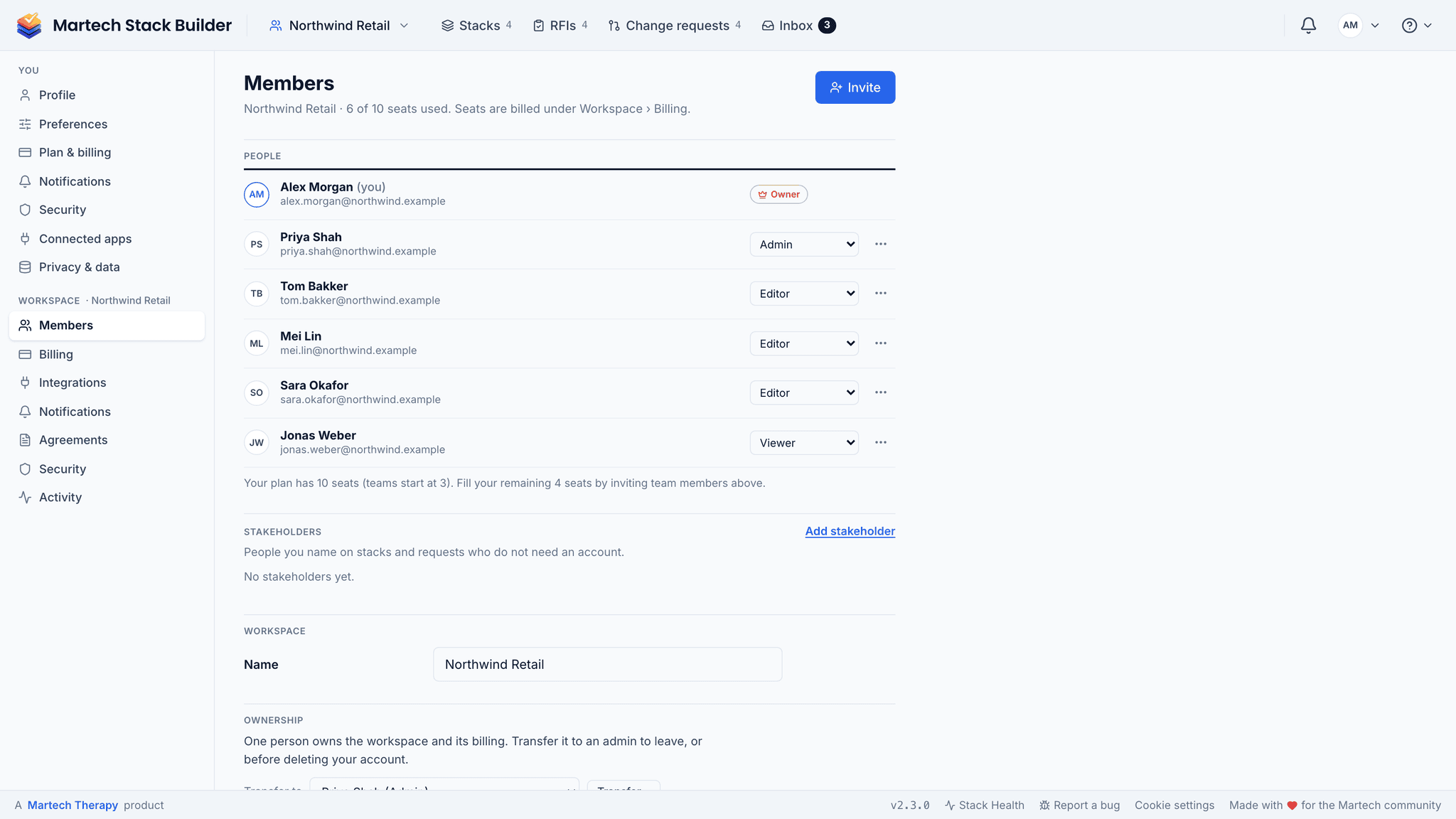
Owner, Admin, Editor, Viewer and Approver roles decide who can change what, and the database checks them, not just the screen. Approvers don’t take a paid seat. Members and roles live in Settings › Workspace › Members.
The method
Establish governance by hand
Governance fails when it is written as policy and never as a check someone runs. This procedure produces a small number of checks with names attached. A day to write, an hour a month to run.
-
List every tool that touches personal data
Not every tool — the ones holding or receiving anything identifying. Be generous about what counts: an email address in a support tool is personal data.
-
Trace consent from collection to use
For each of those tools, write where the consent came from and what it permits. Where you cannot complete the sentence, you have found a gap — and it is better found by you than by a regulator.
-
Name an owner per tool, not per policy
One person per tool who is accountable for its data. Policies without per-tool ownership are how a stack ends up compliant on paper and not in practice.
-
Write the three checks you will actually run
Three that get run beat twenty that do not. Good candidates: new tools added since last review, consent-string coverage on the highest-traffic path, and access for people who have left.
-
Put the review in the calendar with the owners invited
An uncalendared review is a document. Monthly or quarterly; the cadence matters less than it existing.
European retailer, 19 tools, 11 touching personal data.
| Tools touching personal data | 11 |
|---|---|
| Consent path fully traceable | 6 / 11 |
| Tools with a named owner | 4 / 11 |
| Added since last review | 3 |
| Retained access, departed staff | 2 tools |
Reading it: Five untraceable consent paths is the compliance headline, but four named owners out of eleven is the cause. Ownership is the fix that makes the other numbers move.
The shortcut: The Consent and PII Data lenses show step 2 across the diagram, so the gaps surface as you build rather than during an audit.
Frequently Asked Questions
What is martech governance?
Which plan do I need?
Can we customise the approval workflow?
Is there an audit trail?
Does it work with Slack?
Can the tasks go to JIRA?
Related Solutions
Start governing your stack
Every stack change as a change request, from draft to closing record, with an Inbox for what's waiting on you.
No credit card required. Free plan available.