An RFI builder that runs the whole RFI, not just the document
Writing the RFI isn’t the slow part. Chasing vendors, collecting answers from five inboxes and getting three colleagues to score the same thing the same way… that’s where the weeks go. So Stack Builder runs the RFI in one room, from the first draft to the decision, and keeps the vendors’ answers, the scores and the reasoning together.
No credit card required
From one sentence to a recorded decision
Describe the need, confirm one page, send it to vendors, see who has answered, score every answer side by side and record why you chose. The decision then starts a change request, already filled in.

The ROI is hard to ignore
A typical agency runs 4+ vendor evaluations per year. Here is what the manual process actually costs.
Manual process
4 RFIs/year × 25 hrs × $200/hr
$20,000/year
With Stack Builder
Consultant plan, billed yearly, excl. VAT — unlimited RFIs
$990/year
100+
Hours saved per year
$19K+
Cost saved per year
22x
ROI multiplier
The manual RFI problem
Every vendor evaluation cycle drains 17-32 hours of skilled consulting time.
Scoping requirements from scratch
Writing the RFI document
Distributing & collecting responses
Building a scoring matrix
Creating the recommendation deck
Total per evaluation cycle
17-32 hours
Five stages, one room
Every RFI moves through Draft, Send, Collect, Score and Decide. The room shows which stage it’s in and the one thing it’s waiting for next, whether that’s sending, fixing the weights or agreeing a score.
-
Draft
Describe what you're buying in a sentence. The engine matches it to capabilities, shortlists two to five vendors from the catalog and fills every topic it can from the stack you've already mapped. You confirm one page, and the AI writes the RFI with a weighted scoring rubric.
-
Send
Pick a contact at each vendor, set one deadline and send.
-
Collect
Watch the answers come in, vendor by vendor and question by question.
-
Score
Score every vendor against the rubric, one question at a time, side by side.
-
Decide
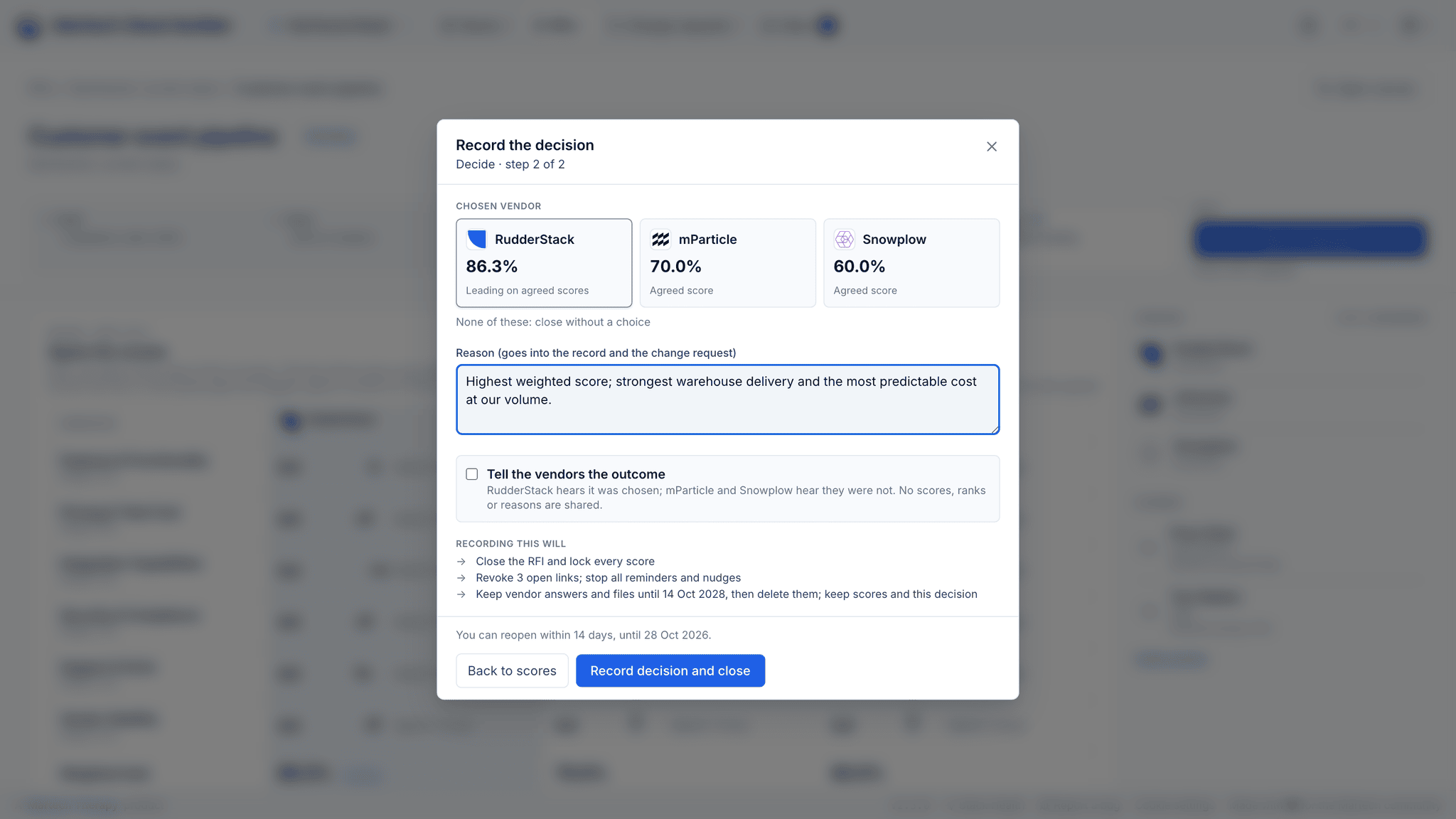
Pick a vendor, or none of them, and write down why.
Every RFI in one list
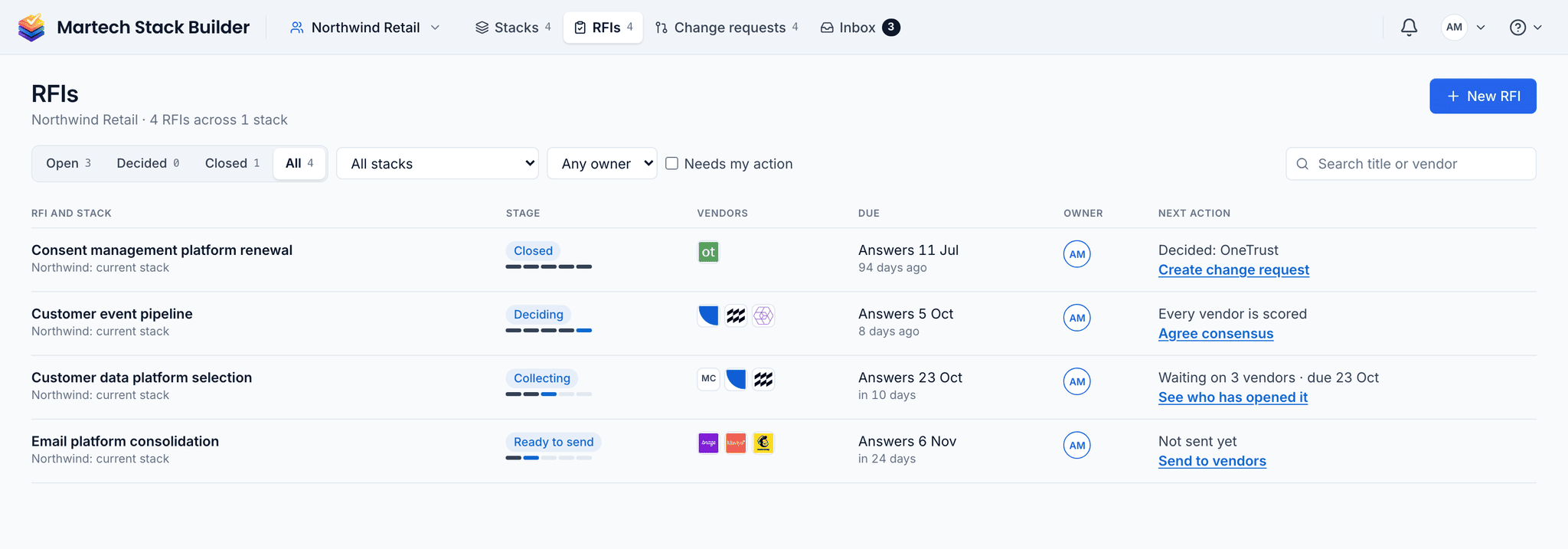
The RFI library lists every RFI in the workspace with its stack, its stage, the vendors, the due date, the owner and the next action. Filter it to what's open, decided or closed, or to the ones that need you.
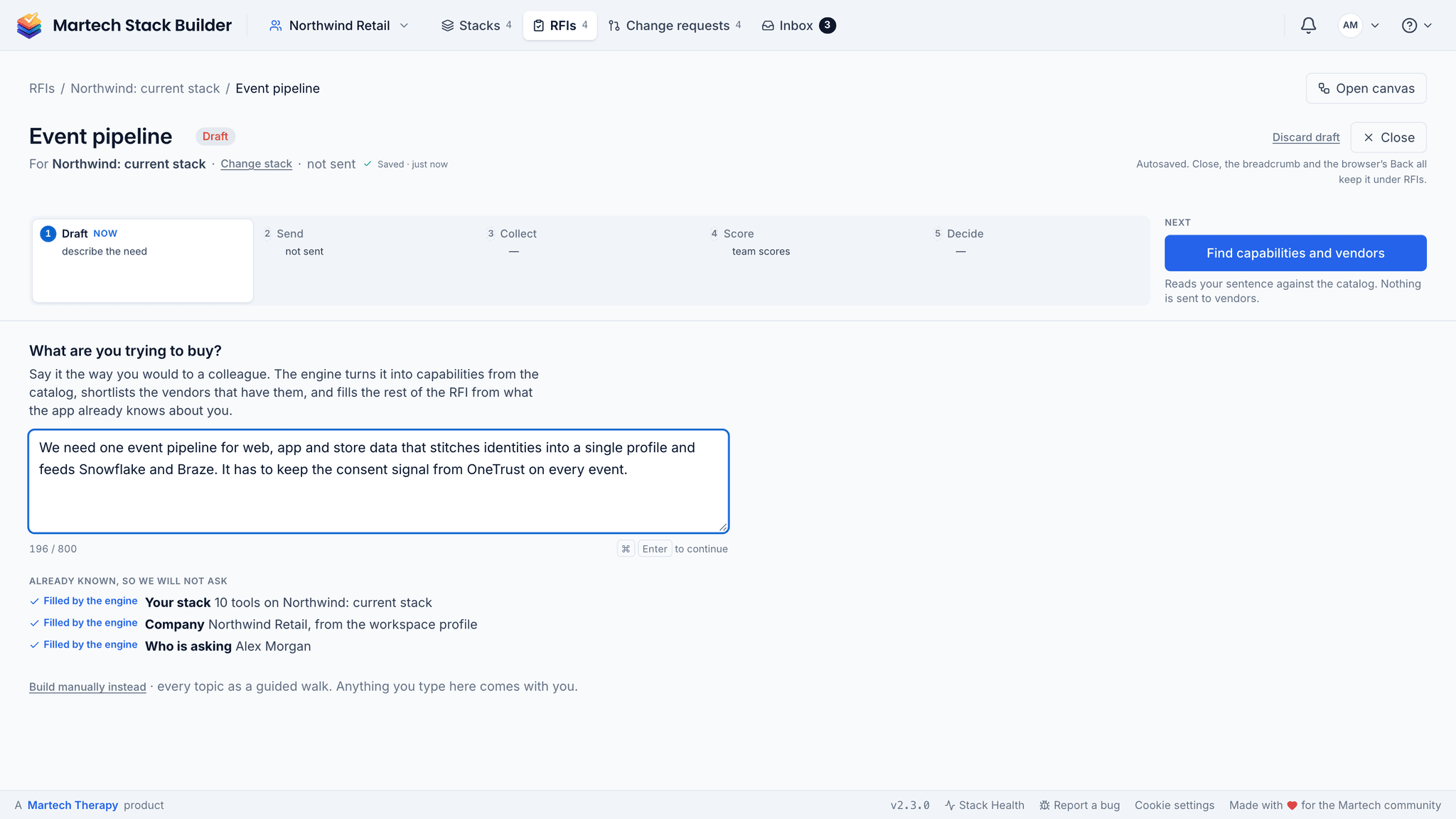
Draft: from one sentence to a document you can edit
Start an RFI by saying what you're trying to buy, in a sentence, the way you'd say it to a colleague. The engine reads it against the catalog, turns it into capabilities and shortlists the vendors that have them. Your stack, your company and who is asking are already known, so it doesn't ask for them. A phrase the catalog can't place isn't dropped: it becomes one question to the vendors.
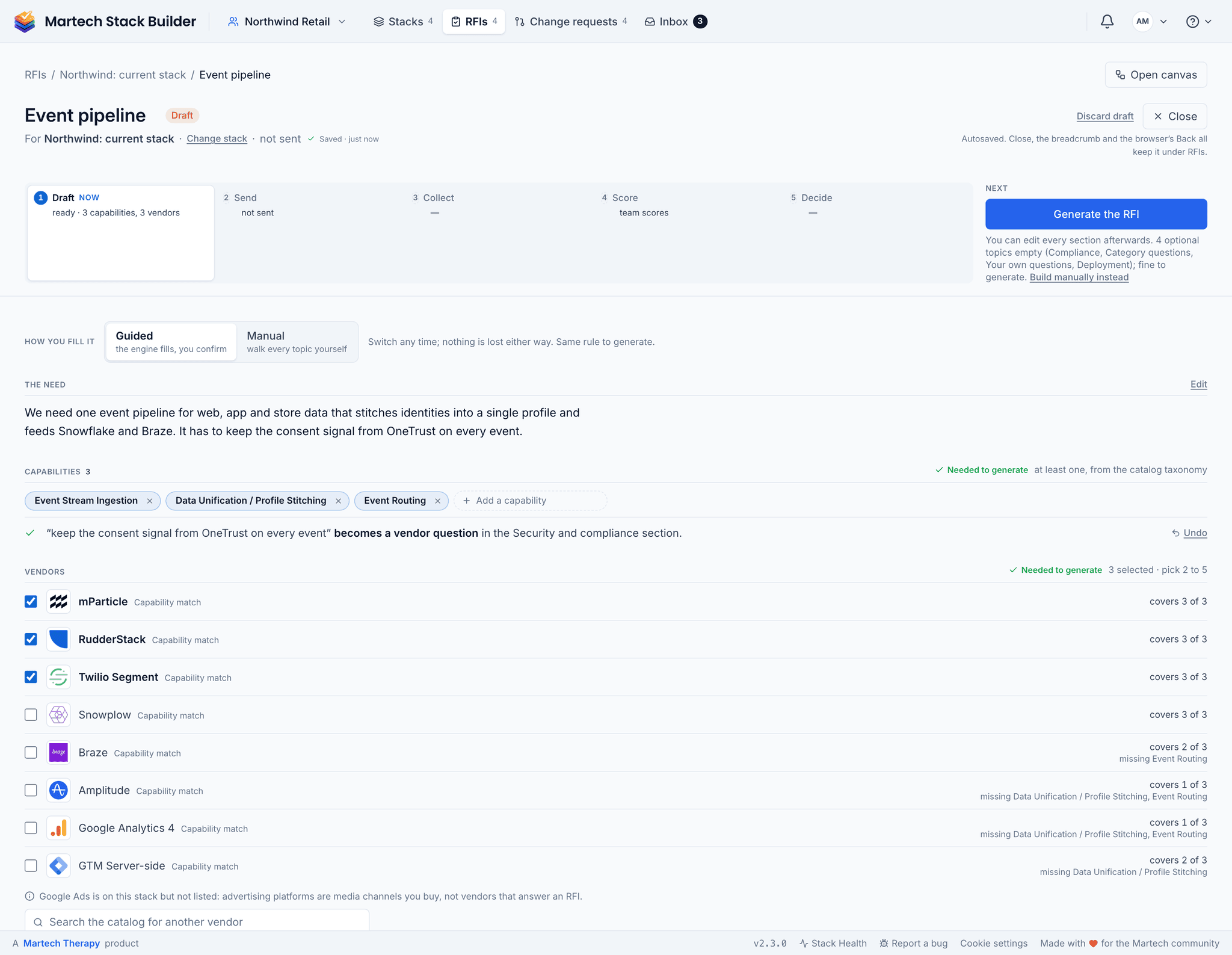
Then you confirm one page: the capabilities, the vendors (pick two to five) and anything optional you want to add, such as category questions from the bank for that category or your own. Each topic is marked as filled by the engine, filled by you, recommended, optional or needed before it can be generated, so you know what's left. Prefer to walk every topic yourself? Build it manually instead; nothing you typed is lost.
After generation, every section is editable. Reorder sections, leave some out, and set each question to required or optional. Preview it the way the vendor will see it before you send. Export it as a Word file, print it to PDF or copy it as Markdown.
Send and Collect: no more chasing by hand
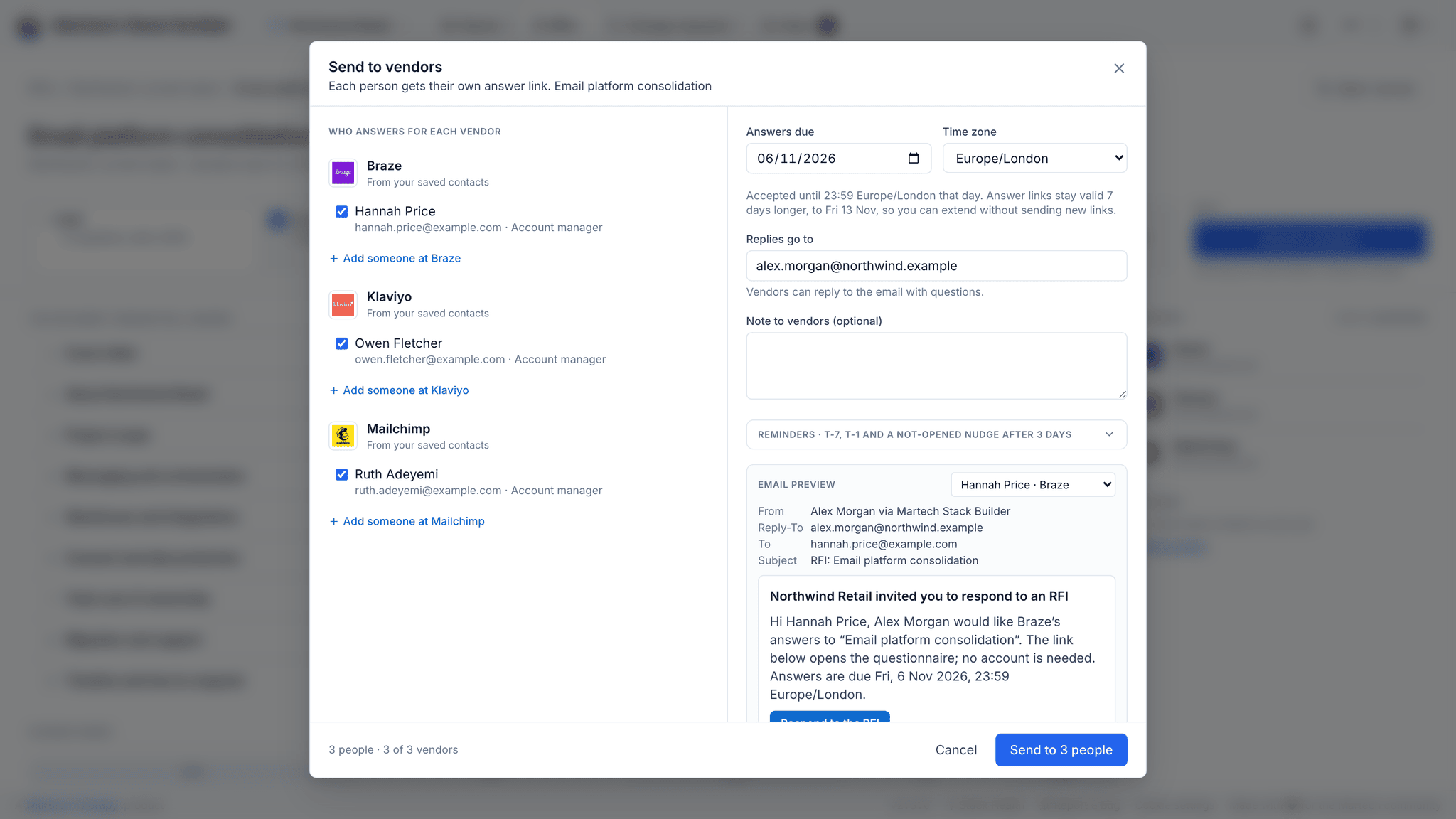
One send dialog covers every vendor: the contacts, one deadline with its time zone, and a preview of the email they'll get. Reminders go out on their own: seven days and one day before the deadline, and to anyone who hasn't opened the RFI after a few days. You can remind someone yourself too. Either way, nobody gets more than one every 48 hours, and the reminders stop as soon as a vendor submits.
Did the email even arrive? Collect shows where each person stands: sent, delivered, opened, answering, submitted or bounced. A bounce shows up as a bounce, not as silence.
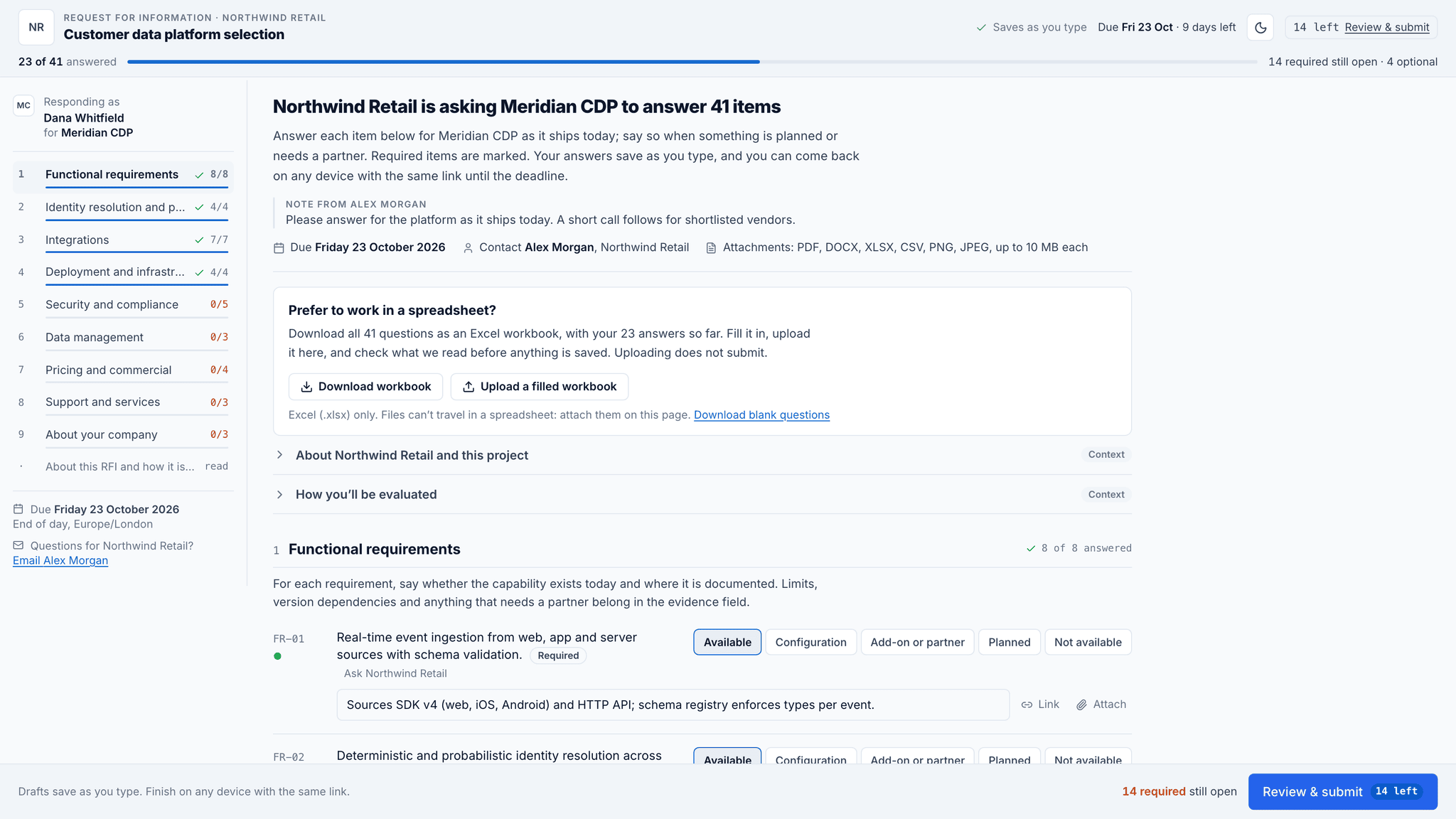
What the vendor sees
Vendors don't need an account. They get a personal link to a page with your questions, and they answer question by question, with evidence and a link where you asked for it. Drafts save as they type, so they can finish on another device with the same link. The page tells them what's still missing before they submit.
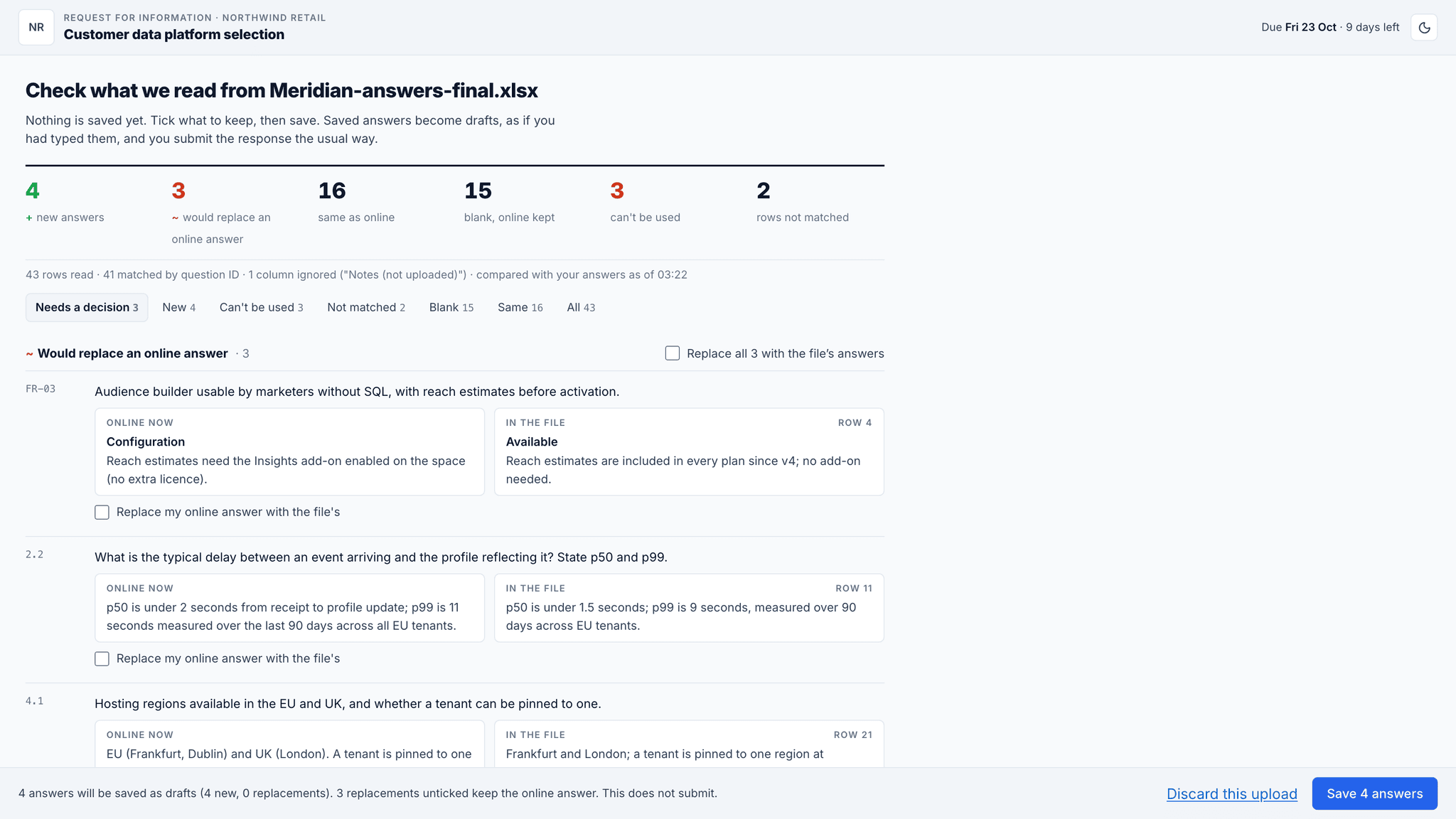
Some vendors would rather answer in a spreadsheet. (Usually the ones with a bid team.) They can download the questions as an Excel workbook, fill it in offline and upload it. Before anything is saved, they see what was read from the file and what wasn't. Uploading doesn't submit; they still review and send.
Score: side by side, then agree
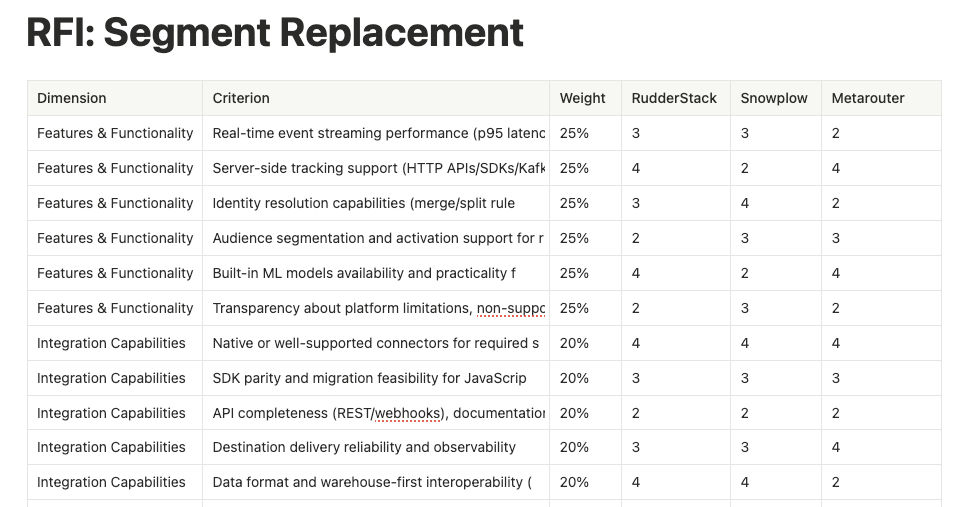
Scoring opens as soon as the first vendor answers. The split view shows one question at a time with every vendor's answer next to it and the weighted rubric beside them. Scores save as you go.
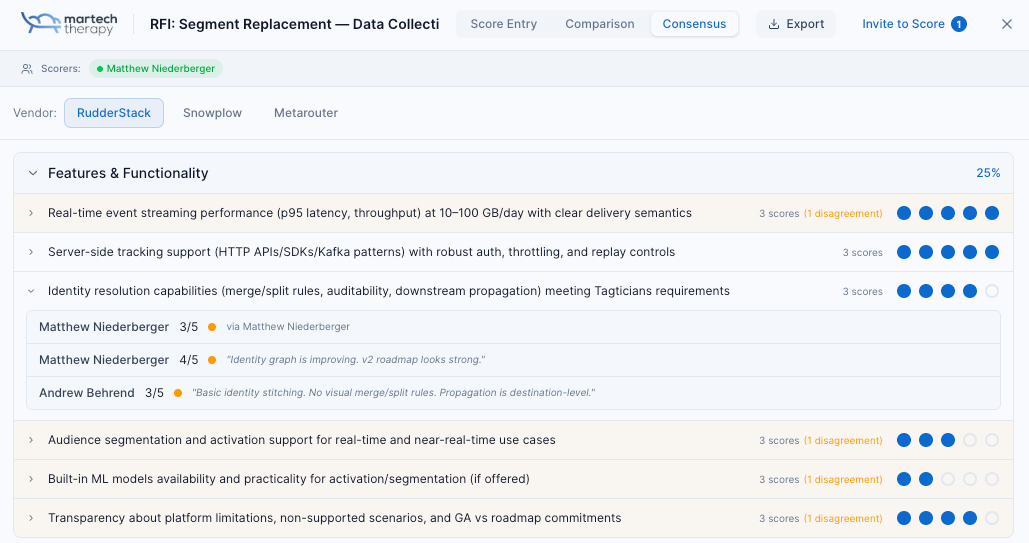
Colleagues score with their own account. People outside the workspace can score through a link, without an account. On a team RFI, the consensus grid starts each score at the scorers' average. And it flags any question where they're two points or more apart, so you talk about those and agree the rest. Scores lock when the RFI closes.
Decide, then hand it over
The decision sheet records the vendor you picked, or that you picked none, and the reason. You can tell the vendors the outcome from the same place. Closing revokes the vendor links and stops the reminders, and the decision can be reopened within 14 days.
Then the part that usually gets lost: on Consultant and up, one click starts a change request from the decision, with the chosen vendor, the reason and the scorers suggested as approvers.
Who this is for
Built for anyone who needs to evaluate vendors professionally.
Agencies
Deliver professional vendor evaluations to clients in a fraction of the time. Add your own questions next to the category bank, and keep each client’s RFIs in that client’s workspace.
Independent Consultants
Look like a large firm. Generate polished RFI documents and scored recommendations that justify your advisory fees.
Procurement Teams
Standardize your vendor evaluation process. Weighted scoring and team consensus tools ensure objective, defensible decisions.
The method
Run an RFI by hand
An RFI is only as good as the comparability of what comes back. Free-text answers cannot be compared; that is the whole problem this procedure solves. Three to four weeks end to end.
-
Write requirements as questions with a fixed answer shape
Each requirement gets a question and a stated answer format — yes/no, a number, or one of a list. "Describe your approach to identity resolution" returns six pages you cannot score.
-
Publish the scoring rubric with the questions
Tell vendors what a 5 looks like versus a 3. You get better answers, and you commit to the standard before you know who met it.
-
Give every vendor the same deadline and the same contact
Staggered deadlines advantage whoever answered last. One date, one inbox, no side conversations.
-
Score independently, then meet
Each scorer scores alone before anyone compares. Group scoring converges on the loudest person in the room within about ten minutes.
-
Discuss only where scores diverge by two or more
Agreement needs no meeting. Divergence is either a misread question or a genuine difference in what people value — both worth the time.
CEP selection, four vendors, 34 scored questions, three scorers.
| Questions issued | 34 |
|---|---|
| Vendors responding by deadline | 3 / 4 |
| Questions with ≥2 point divergence | 7 |
| Divergence from misread question | 4 of 7 |
| Score change after discussion | 2 vendors |
Reading it: Four of seven disagreements were a badly worded question, not a difference of opinion. That ratio is the argument for step 1 — most scoring disputes are authoring defects.
The shortcut: The RFI builder gives every criterion a fixed answer type (a 1–5 scale, yes / no / partial, or structured fields), and colleagues score side by side in the same room (outside scorers through a link).
The argument behind this
The CDP RFP dating game
On what the RFP process rewards, and what it hides.
Frequently Asked Questions
How much does the RFI builder cost?
Do vendors need an account?
Can my team score vendors together?
What export formats are supported?
How does the AI write the RFI?
How many vendors can one RFI include?
Related Solutions
Vendor Evaluation
Compare vendors with weighted scoring and team consensus tools.
Learn moreContract Management
Upload vendor contracts, extract the key terms, and ask questions with clause citations.
Learn moreStack Audit
Overlaps, an A–F grade and recoverable spend, computed from your stack.
Learn moreStop chasing vendors by email
Draft the RFI from your stack, let the reminders do the chasing, and score every vendor side by side. One room, from the first draft to the decision.
No credit card required. Free plan available.