Features
Everything Martech Stack Builder does, grouped by the job it helps with. Each entry shows the lowest plan that includes it and links to the page that covers it in depth.
Map your stack
Get the stack out of people’s heads and onto one diagram that shows how data moves. Then read the same stack as a table, by cost or by its details, without drawing it twice.
-
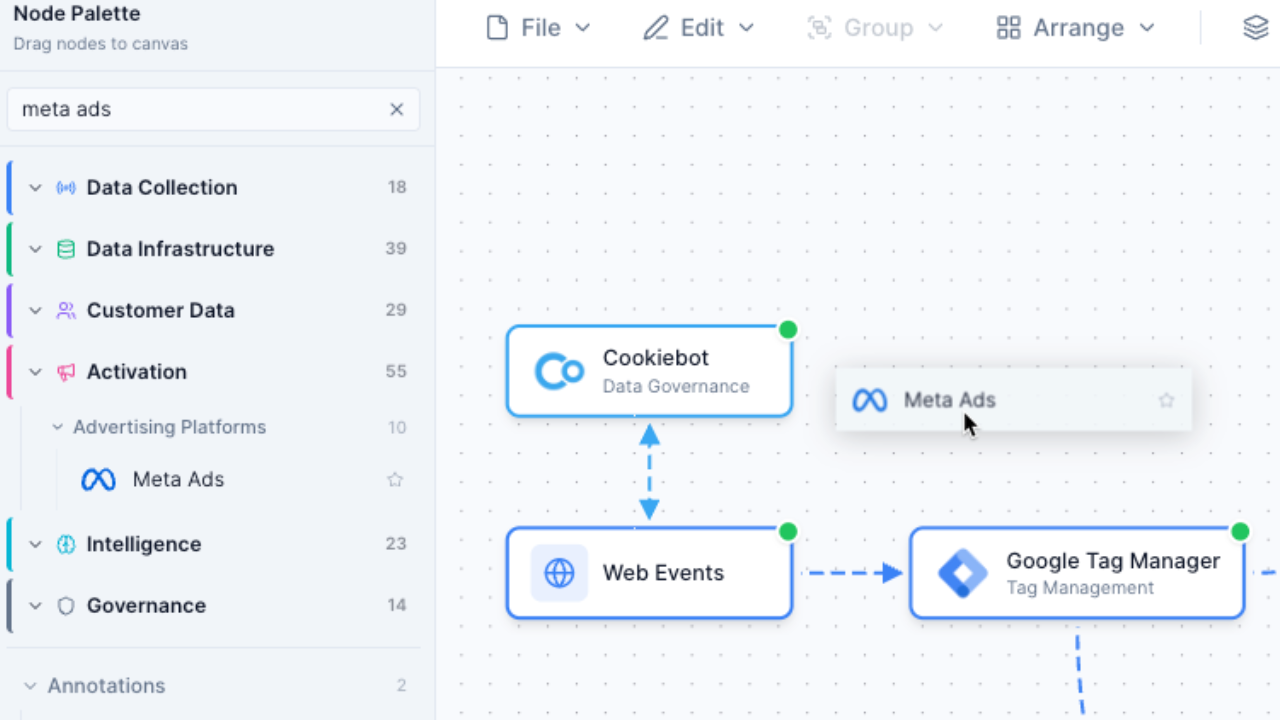
Visual stack builder
FreeDrag any of 460+ vendors onto a canvas and draw the connections between them.
3 saved stacks; 20 on Pro
-
Table view
ProSwitch the same stack from Canvas to Table and read it as one row per tool.
-
Stack details
FreeA stack’s general details, context, departments, agreements, tasks and sharing on one page.
Agreements section on Enterprise
-
Stack templates
FreeStart from one of 10 reference stacks we built, where every connection is already named and documented.
-
Describe the business in plain English and get a first draft in which every connection has all seven integration fields filled in.
3 generations; Pro has a monthly AI allowance
-
Scan a site with the Event Watcher extension and open the tracking tools it finds as a diagram.
-
Connection details
FreeRecord how each integration runs: mode, frequency, auth method, owner, and how stale its data may get before something breaks.
-
Lenses
FreeRecolour the same diagram by PII handling, consent, owner, cost, lifecycle stage, pace layer, utilization, integration mode or auth method.
Platform and Owner; the rest on Pro
-
Trace data flow
FreeClick a tool to light up everything upstream and downstream of it.
25 traces; unlimited on Pro
-
Live vendor status
FreeSee on the canvas when a vendor in your stack is degraded or down, and get an alert in the app and by email when it has an outage.
Evaluate and audit
Find the overlaps, the gaps and the weak connections. Every finding shows its reasoning, so you can argue with it.
-
Instant stack audit
FreeTick the tools you pay for and get a grade, the overlapping pairs and an estimate of recoverable spend, with no account.
-
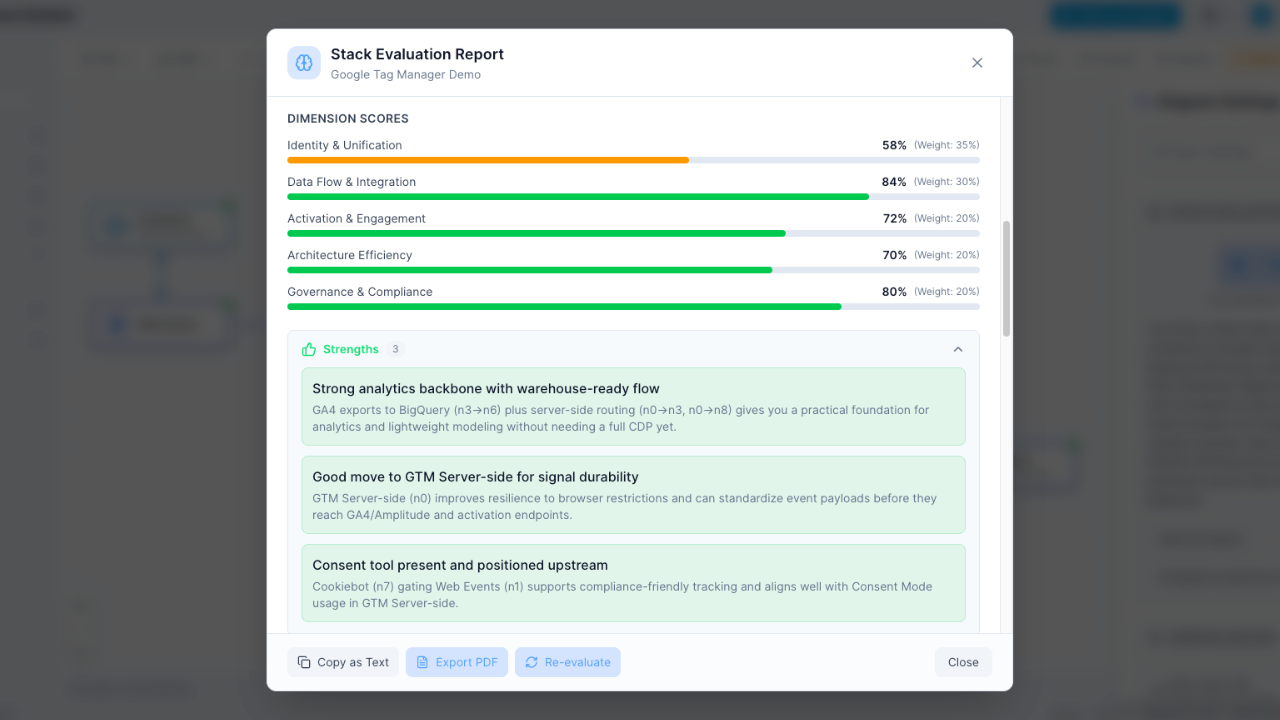
Stack evaluation
FreeAn A–F grade computed from duplicated capability, with a keep, evaluate or remove call for each tool.
5 runs; Pro has a monthly AI allowance
-
Flag connections that can’t deliver the freshness the next tool needs, or critical paths with no authentication.
Checks against signed SLAs on Enterprise
-
Consolidation case
FreeSee which tools duplicate each other by capability and what cutting one would save.
-
Vendor research
FreeShortlist alternatives, compare vendors on capability, read a research brief, and ask whether your stack can do a given job.
3 alternatives and 3 comparisons; Pro has a monthly AI allowance
-
Vendor directory
FreeBrowse 460+ vendors by category and capability, with alternatives, head-to-head comparisons and who owns each one now.
-
Which martech tools changed hands since 2023, who bought them, and how many vendors publish a price, with every deal sourced and the list free to download.
-
Capability evidence
FreeOver 6,800 records of which vendor does what, 94% of them linked to the vendor’s own documentation. The overlap checks and the alternatives read from them.
-
Stack chat
FreeAsk questions about the stack on your canvas and get answers that name its tools and connections.
10 messages; Pro has a monthly AI allowance
-
Privacy audit
ProSeverity-rated privacy findings for your stack against GDPR, CCPA and HIPAA, each with a fix.
Costs and contracts
Know what the stack costs, when each contract needs notice, and what you’ll ask for at the next renewal.
-
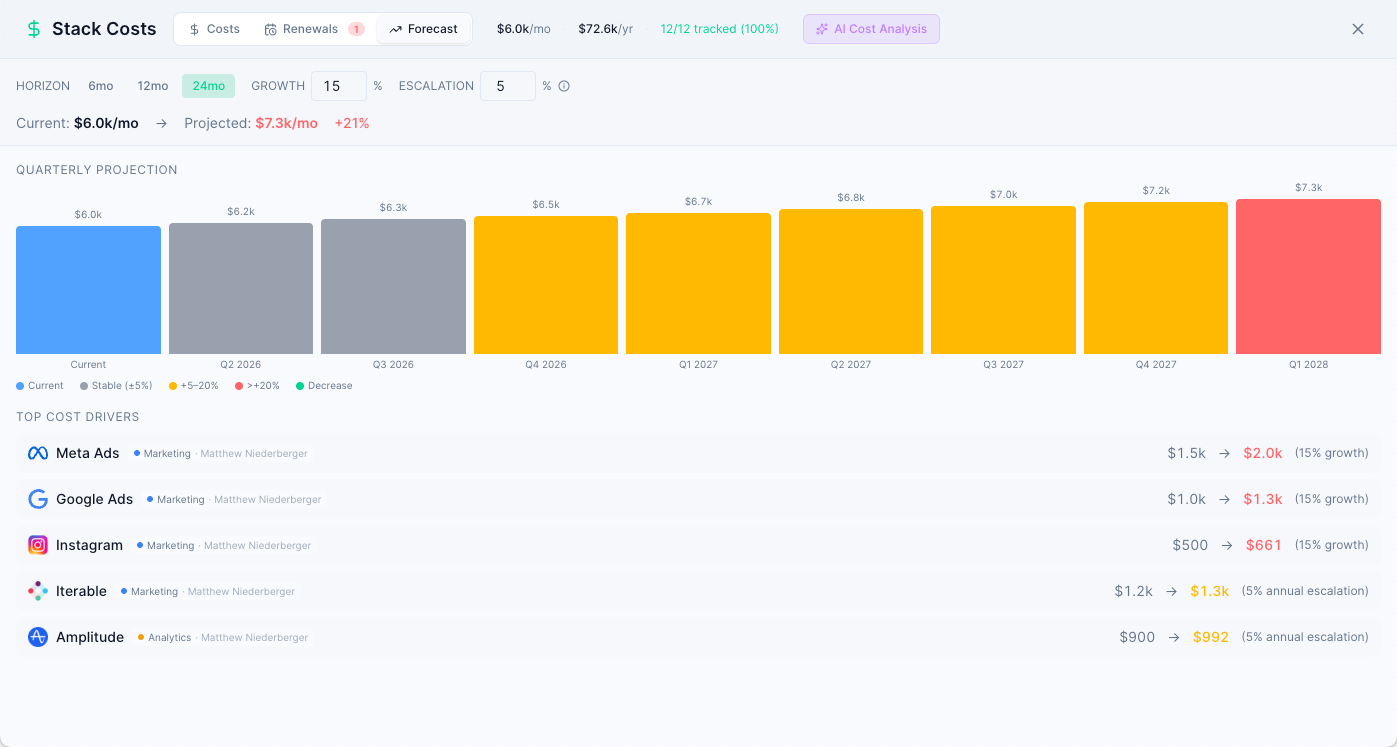
Stack costs
ConsultantTrack cost, seats, department and renewal per tool, see utilisation and what unused seats would give back, and forecast next year’s spend.
-
Every notice-by date on one 18-month timeline, with reminders by email, in the app, on your phone and in Slack.
Renewal dates, reminder emails and calendar download on every plan; the timeline on Consultant
-
Cost import
ConsultantImport a budget file as CSV or Excel. Numbers are read as people write them, and you review what was read before anything is saved.
-
Negotiation one-pager
ConsultantA one-page plan for each renewal: opening, settle and walk-away prices with the arithmetic shown, the trades to offer and the questions to ask.
-
AI cost analysis
ProA written read of where the money goes and which savings are realistic.
-
Contract and SLA management
EnterpriseUpload contracts, SLAs and DPAs; key terms such as renewal dates, uptime and penalties are extracted onto the vendor’s node, listed by vendor in the stack’s Details and kept in one workspace register.
Beta teams keep access
-
Ask, with your contracts
EnterpriseAsk a question about your stack and its agreements and get the answer with the clause it came from.
Beta teams keep access
Procurement (RFI)
Run a vendor selection in one room, from the first draft to a decision you can still explain six months later.
-
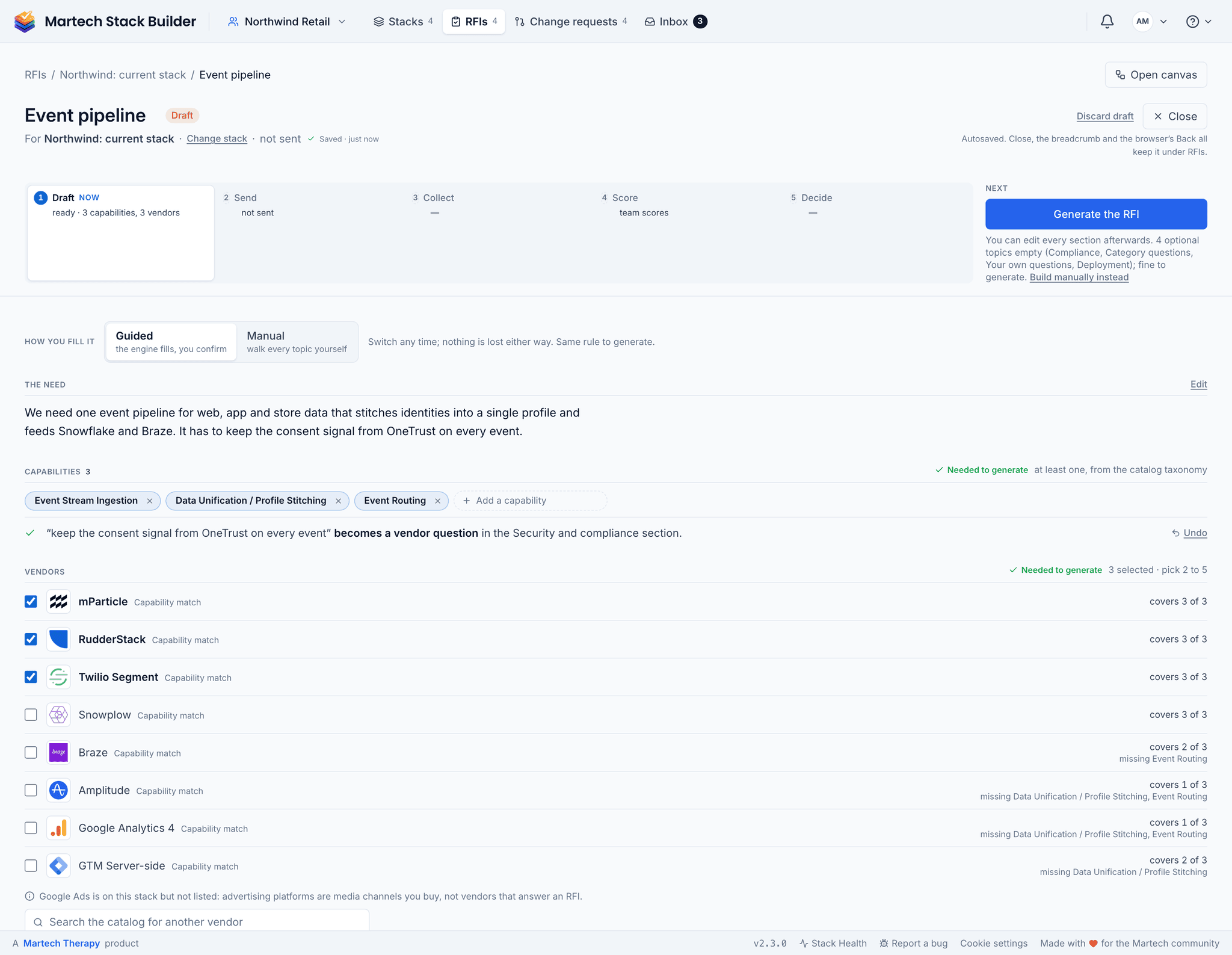
RFI builder
ProDescribe the need in a sentence and confirm the capabilities and vendor shortlist read from it, send the RFI to two to five vendors with automatic reminders, and follow it through Draft, Send, Collect, Score and Decide in one room.
First RFI included; unlimited on Consultant
-
Vendors answer per question without an account, or download the questions as an Excel workbook and upload it, checking what was read before it is saved.
With your first RFI; included on Consultant
-
Score every vendor side by side, one question at a time, invite outside scorers by link, and on a team RFI agree a consensus where scores differ.
With your first RFI; included on Consultant
Plan and govern change
Decide what changes, who signs it off and who does the work afterwards. Then close it with a record of what actually happened.
-
Turn a target stack into phased work with dependencies and effort.
2 runs; Pro has a monthly AI allowance
-
Diff two stacks, or a stack against an earlier version, and see what was added, removed or changed.
-
Workspace rollouts
ConsultantSequence your phase diagrams into a staged migration and step through the tools, cost and risk that change at each phase.
-
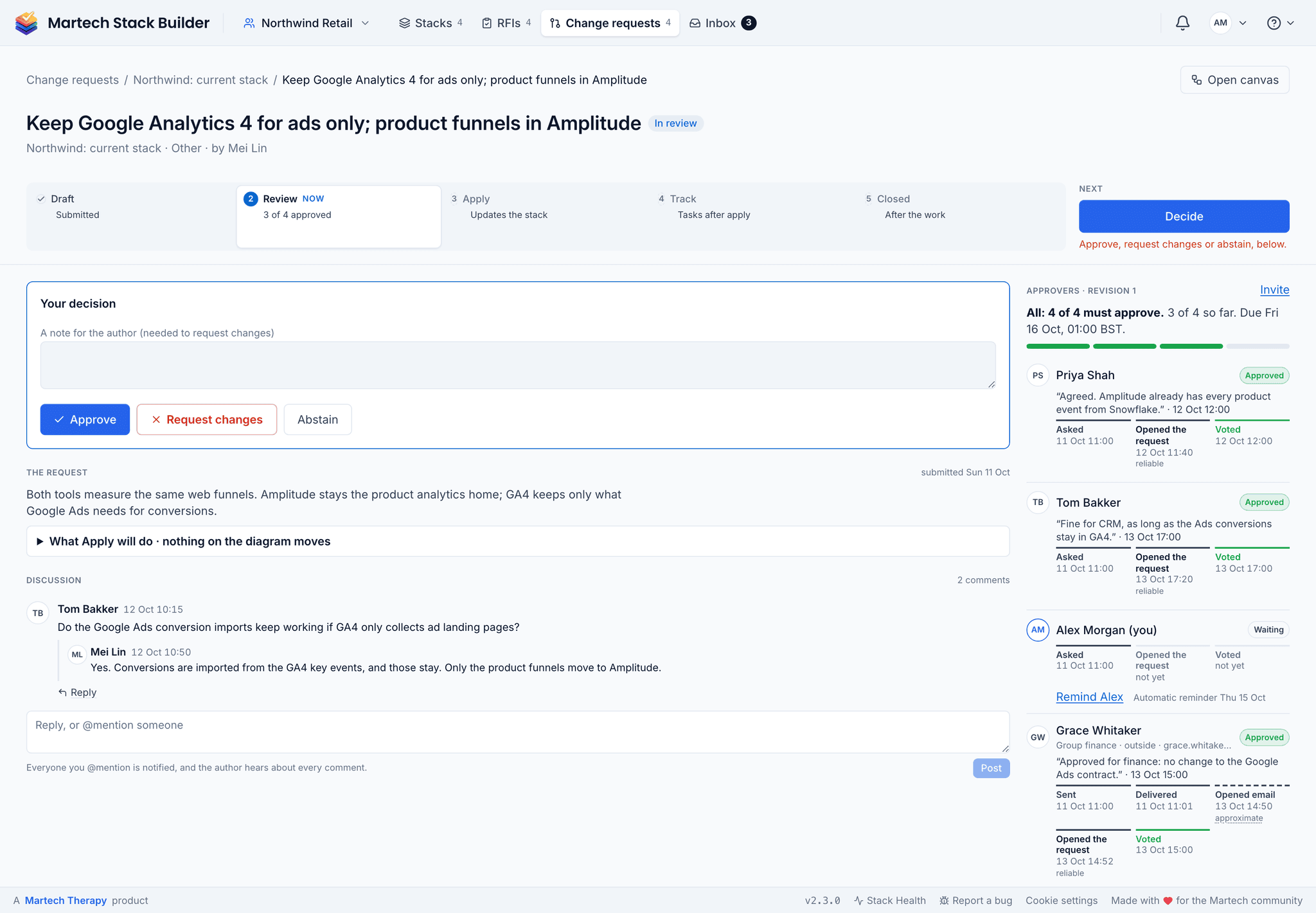
Change requests and approvals
ConsultantDraft a change, get it approved, apply it to the stack, track the tasks and close it with a record of what happened.
Solo on Consultant; approvers and assigned tasks on Agency and Team
-
Version history
FreeGo back to any autosaved version, and name checkpoints before a big change.
3 versions; checkpoints on Pro
-
Audit log
TeamA record of who changed what in the workspace.
30 days on Team and Agency; 365 days and CSV export on Enterprise
Team and sharing
Work on the stack together, see what’s waiting on you, and put the stack in front of the people who need to see it.
-
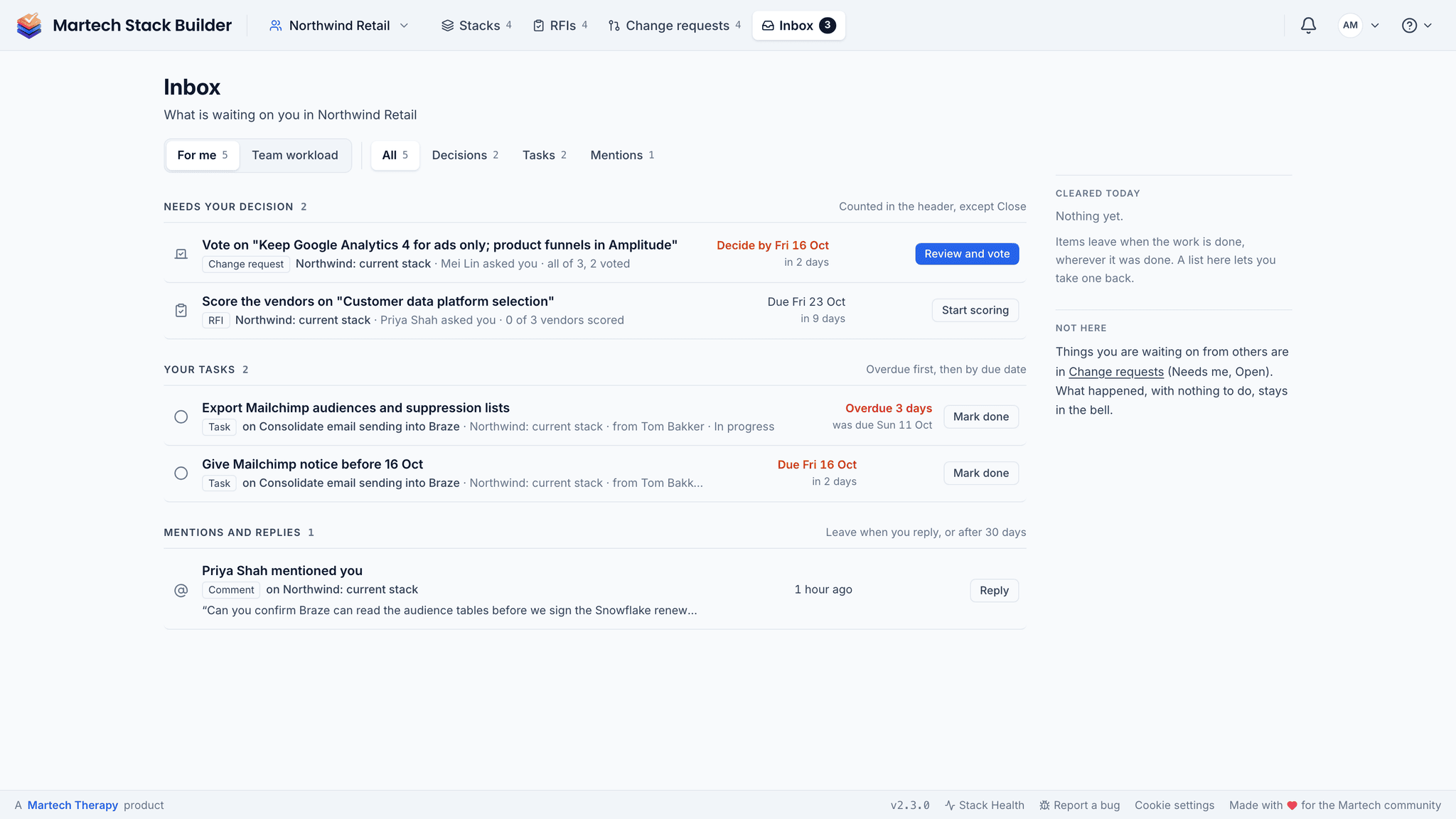
Inbox
FreeDecisions waiting on you, your tasks with the overdue ones first, and mentions and replies, in one list on desktop and phone.
Each kind of row follows its feature’s plan
-
Settings
FreeYour account, and the workspace’s members, roles, integrations and notifications, at their own address in the app.
Workspace settings on team workspaces
-
Team workspaces
TeamA shared library of stacks with roles, departments and free guest seats.
Also in every client workspace on Agency
-
Discuss a tool or a connection on the canvas and pull a colleague in with an @mention.
Also on Agency
-
Notifications
FreeHear about vendor outages, renewals, RFI deadlines and change requests in the app, by email or in Slack.
Each alert follows its feature’s plan; Slack on Team
-
Phone companion
FreeVote on change requests, tick off tasks, read mentions, open a renewal’s negotiation one-pager and ask about a stack from your phone. Installs from the browser; editing stays on desktop.
Negotiation one-pager on Consultant; push on iPhone once added to the Home Screen
-
Share a read-only link, or export the diagram as PNG, SVG, JSON or CSV.
PNG and SVG carry a small credit line; no credit line, PDF reports and protected links on Pro
-
Branded client reports
ConsultantPut your own logo on the reports and exports you hand to clients.
-
Enterprise controls
EnterpriseEnforced MFA, per-workspace encryption of contracts, and 365-day audit logs for security review.
Integrations and AI clients
Take the stack into the tools your team already works in.
-
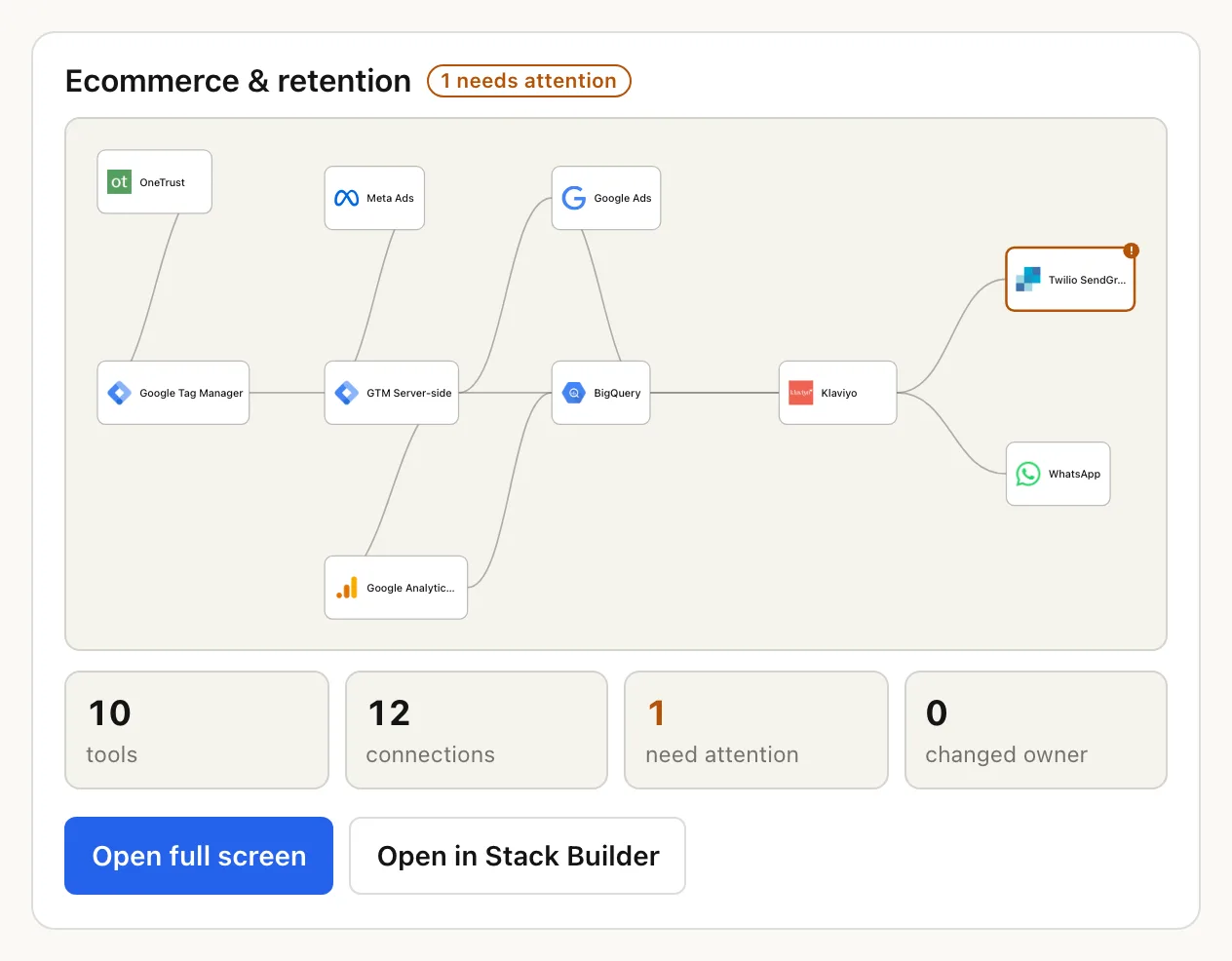
Connect an AI assistant and ask about vendors, alternatives, head-to-heads, ownership changes and live status, then about your own stacks, costs, RFIs and renewals. Answers come back as cards in the chat, among them a map of your stack. Read-only.
Your stacks, costs, RFIs and renewals on Consultant; change requests on Team; agreements on Enterprise
-
Slack
TeamRoute alerts to the right channels, vote on change requests, pull your Inbox, an audit or a renewal brief with /msb, or message the app and ask your stack in plain words.
Also on Agency; /msb ask on Enterprise
-
JIRA
TeamPush roadmap items and change requests to JIRA as stories with subtasks.
Also on Agency
-
Embed a live, read-only stack diagram in a Confluence or Notion page.
Plans and who it’s for
Limits for every plan, side by side, are on the Martech Stack Builder pricing page. How the product fits a particular role:
Ready to build your case?
Join martech professionals at Emirates, Specsavers, and growing agencies who plan their stacks here.
No credit card required. Free plan available.