Workspace Rollouts
Plan the migration, not just the diagram.
Sequence the stacks you already have into a staged rollout, then step through it on the canvas. At every phase, see exactly what changes — tools added and removed, the cost delta, and the risk — computed for you.
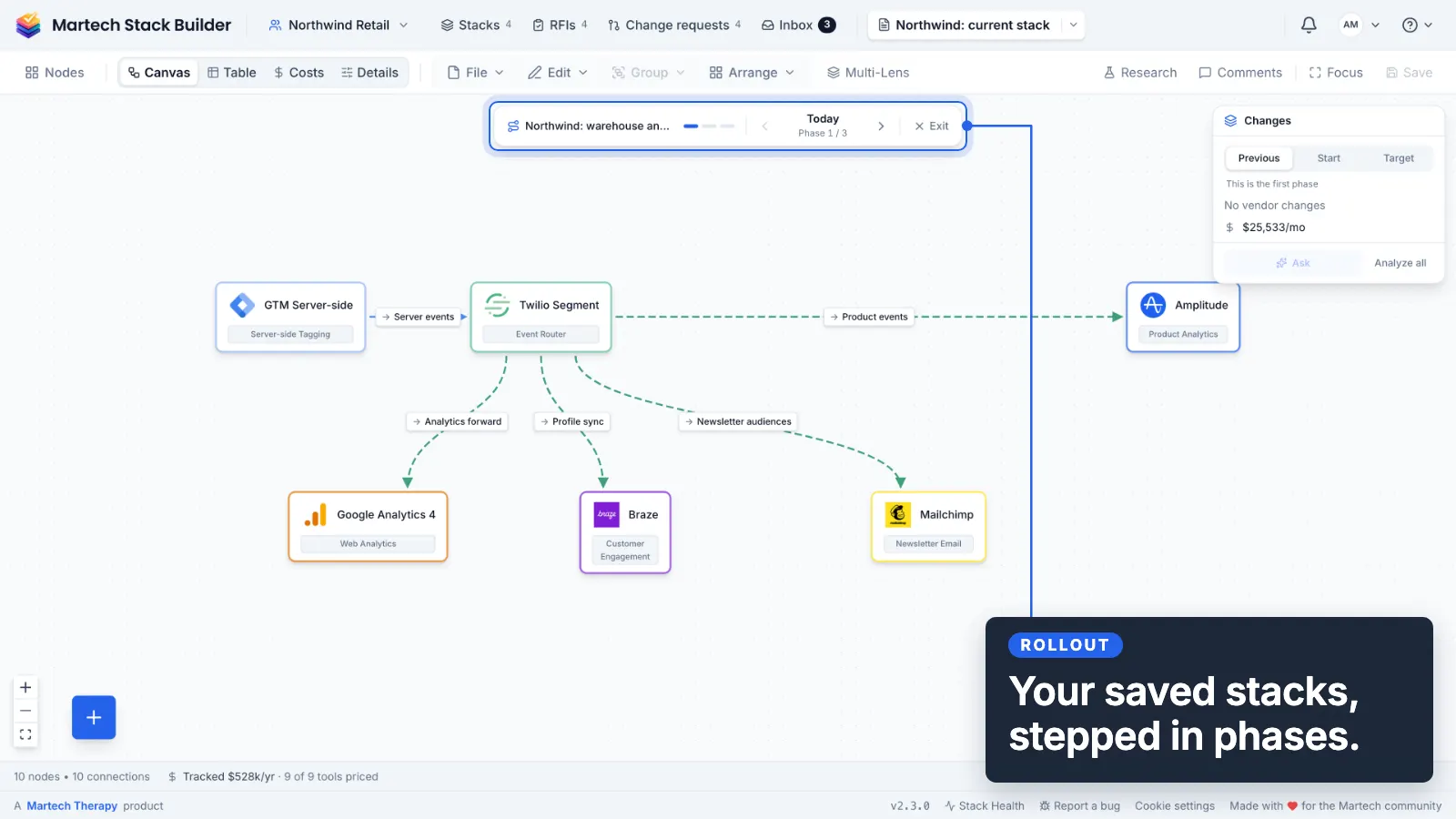
From scattered diagrams to a staged plan
Rollouts build on the diagrams already in your workspace. No new drawing, no duplicate to maintain.
Sequence your phases
Pick the saved stacks that represent each stage of your migration and order them into a rollout. Each phase points at a real diagram, so the plan stays live as those diagrams change.
Step through on the canvas
Walk phase by phase with arrow-key navigation. The canvas auto-fits each stage and an on-canvas insight panel travels with you, so the plan reads like a story, not a spreadsheet.
See the delta at every step
Each transition is diffed automatically against the two diagrams — what's added, what's retired, the change in cost, and the new risk the phase brings in.
The insight panel does the diffing for you
Every phase-to-phase transition is computed from the underlying diagrams — no manual comparison, no stale slides.
Tools added
Exactly which vendors come online in this phase.
Tools removed
What gets retired or replaced, so nothing is orphaned.
Cost delta
The change in monthly spend as the stack evolves.
Risk read
New systems holding personal data, new hubs, and new tools that need consent.
Ask AI about any transition — in context
Ask reads the actual tools and edges involved in a phase, so its answers are grounded in your stack, not generic advice.
“What could break moving from phase 2 to phase 3?”
“Which integrations do I need live before I retire the old CDP?”
“Does this phase introduce any single points of failure?”
In a team workspace, the whole team steps through the same plan.
The method
Plan the rollout by hand
A migration plan that is one long list gets abandoned in week three. This procedure produces phases that can each be finished, which is what makes them survivable. A day of planning per quarter of rollout.
-
Write down the end state and the current state as two inventories
Same columns, two sheets. The difference between them is the work — and writing it this way stops the end state drifting during delivery.
-
Split the difference into changes that can ship alone
Each change should be completable and leave a working stack behind. If a change only makes sense alongside three others, it is one change, not four.
-
Order by dependency, then by risk
Things that unblock other things first. Among equals, do the risky one earlier — a nasty surprise in month one is recoverable, in month eight it is not.
-
Give each phase an exit test
One check that proves the phase is done. Without it, phases stay 90% complete and the rollout stalls in a state nobody can describe.
-
Assign an owner and a date per phase, and leave slack
A plan with no slack is a plan that fails at the first surprise. Some phases will be wrong; the sequencing is what you are protecting.
CDP replatform, current stack 18 tools, target 14, four phases.
| Changes identified | 23 |
|---|---|
| Shippable alone | 17 |
| Bundled into dependent groups | 6 → 2 changes |
| Phases | 4 |
| Phase 1 exit test | identity parity, both systems |
Reading it: Nineteen shippable changes across four phases, each with an exit test, is a plan someone can be held to. The same nineteen as one list is a project that reports 80% complete for five months.
The shortcut: Workspace rollouts sequence existing per-phase diagrams and compute the delta between them, so step 1 is two saved stacks rather than two spreadsheets.
The argument behind this
Should your CDP take a year to implement?
On implementation timelines and what actually drives them.
Frequently Asked Questions
What is a Workspace Rollout?
Do I have to redraw my stack for each phase?
What does the insight panel show between phases?
Can I ask AI about a specific transition?
How is this different from a before/after comparison?
Which plans include Workspace Rollouts?
Turn a scary migration into a plan you can walk through
Sequence the stacks you already have, step through the phases, and let the canvas show you the cost and risk of every move — before you make it.
No credit card required. Free plan available.