AI Stack Generator
One sentence in. A stack on the canvas.
Describe the business and what it wants. The generator lays out the tools it needs, draws the connections between them, fills in how each one runs, and writes down what it had to assume.
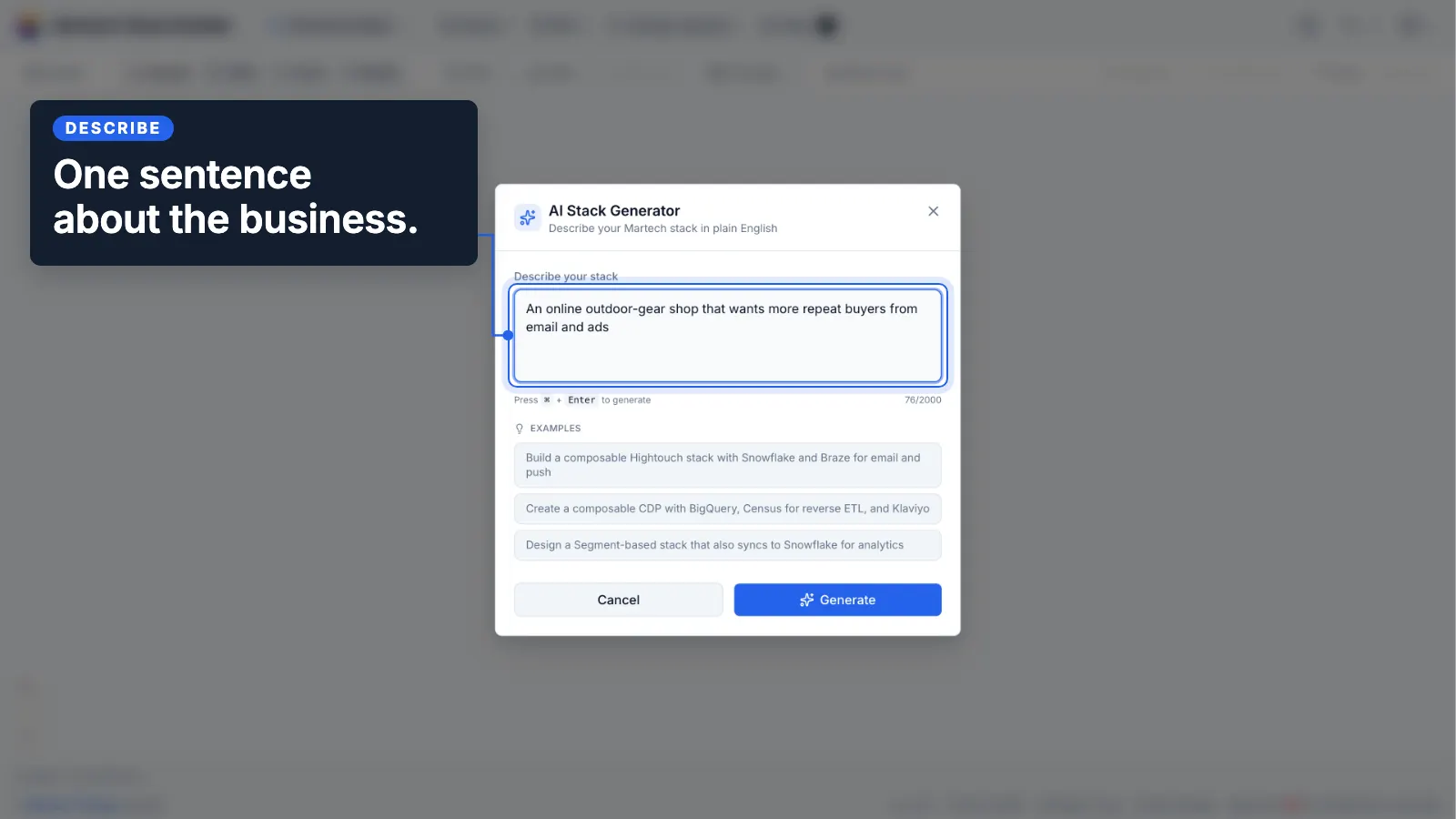
From a sentence to a stack you can work on
On an empty canvas, choose "Let AI build it". On any canvas, pick Generate with AI from the File menu, or press ⌘K and type the sentence.
Describe the business
Write what the business is and what it wants, in a sentence. "An online outdoor-gear shop that wants more repeat buyers from email and ads" is enough. You can also name tools or a pattern: "a composable stack on Snowflake with Hightouch and Braze".
Get a stack on the canvas
Real tools from the catalog, laid out left to right in the order data moves, with every connection drawn and named. What the generator had to assume about the business is written on a note beside it.
Treat it as a first draft
Every node and every connection can be edited like one you drew by hand. Swap a tool, delete one, add the system it could not know about. Then save it and run the rest of the product on it.
A draft you can check
A generated stack is only useful if you can see where it came from. These are the rules it is built to.
Tools from the catalog, never invented
Tools come from the catalog of 460+ vendors, spelled as listed, with their logos and categories. Where the business needs something the catalog has no vendor for, such as a storefront or a reviews tool, you get a plain labeled node instead of a made-up brand.
Every connection documented
Each connection gets a short label for what flows across it and all seven integration fields: integration mode, protocol, auth method, data format, frequency, impact if it breaks, and how stale the data can get.
Assumptions said out loud
If you name a company, the generator does not know what it runs today and will not pretend to. What it assumed ("Assumed no customer data platform is needed at this size") goes on a note on the canvas, so you can check it and correct it.
No invented numbers
The generator never writes a price, contract value or spend figure. Costs come from what you record against each tool, and the stack audit computes from those.
Built for the business you describe
A small shop asking for more repeat buyers should not get an enterprise CDP. The generator treats the request as a business goal or as an architecture, and sizes the stack to it.
Online retail and DTC
Storefront, payments, email and SMS, reviews and loyalty, paid social and search, analytics, support.
Media and creators
Newsletter, podcast and video channels feeding an owned list, then merch or memberships, paid social and analytics.
B2B SaaS
Website and product events into a CRM, marketing automation, product analytics, enrichment, ads and support.
Data architecture
Composable (warehouse at the center, reverse ETL out), packaged CDP, or a hybrid of the two, when the request is about the plumbing.
Then put the draft to work
Once saved, a generated stack is a stack like any other, so everything else in the product runs on it.
Audit it
Overlapping tools, an A–F grade and the spend tied up in duplication, computed by the engine.
Stack audit →Cost it
Record what each tool costs and when it renews; the Costs view totals the stack and lists the renewals.
Consultant plan →Run an RFI
Turn a slot in the stack into an RFI with a weighted rubric, then score the vendors side by side.
RFI builder →Plan the rollout
Generate an implementation roadmap, or sequence saved stacks into phases and step through the changes.
Workspace rollouts →Prefer a reference stack?
Ten templates we built by hand: composable and packaged CDP, Google-native, Microsoft and Azure, B2B demand generation, e-commerce, mobile-first, consent, real-time streaming, and analytics and BI. Every connection is named and documented.
Open the template gallery →Start from the use case
The Martech Cookbook writes use cases up as recipes, with the patterns underneath them. Pick the recipe that matches what you want the stack to do, and check it against your stack in the app.
Browse the Martech Cookbook →The method
Sketch a first-draft stack from one sentence, by hand
Before anyone opens a vendor shortlist, a one-page draft of what the business needs settles most of the arguments that come later. It starts from the business, not the tools. An hour with a whiteboard or a spreadsheet.
-
Name the business model in one line
What it sells, to whom, and through which channel. "Online shop, consumer, own storefront" is a different stack from "B2B software, sales-led". If you cannot write the line, the draft will not hold.
-
List the jobs the stack has to do
Verbs, not tools: take payments, capture who bought what, send email and SMS, collect reviews, reach past buyers with ads, measure the site, answer support questions. Five to ten jobs is normal for a small business.
-
Map each job to a category
Payments, email and SMS, reviews and loyalty, advertising, web analytics, support. Two jobs that fall into the same category are one tool, not two. If no category fits a job, write the job down as a plain box and keep going.
-
Pick one tool per category, and size it to the business
Where a category only needs one answer, choose one and move on; advertising is the usual exception, one per channel. Leave out what the business does not need yet: a ten-person shop rarely needs a warehouse or a customer data platform to get repeat buyers.
-
Draw the data flows
An arrow for every place data moves, labeled with what moves ("orders and customers", "customer audiences"), how often it runs, and what breaks if it stops. An arrow with no label is a question nobody has answered.
-
Write your assumptions next to the drawing
Everything you guessed about the business: a hosted storefront, one platform for email and SMS, no CDP at this size. These are what the business owner corrects first, so make them easy to find.
"An online outdoor-gear shop that wants more repeat buyers from email and ads."
| Business model | consumer retail, own storefront |
|---|---|
| Jobs listed | 7 |
| Categories | 7 |
| Tools | 8 (ads run on two channels) |
| Left out at this size | warehouse, CDP |
| Data flows drawn | 7, each labeled |
| Assumptions written down | 3 |
Reading it: Eight tools and seven labeled flows is a draft a shop owner can read in a minute and correct in five. The three assumptions are where that correction starts, which is the point of writing them down.
The shortcut: The AI Stack Generator does steps 1 to 6 from the sentence: catalog tools on a canvas, every flow labeled with seven integration fields, and the assumptions on a note beside it.
Frequently Asked Questions
What should I type?
Which kinds of business does it handle?
Will it recommend tools the catalog does not have?
What happens to the stack already on my canvas?
How many stacks can I generate?
Is it better than starting from a template?
Related Solutions
Stack Visualization
Draw the stack by hand on the same canvas, with the same seven fields per connection.
Learn moreStack Audit
Overlaps, an A–F grade and recoverable spend, computed from your stack.
Learn moreWorkspace Rollouts
Sequence saved stacks into phases and see what changes at each step.
Learn moreDescribe the business. Start from there.
Free plan: 3 generations, and every generated stack can be edited, saved and audited.
No credit card required. Free plan available.